For viewers
Some people need to see how AI is used without changing anything: a leader following adoption and cost, an internal auditor, a reviewer. An organisation viewer reads everything (every cost, the audit log, the policies, Status) and changes nothing. A viewer of one agent, application or team reads just that.
Your problem today
To see what's going on you ask an admin for a report, or you're given admin rights you don't want and shouldn't have.
Life with Vidai
- Everything, read-only. People, teams, keys, policies, cost, Request logs, the audit log and the evidence page, with no button that changes anything. Viewers hold no keys.
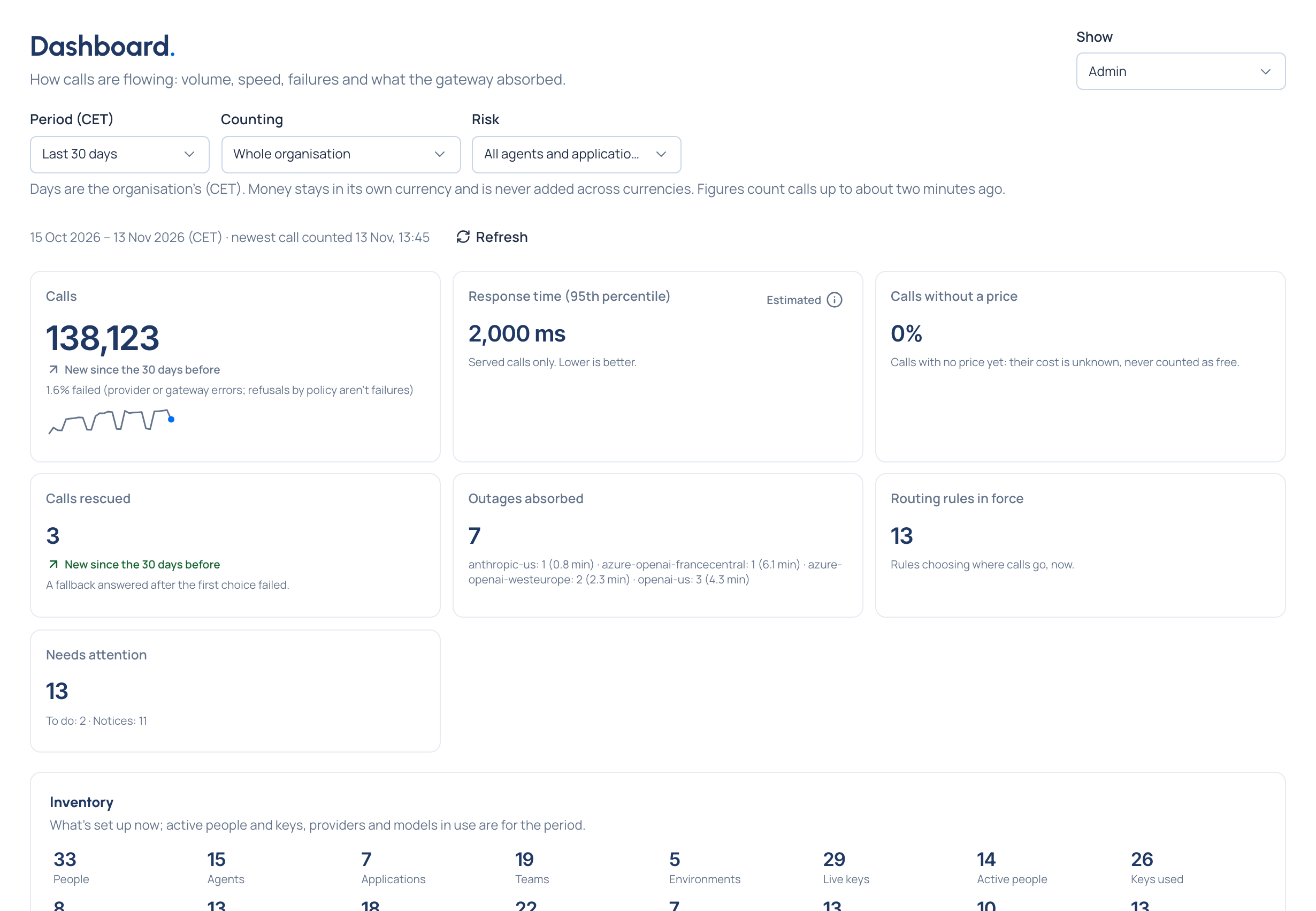
- The Admin dashboard with every figure: calls, failures and refusals, response time, calls rescued and the inventory.
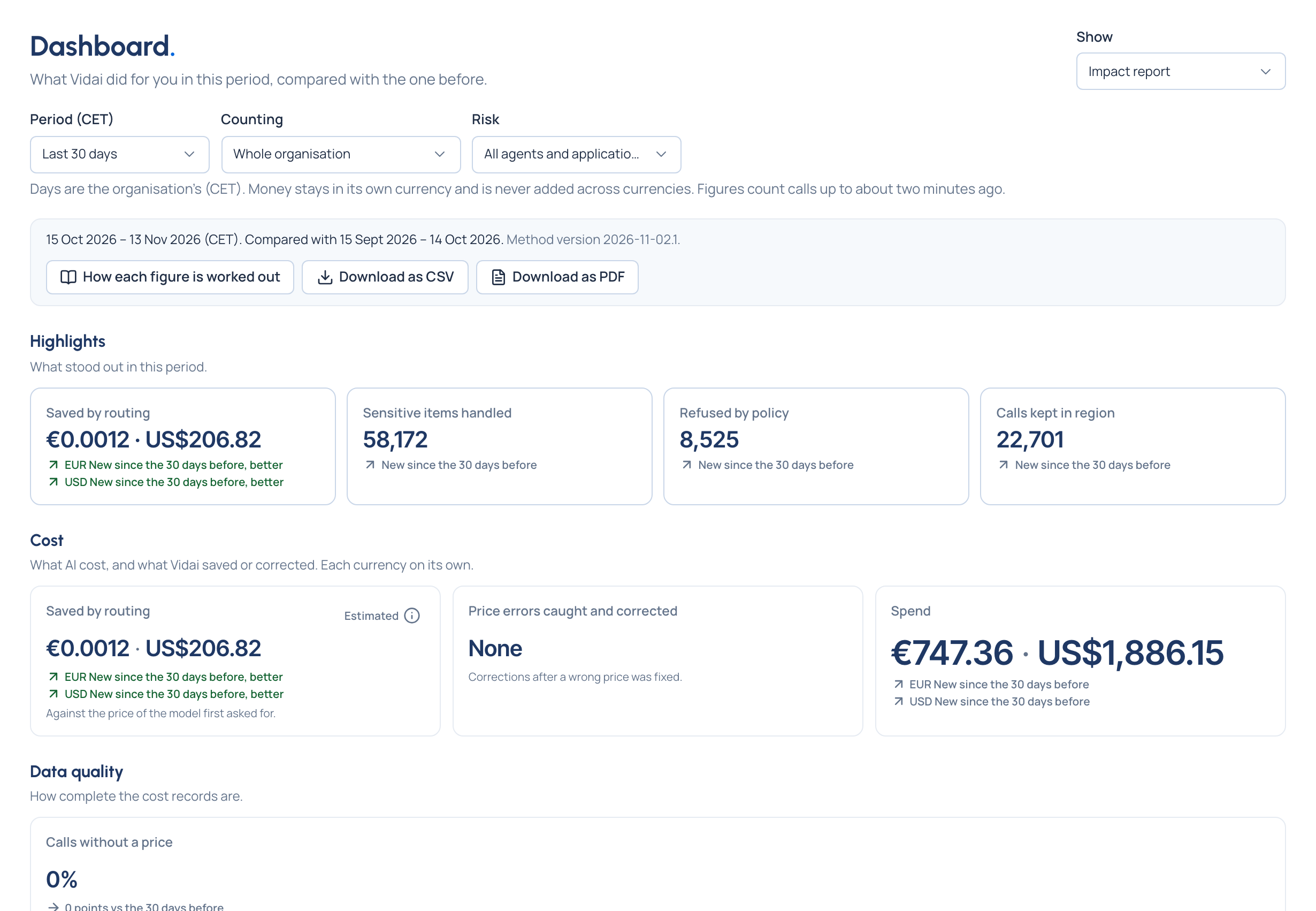
- The impact report to forward: money saved, data protected and calls rescued against the period before, with no policies, settings or vendors in it. Download it as CSV or PDF.
The team Vidai stands in for
The admin who used to put the monthly report together by hand.