Switch a provider or model off
Purpose: a provider's contract ends, a model is retired, a vendor has an incident. Switching it off stops every call to it at the gateway, at once, and nothing else changes. Before you confirm, Vidai shows which keys lose which models and which routing rules would pause, so nobody is surprised.
Before you start
- You're an organisation admin.
Steps
- Open the provider (Models & routing › Providers) or the model (Models & routing › Models).
- Choose Switch off at the top of its page.
- Read What it changes:
- how many keys lose models, and each of those keys with the models it loses;
- the models keys could call before and can't after;
- the routing rules that would pause (rules that send calls to it).
- Confirm. Cancel leaves everything as it was.
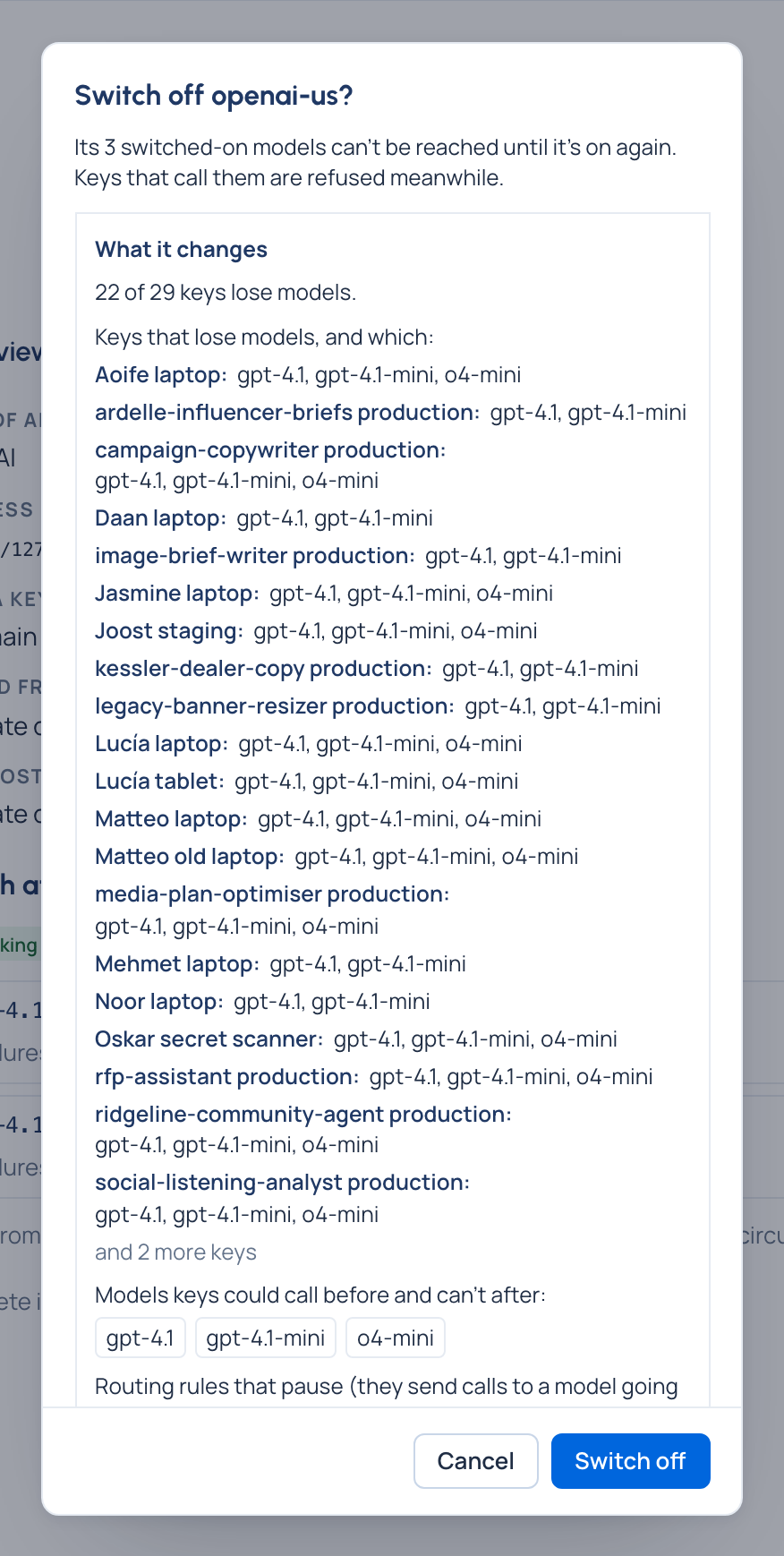
To switch several models at once, tick them on Models and choose Switch off (or Switch on).
Check it worked
The provider's or model's state reads Switched off. Wherever its models are listed they say Provider switched off (with Turn on and the provider's name) or Switched off. Calls to them are refused at the gateway, before any provider sees them, and show as refused in Request logs.
Switch it back on
Choose Switch on on the same page. Its models can be called again at once. Routing rules that paused when it went off don't resume by themselves: Home's Needs attention lists them, and you resume each one on its page (Pause a rule).
Delete a provider or a model
- A provider: Delete is offered once none of its models is switched on (its Overview says how many to switch off). The confirmation lists What goes with it: its models and their aliases, and for each model the rules, chains and experiments that name it.
- A model added by hand: Delete lists What goes with it: its aliases, routing rules deleted with it or paused, fallback chains and experiments that name it, guardrails and budgets left with no model to send calls to, approved destinations, manual prices only it uses, and how many keys lose it.
Nothing is deleted until you confirm.
Related
- Read provider health and circuits: for a provider that's failing on its own.
- Stop all AI traffic: for an incident that needs every call stopped.
- Send a model's calls to another model
Good to know
- A model found on the provider can't be deleted while the provider lists it: switch it off instead.
- Keys, agents, providers and models each have their own switch; switching one off never touches the others.