Set an agent's or application's risk level
Purpose: record your organisation's assessment of an AI system (high, limited or minimal risk) where it acts. A high-risk system's calls are always in the auditor's sample, and its review date reminds you when to look again. The risk register keeps every assessment in one list, and Possibly missed points at systems whose calls suggest they deserve a closer look. Risk levels are in every edition.
Before you start
- You're an organisation admin or a Compliance officer Enterprise. Organisation viewers see levels; others don't. What Enterprise includes depends on the features your licence includes.
- Have the assessment to hand: its date, a document reference if there is one, and the reasoning.
Steps: set a level
- Open Who › Applications & agents and choose the agent or application (or open it from Who › Risk).
- In its Risk section, choose Set risk level… (or Change risk level…).
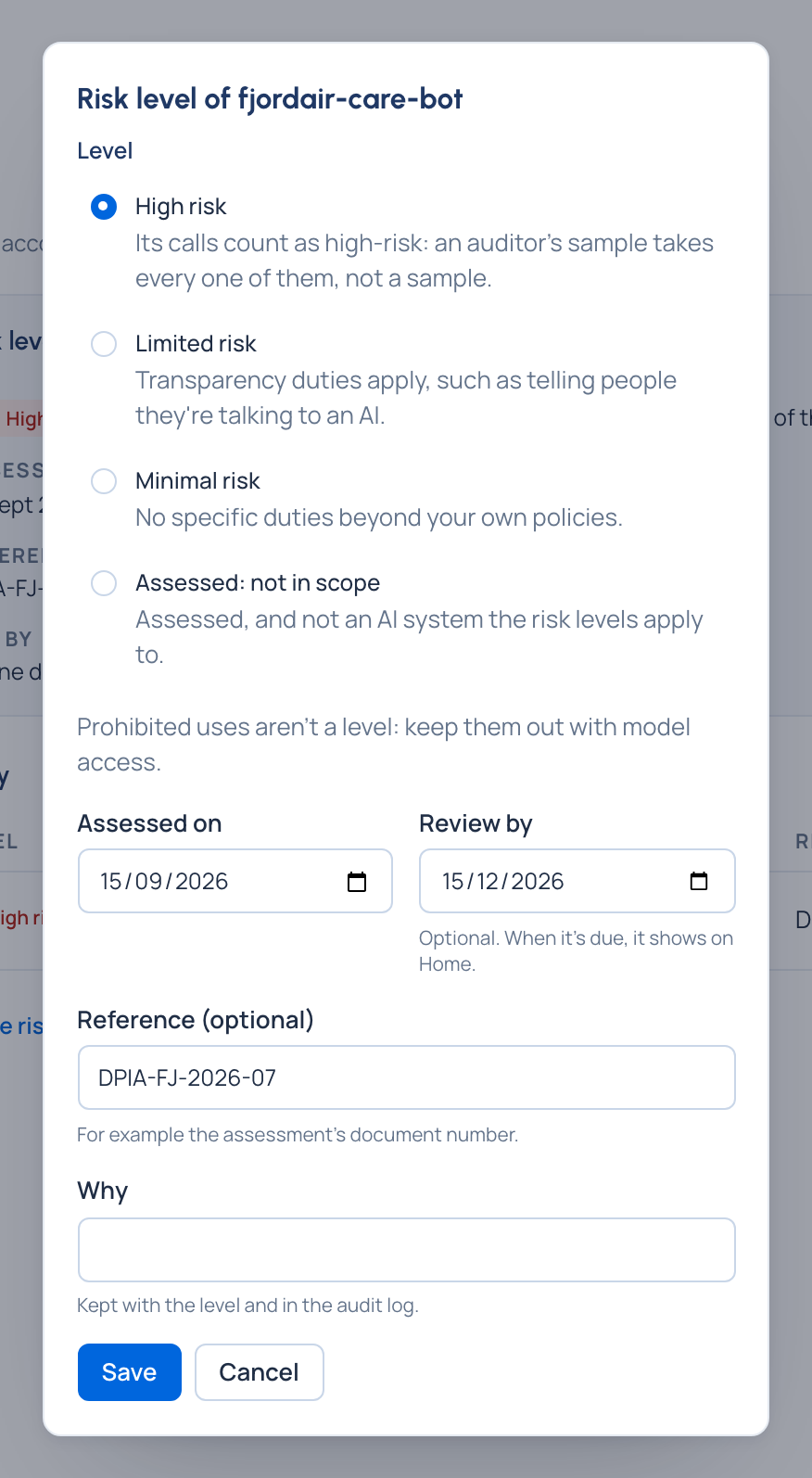
- Choose the level: High risk, Limited risk, Minimal risk or Assessed: not in scope.
- Set Assessed on (today by default), an optional Review by day, an optional Reference such as the assessment's document number, and Why (required).
- Save.
Steps: keep the register and check what may have been missed
- Open Who › Risk.
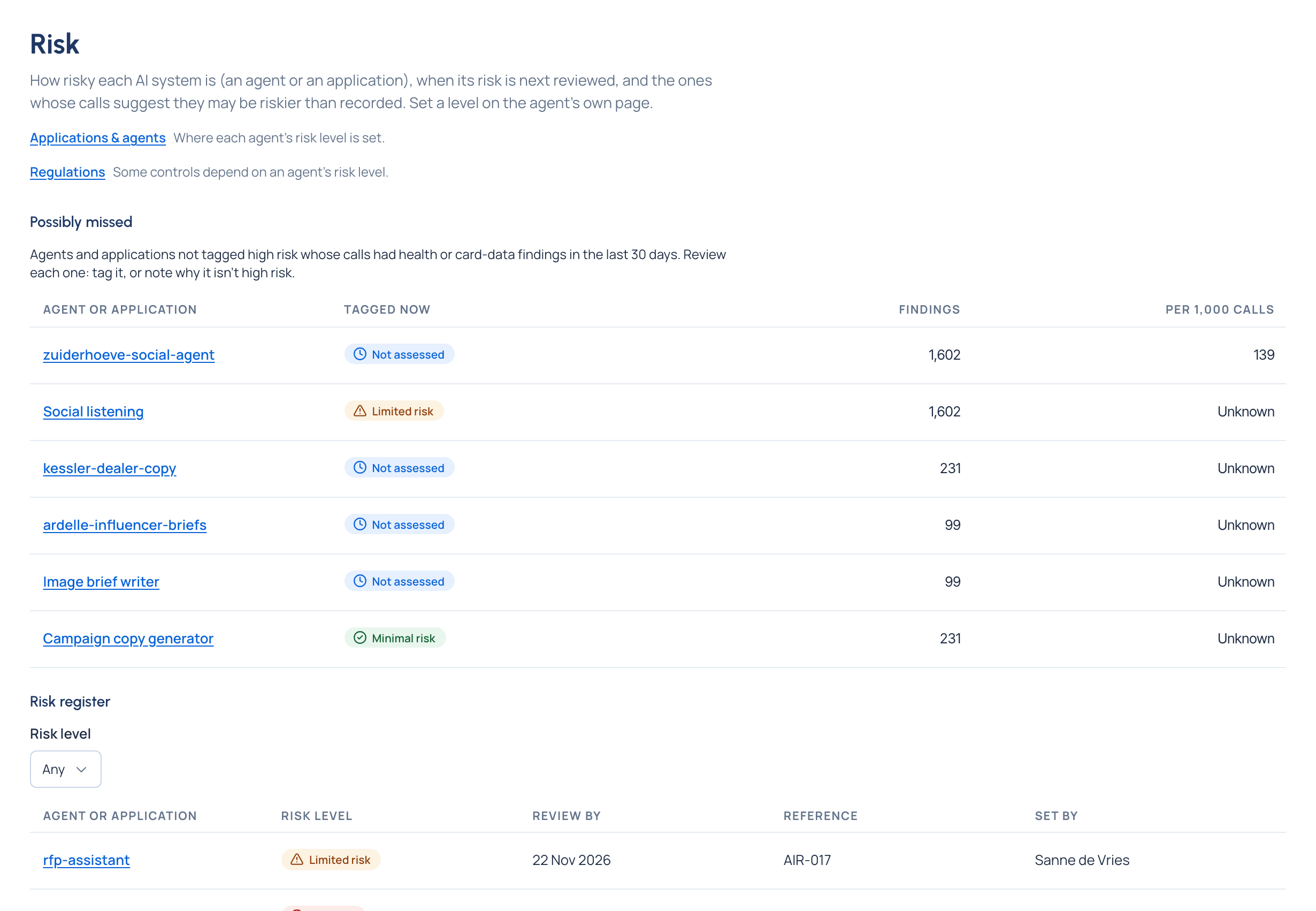
- Under Possibly missed (organisation admins and Compliance officers): agents and applications not tagged high risk whose calls had health or card-data findings in the last 30 days. Each row shows what it's Tagged now, its Findings and the findings Per 1,000 calls.
- Review each one: choose its name to open its Risk section, then either set High risk, or set the level it does have with Why saying why it isn't high risk. "Nothing to review" means none had such findings.
- Under Risk register: every agent and application with a level, with its Risk level, Review by, Reference and Set by. Reviews that are overdue come first and read Review overdue since that day.
- Narrow it with Risk level if you want only one level; Reset filters shows them all.
- For each overdue review, choose the name, look at the system again and set its level (even unchanged) with a new Review by day.
Check it worked
- The level shows as an icon and a word in the page's header, and in the Risk column of the lists.
- The History lists it with who set it and when; the audit log has it with your reason.
- It's on Who › Risk, the register, and an overdue review there moves down to its new date.
- A system you reviewed under Possibly missed leaves the queue once it's tagged high risk.
Related
Good to know
- A call counts as high-risk if its agent or its application was high risk when the call was made.
- Once Review by passes, it reads Review overdue since that day and Home says Risk review due for …. Setting the level again, even unchanged, clears it.
- Organisation viewers see the register but not Possibly missed.
- Possibly missed lists systems not tagged high risk, so one you assessed at a lower level can still show there while its calls have such findings; its Tagged now shows your level and its Why keeps your reasoning.