Find the gateway's address
Purpose: every program that calls models needs two things: the gateway's address and a key. Vidai shows the address, and the exact settings for each kind of SDK, ready to copy, wherever people get keys. Nobody has to ask around or guess an internal address that only works inside the data centre.
Before you start
- To read the address: anyone signed in.
- To set it: an organisation admin. Organisation viewers and Compliance officers see it without changing it.
Set the address (organisation admins)
Vidai never guesses the address: the one it uses itself is often internal, and your apps may reach the gateway another way (a load balancer, a public name).
- Open System › Settings and choose Gateway.
- Under Address apps use, type the address as your apps reach it, with
httporhttps, for examplehttps://ai.example.com. - Choose Save. The change is recorded in the audit log, with the address before and after.
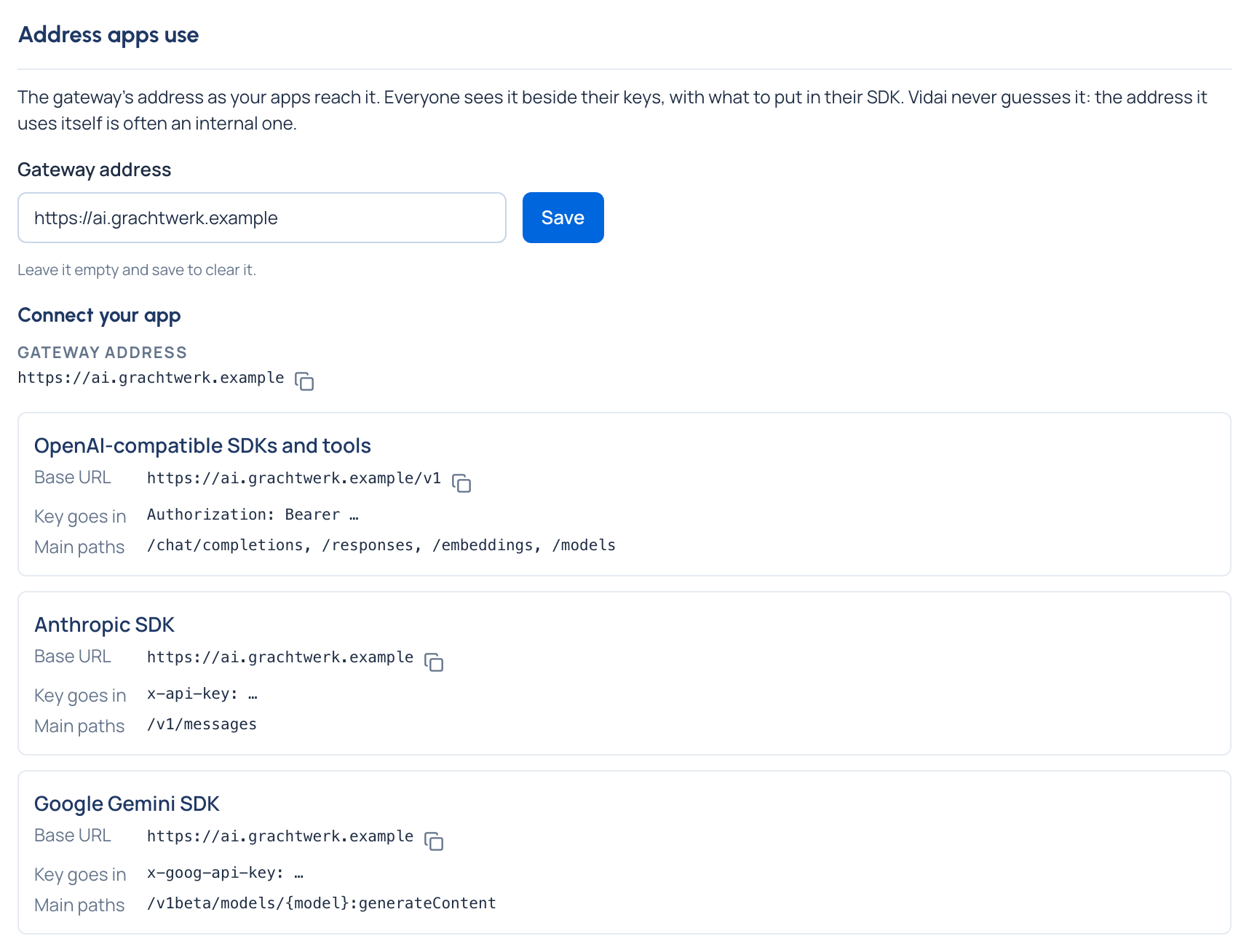
To clear it, empty the field and save.
Copy the settings for your SDK
Connect your app sits at the top of Daily › Keys, and shows again when a key is issued.
- Open Daily › Keys.
- Under Connect your app, copy the Gateway address.
- Choose Show SDK settings. For each kind of SDK it gives the Base URL, where the Key goes in, and the Main paths:
| Kind of SDK | Base URL | Key goes in |
|---|---|---|
| OpenAI-compatible SDKs and tools | https://<your-gateway>/v1 |
Authorization: Bearer … |
| Anthropic SDK | https://<your-gateway> |
x-api-key: … |
| Google Gemini SDK | https://<your-gateway> |
x-goog-api-key: … |
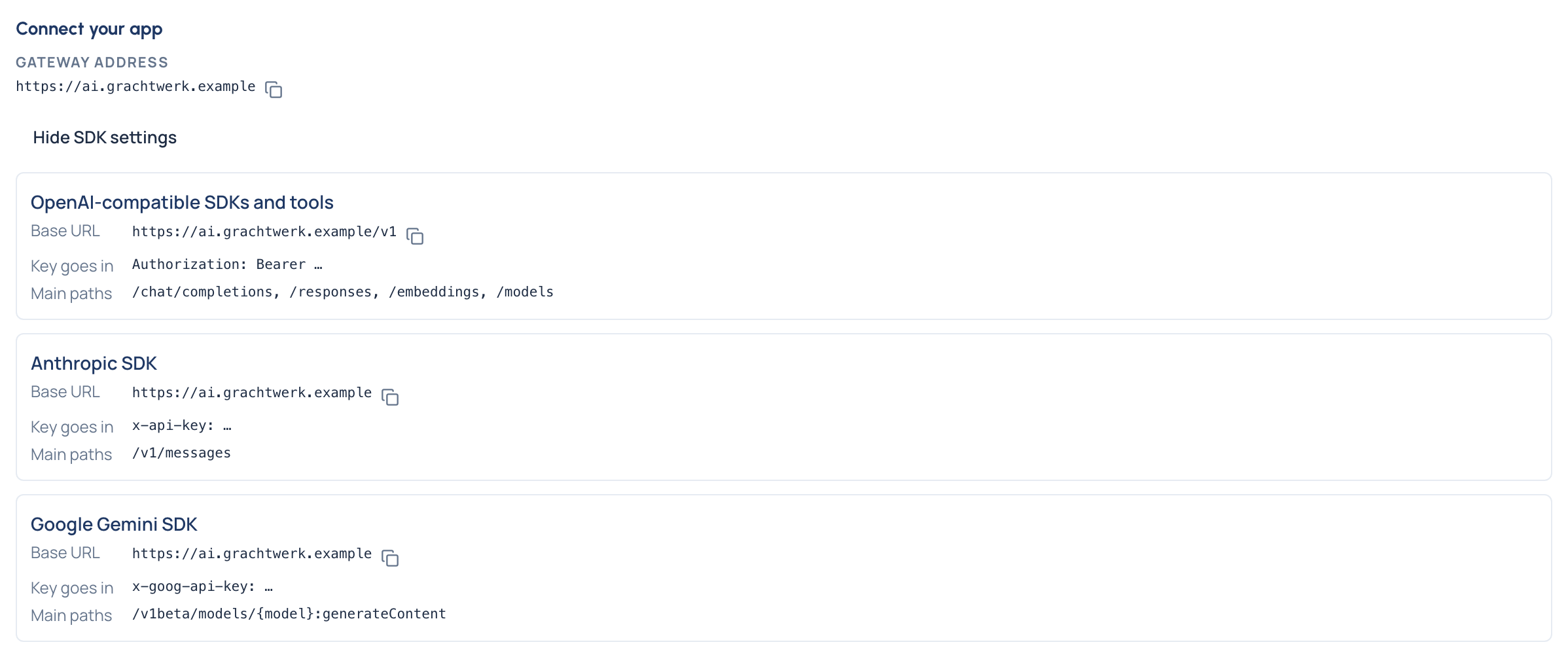
The gateway accepts a key in any of the three headers, whatever the SDK, so you can use whichever your tool already sends.
Check it worked
From a machine your app runs on, ask the gateway for the models your key may call:
curl https://<your-gateway>/v1/models \
  -H "Authorization: Bearer $VIDAI_KEY"
A list of models means the address and the key both work. Then make your first call.
If something's not right
- "An organisation admin hasn't set the gateway address yet." Ask an organisation admin to set it under System › Settings › Gateway.
- The address doesn't answer from your app. The address saved is the one people are shown; it doesn't change how the gateway is reached. Check it with whoever runs your network.
- 401
invalid_api_key. The address is right; the key isn't. See Errors and refusals.