Price a model
Purpose: a model without a price makes calls nobody can charge back. Vidai prices each call at the price in force when it was made, from the rate card or from a price you set, and never shows an unpriced call as $0. This is how you settle a model's price.
Before you start
- You're an organisation admin (Finance sets manual prices and decides held price changes from Money › Prices).
- Find the models that need you: on Models, filter Price by Needs review or No match.
Steps
- Open Models & routing › Models and choose the model.
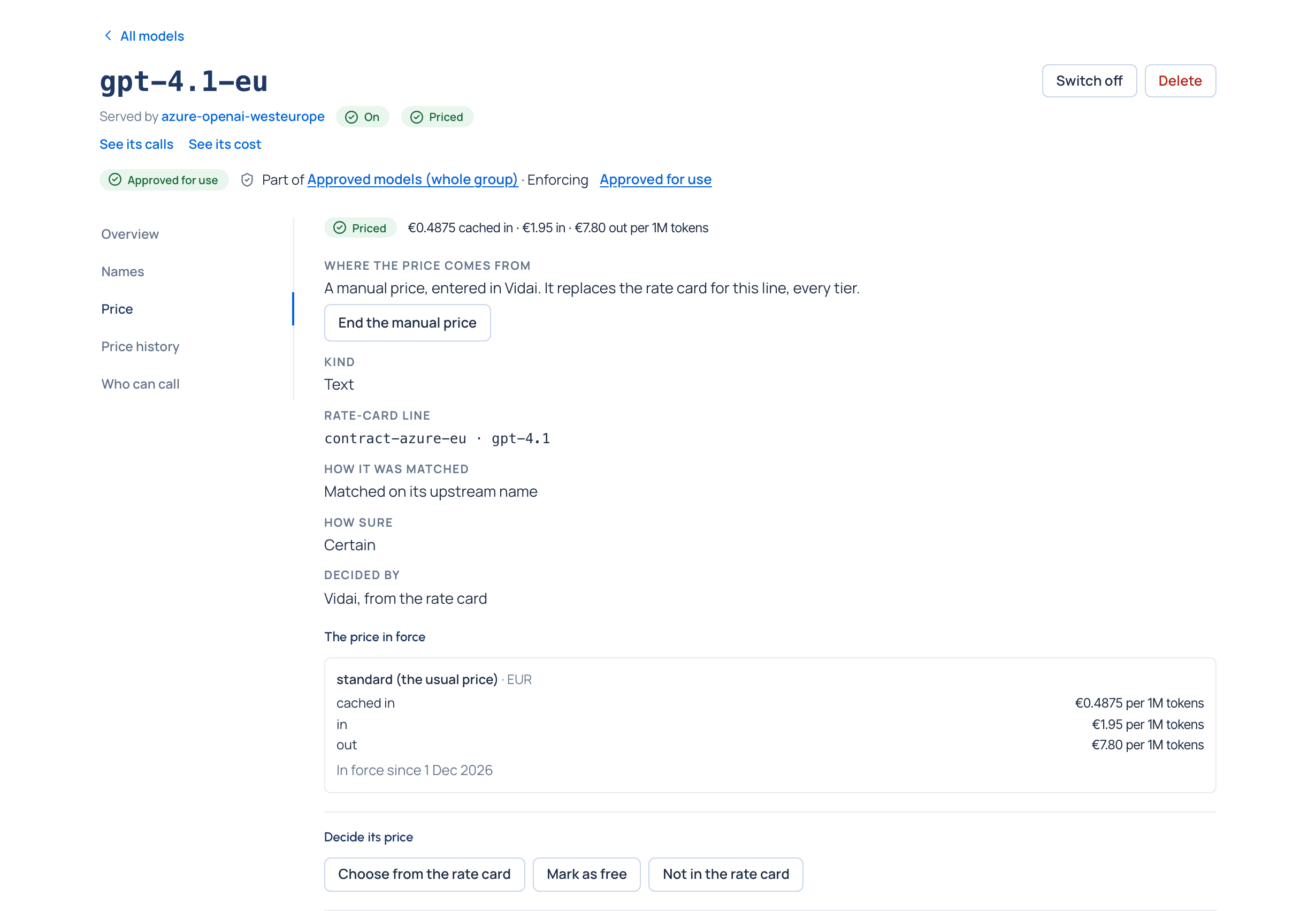
- Open its Price section. It says the state and why, in words, with a link to where it's fixed.
- Under Decide its price, choose one:
- Use this beside one of the entries it could be, when Vidai found several;
- Choose from the rate card: search the rate card its provider takes prices from and choose Use this;
- Mark as free: its calls cost nothing in Vidai's figures (only for models you really don't pay for);
- Not in the rate card: it stays unpriced and stops being listed as needing attention;
- Clear the decision: Vidai goes back to matching it by itself.
- To use a price of your own (a negotiated rate, or one the rate card doesn't have), choose Set its own price:
- Line in the rate card starts as the model id at the provider. If other models are priced from that line, you're told: they change too.
- Applies from: today, or an earlier day to back-date it.
- For each tier choose the Tier, Kind, what it's Priced by and the Currency, then the rates. Leave a rate empty if it doesn't apply; 0 means free. Add another tier for each tier you need.
- Save its price.
Check it worked
The model's price state reads Priced (or Free), and Where the price comes from says The rate card or A manual price, entered in Vidai. Price history shows every price of its line, with the one in force marked Now.
Related
- Add a model by hand
- Find a provider's models and switch them on
- Add a manual price: from Money › Prices, for organisation admins and Finance.
- Read a model's price: now, before and next
- Price a model that has no price yet
Good to know
- A manual price replaces the rate card for that line, every tier: tiers you don't enter have no price.
- New calls use a new price; calls already costed keep their cost unless they're recomputed, and locked days never change.
- End the manual price goes back to the rate card from now; calls already made keep the manual price.
- Prices are never converted between currencies.