Pseudonymise personal data
Purpose: masking keeps personal data out of a model, but sometimes the answer needs it: "Write to Anna de Boer at
[email protected] about her order." Pseudonymise swaps each value found for a realistic stand-in before the
model sees the prompt, and puts the original back in the answer before your user sees it. The model works with
[email protected]; your user reads Anna's real address.
In the demo world, "GDPR: personal data stays out (Zuiderhoeve, Kessler)" pseudonymises personal data for both clients.
Before you start
- You're an organisation admin or Compliance officer Enterprise, or a group admin for your own teams.
- The data has a stand-in: names, email addresses, phone numbers and similar personal data do. Card numbers, IBANs, IP addresses and government IDs don't: mask those.
Steps
- Open Policies › Guardrails and the Rules tab.
- Choose where it Applies to, for example Team › Zuiderhoeve Dairy.
- On the Personal data row (under Pattern checks, or Personal data (AI) under VidaiGuard checks Enterprise), choose Pseudonymise.
- Check what it changes, then save.
You can also choose Pseudonymise under What happens when it's found? in New policy, or in the GDPR recipe Personal data stays out.
Check it worked
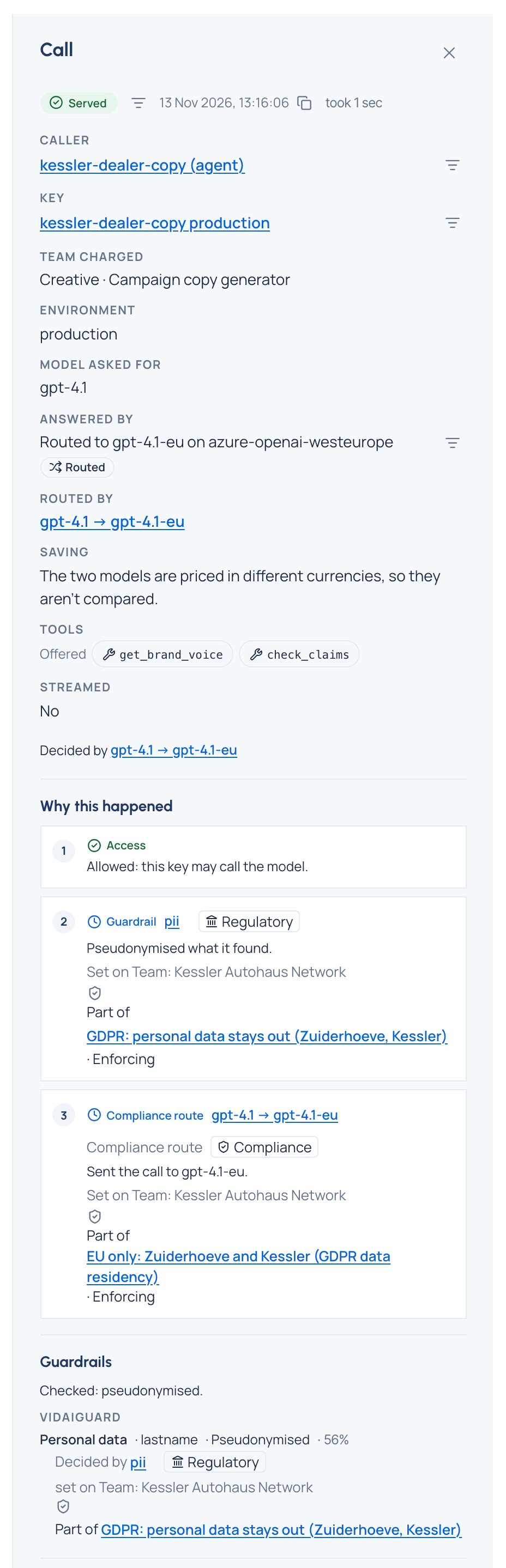
In Request logs, filter Guardrail outcome by Pseudonymised. Open a call: its Guardrails section lists
the findings with Pseudonymised. The app's answer carries the header x-vidai-pseudonymised: 1, and the values in
it are the originals.
Related
Good to know
- Originals are put back in streamed answers too, as the text arrives.
- Pseudonymise is greyed, with No stand-in exists for this, for data without a stand-in; a rule asking for it is refused with the same words.
- A pattern's pseudonymise refuses calls to embeddings, rerank or predictions; mask instead if those calls should go through.
- A finding records the category and the action taken, never the matched text.