See where the money goes
Purpose: answer "who spent what?" for any period in a minute, with numbers you can send on as a link.
Before you start
- You need to read cost. Organisation admins, organisation viewers and Finance see the whole organisation; group admins see their teams; everyone else sees their own keys' calls.
- Cost totals count calls up to about two minutes old; a call itself shows in Request logs within seconds.
Steps
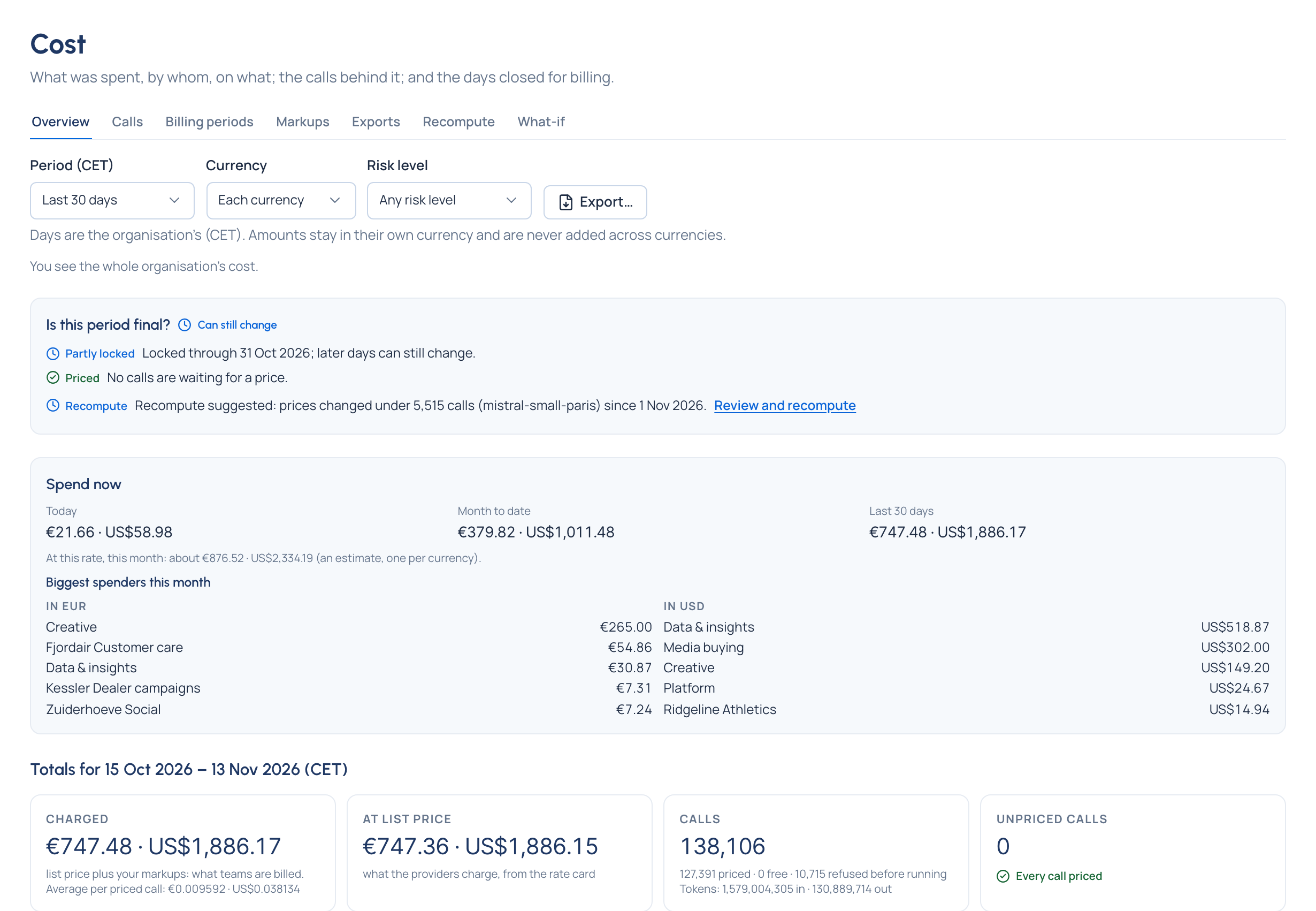
- Open Money › Cost. Overview opens on This month.
- Choose the period: Today, Yesterday, This week, Last week, This month, Last month, Last 30 days, Last 90 days, This quarter, Last quarter, Year to date, or Choose dates. Days are the organisation's, in its time zone, as the label says.
- Read Totals: what was Charged (list price plus markups, with the average per priced call), At list price, the calls priced, free and refused before running, the tokens, and the Unpriced calls. The period before is underneath, with the change in each currency.
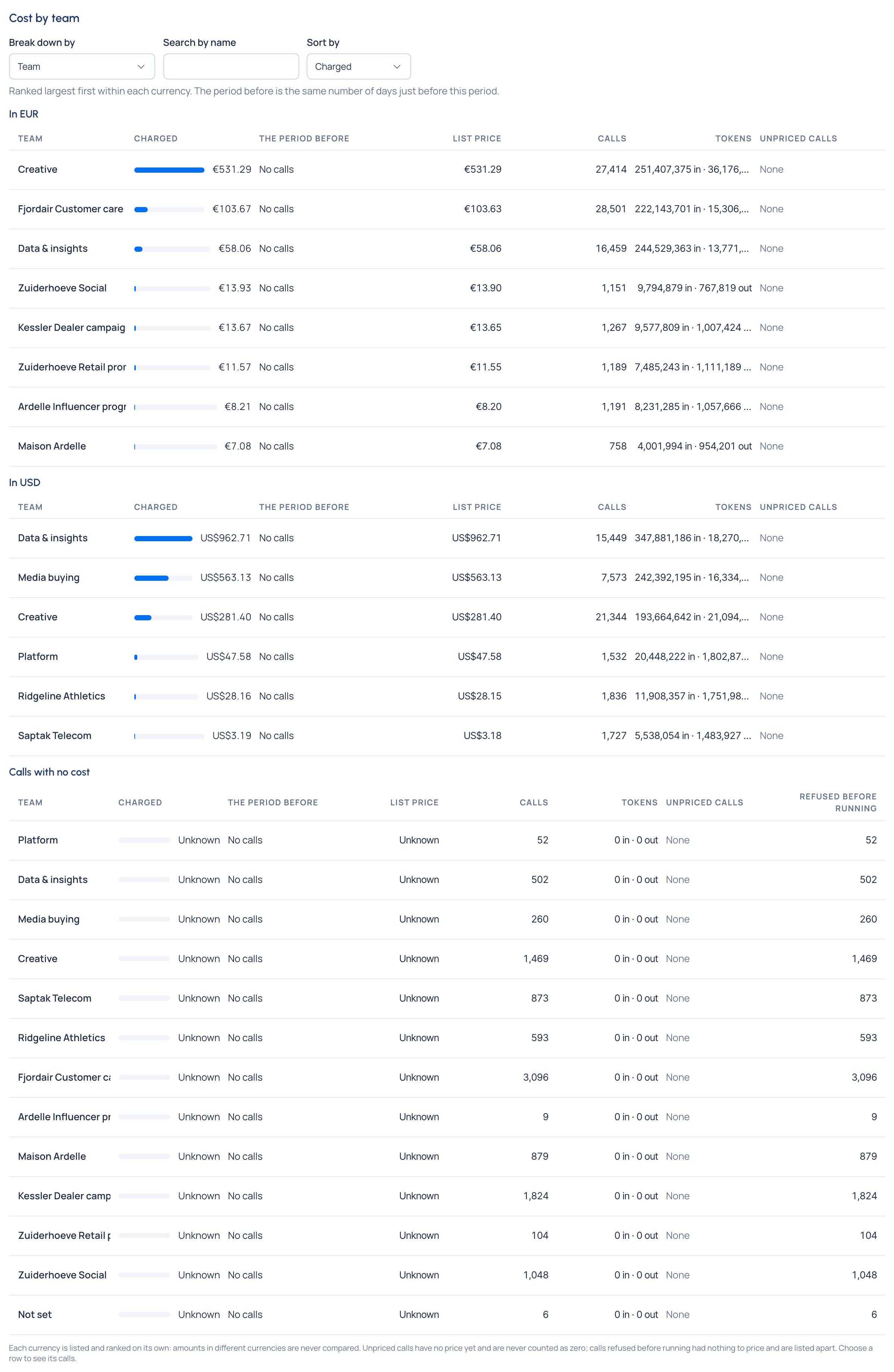
- Under the totals, choose Break down by: Team, Person or agent, Application, Environment, Key, Provider or Model.
- Narrow it if you need to:
- Search by name keeps the rows whose name contains what you type.
- Kind (with Person or agent) shows People, Agents or both.
- Sort by ranks each currency's list by Charged (the default), Calls, List price or Tokens.
- Choose a row to open its calls on the Calls tab. Show every call goes back.
- To share it, copy the page's address: the period, breakdown, search and sort are all in it.
One currency at a time
When the period has calls in more than one currency, a Currency picker appears. Choose one to see that currency's calls only, in totals, counts and lists; Each currency shows them side by side again. The choice stays in the address and carries to the Calls tab. Work with several currencies
Narrow by risk level
Risk level shows only the calls made by agents and applications at that level (High, Limited, Minimal, Not in scope), as they carried it when each call was made. Totals, lists and Export… follow it. People's own keys carry no risk level, so their calls drop out when a level is chosen.
Check it worked
The breakdown's lists add up to the totals in each currency, with Calls with no cost in a list of their own (Unknown), unpriced calls apart from calls refused before running.
Also on Overview
- Spend now: today, month to date, the last 30 days, and this month's run rate (an estimate, per currency), with the biggest spenders this month.
- Is this period final?: what still keeps the period open. Cost you can rely on
- Adjustments in this period: late calls and corrections for locked days. Choose one to see its calls.
- Models without a price: each model with unpriced calls in the period, and Price it. Price a model that has no price yet
Related
- Who spent what: how calls are attributed.
- Find what a call cost · Export cost
- The FinOps dashboard