Organisation, teams and sub-teams
Who may use which AI, who pays for it and which rules apply are questions about your organisation, not about a key. Vidai answers them with the shape you already have: an organisation, made of teams, made of sub-teams. Put a department or a client account in its place once, and its people, keys, spend and rules follow it.
What it is
- The organisation is the top of everything: one installation, one set of people, one set of rules.
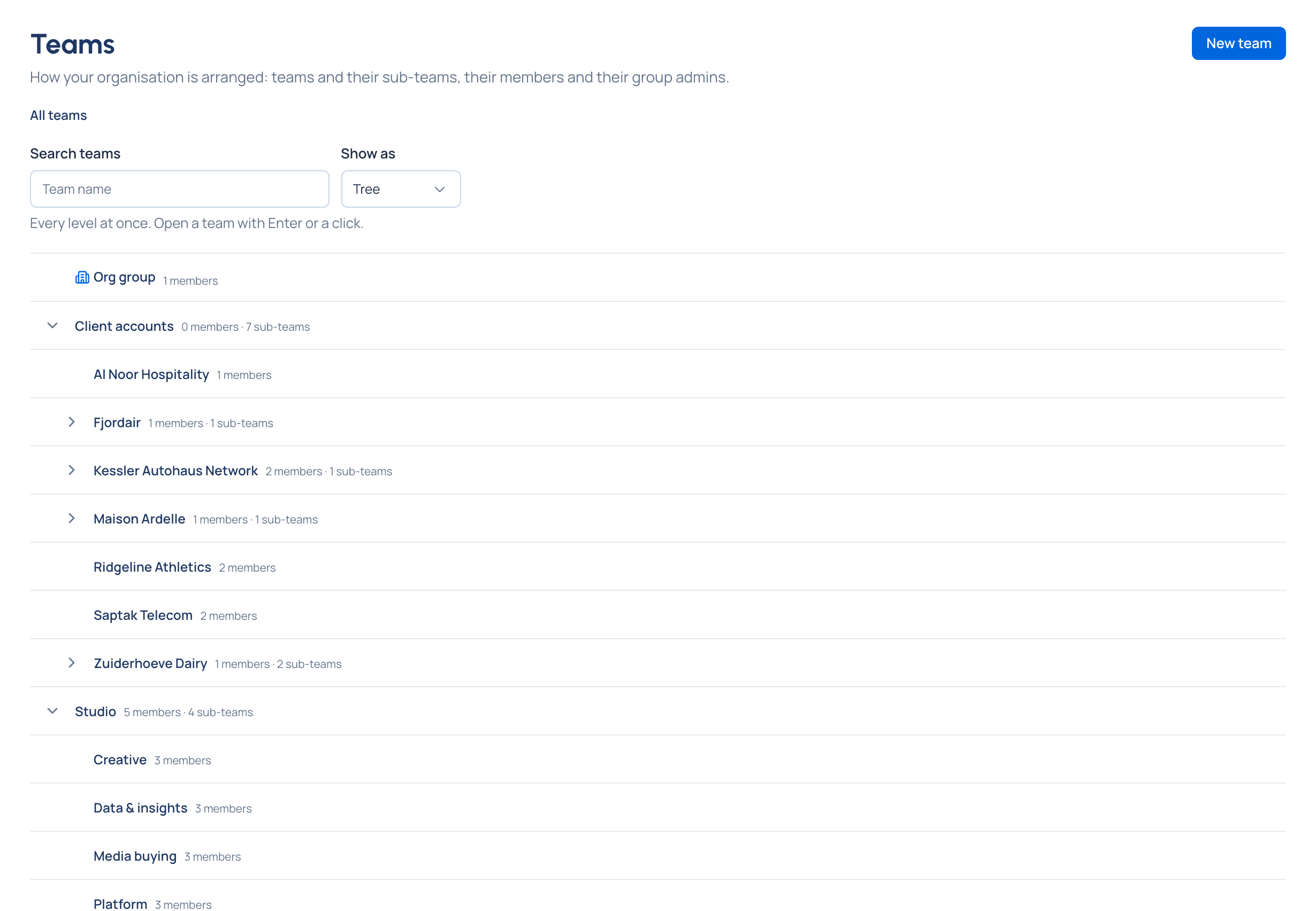
- A team is any group you run as a unit: a department, a client account, a product group. Teams nest: a team can hold sub-teams, as deep as you need.
- The Org group is the team first-run setup makes, with the first admin in it. It's where everyone starts, and it allows every model until you give it a list. It can be renamed, but never moved or deleted.
flowchart TD
    O["Organisation<br/>Grachtwerk Agency Group"] --> D["Org group<br/>(where everyone starts)"]
    O --> C["Client accounts"]
    O --> S["Studio"]
    C --> Z["Zuiderhoeve Dairy"]
    C --> K["Kessler Autohaus Network"]
    Z --> ZS["Zuiderhoeve Social"]
    Z --> ZR["Zuiderhoeve Retail promotions"]
    S --> CR["Creative"]
    S --> P["Platform"]
What a team holds
| A team has | What it decides |
|---|---|
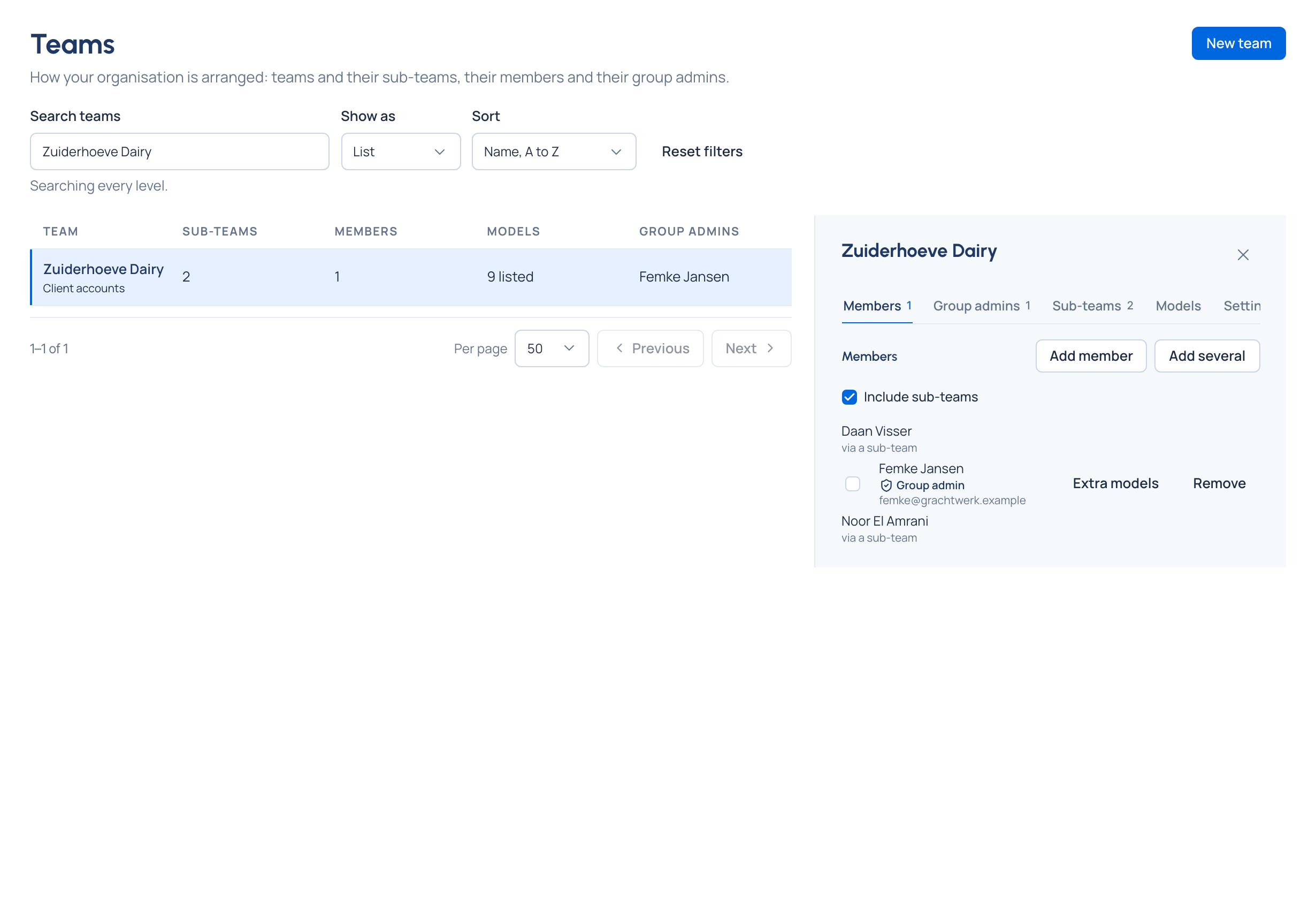
| Members | Who belongs. A person can be in several teams; each of their keys acts for one of them |
| Group admins | Who runs the team and everything inside it, without being an organisation admin |
| Sub-teams | How it divides further; each sub-team sits inside its parent's rules |
| Models | Which models keys for the team may call: every model, the same as the team above, its own list, or none |
| What it's for and a contact | A description, and who to ask (a person, a shared mailbox, a chat channel) |
Each team also gathers what's set on it elsewhere in Vidai: budgets, guardrails, routing rules, region rules and named policies scoped to it. A team's page lists the named policies scoped there and links to What applies here, where everything set above it shows too.
How it fits with the rest
- Rules flow down. Something set on a team reaches every sub-team, person and key below it. A sub-team can narrow what its parent allows, never widen it. See Rules at levels.
- Cost follows the team. A person's key charges its calls to the team it acts for; an agent's key to its application's team, or the agent's own. Each call keeps the team as it was when the call was made, so a reorganisation never rewrites last month. See Cost.
- Admin work is shared out. An organisation admin places people in top-level teams; each team's group admins place them in sub-teams and run their part of the organisation, within the organisation's rules.
- Moving a team shows its consequences first. Before a team moves, Vidai lists each key whose models would change (gains, losses, keys that would stop working) and the rules it would stop or start getting from the teams above.
Regions on a team Enterprise
A team can keep its calls in a region, for example the European Union: its model lists then offer only models placed there. What Enterprise includes depends on the features your licence includes. See Regions and data residency.
Related
- People and roles: who holds which role, on which team
- Model access: a team's models, and how they narrow down the tree
- Rules at levels: why a rule set on a team reaches everything below it
- Budgets and Cost: spend that follows the team