Risk and AI systems
Regulators ask which of your AI systems are high risk, who owns them, and when they were last assessed. Most organisations keep that in a spreadsheet that drifts away from what actually runs. In Vidai, the risk level lives on the agent or application that makes the calls, so it's dated, kept with its history, and used: an auditor's sample takes every high-risk call, and cost and dashboards can be read by risk.
Risk levels
The levels follow the EU AI Act's vocabulary. A risk level is your organisation's judgement: Vidai keeps it, dates it and uses it, but never decides it.
| Level | What it means here |
|---|---|
| High risk | Its calls count as high-risk. An auditor's sample takes every one of them, not a sample |
| Limited risk | Transparency duties apply, such as telling people they're talking to an AI |
| Minimal risk | No specific duties beyond your own policies |
| Assessed: not in scope | Assessed, and not an AI system the risk levels apply to |
| Not assessed | Nobody has recorded a level yet |
Prohibited uses aren't a level: keep them out with model access.
Each level carries when it was assessed, an optional review by day, a reference (the assessment's document number, say) and why. Every change is kept in its history and in the audit log.
A call keeps its risk. A call counts as high-risk if its agent or its application was high risk when the call was made, even if the level changed since. Request logs, Cost and the dashboards filter by the level at the call's time.
The register
Who › Risk is the risk register: every agent and application with a level, overdue reviews first, and a Possibly missed queue of systems that may need assessing. A review date that has passed reads Review overdue since that day everywhere, and Home says Risk review due for … until someone sets the level again.
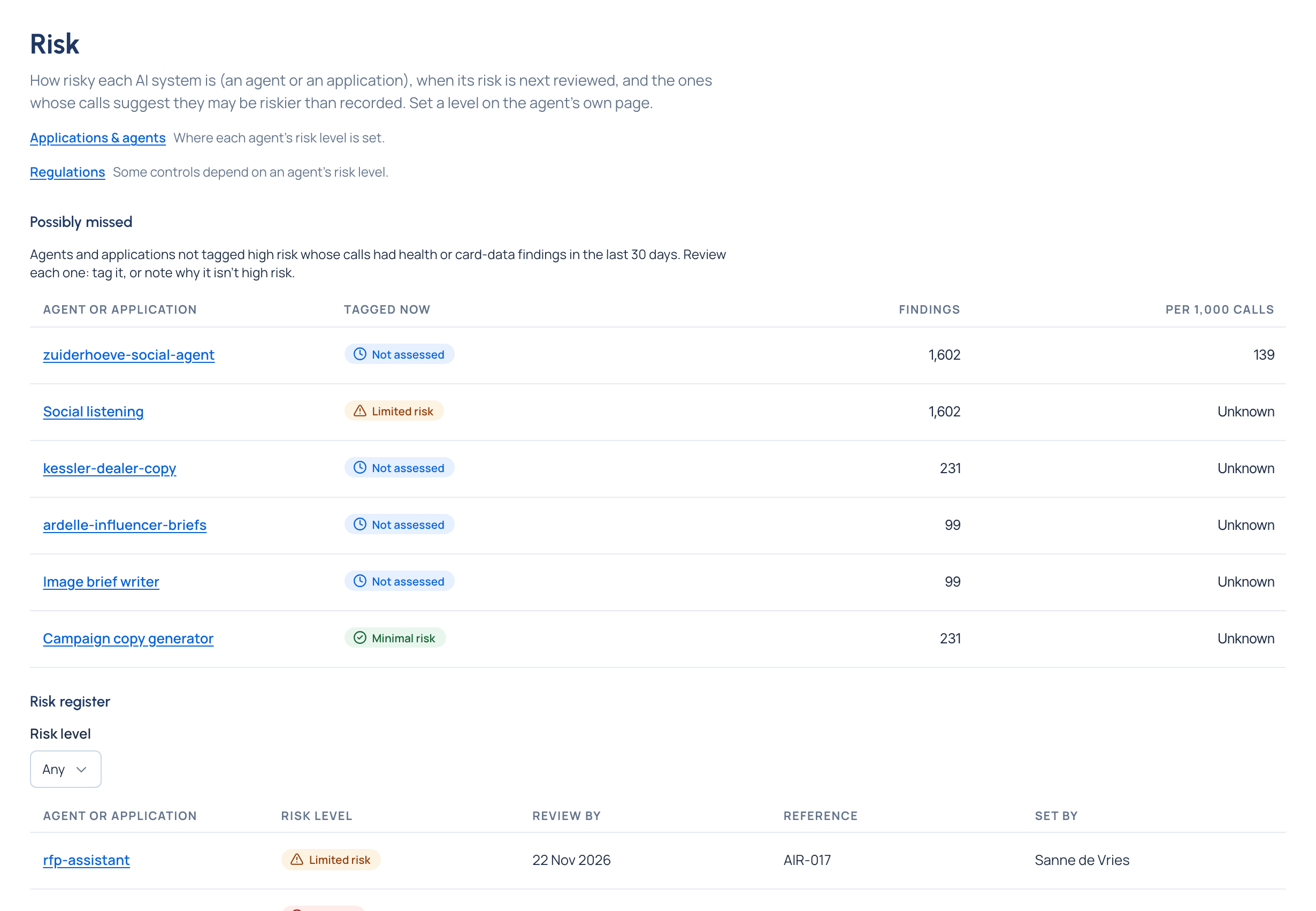
Organisation admins and Compliance officers set levels; organisation viewers read them.
Where it shows up
- On an agent's or application's page, the level as an icon and a word in the header, and its Risk section.
- On the agents and applications lists, a Risk column and filter.
- In the auditor report, where every high-risk call is always included.
- In the evidence pack, with each system's owners, teams, models and regions.
- On the Compliance dashboard, calls by high-risk systems and where their findings come from.
Related
- Applications and agents
- Access reviews and incidents: the serious-incident register names the systems involved
- Policies and regulations
- Request logs