Rate limits
One agent stuck in a loop can use up a provider's whole quota and take every other app down with it. Vidai puts a limit on each key, in requests a minute, enforced by the gateway on every call. A runaway caller is held back on its own key; everyone else carries on.
How it works
- Each key may make a number of requests a minute. A key with no limit of its own follows the default for its kind of key: one default for people's keys and one for agents' keys, set by an organisation admin. With no default and no limit of its own, a key has No limit.
- A caller over its limit is refused by the gateway until the minute passes. The refusal comes in the caller's own SDK
format with HTTP 429 and
x-vidai-error-code: rate_limit_exceeded. - Changing a limit or a default reaches the gateway within seconds.
- The gateway counts requests, not tokens. For money, use a budget.
flowchart LR
    C["Calls this minute"] --> Q{"Under the key's limit?"}
    Q -->|yes| GW["Gateway carries on:<br/>model, rules, provider"]
    Q -->|no| R["429 rate_limit_exceeded<br/>until the minute passes"]
Who may set what
A key's holder, or an agent's owner, may give a key a lower limit than the default. Only an admin over the key (an organisation admin, or a group admin of its team) may set a higher one.
What you see
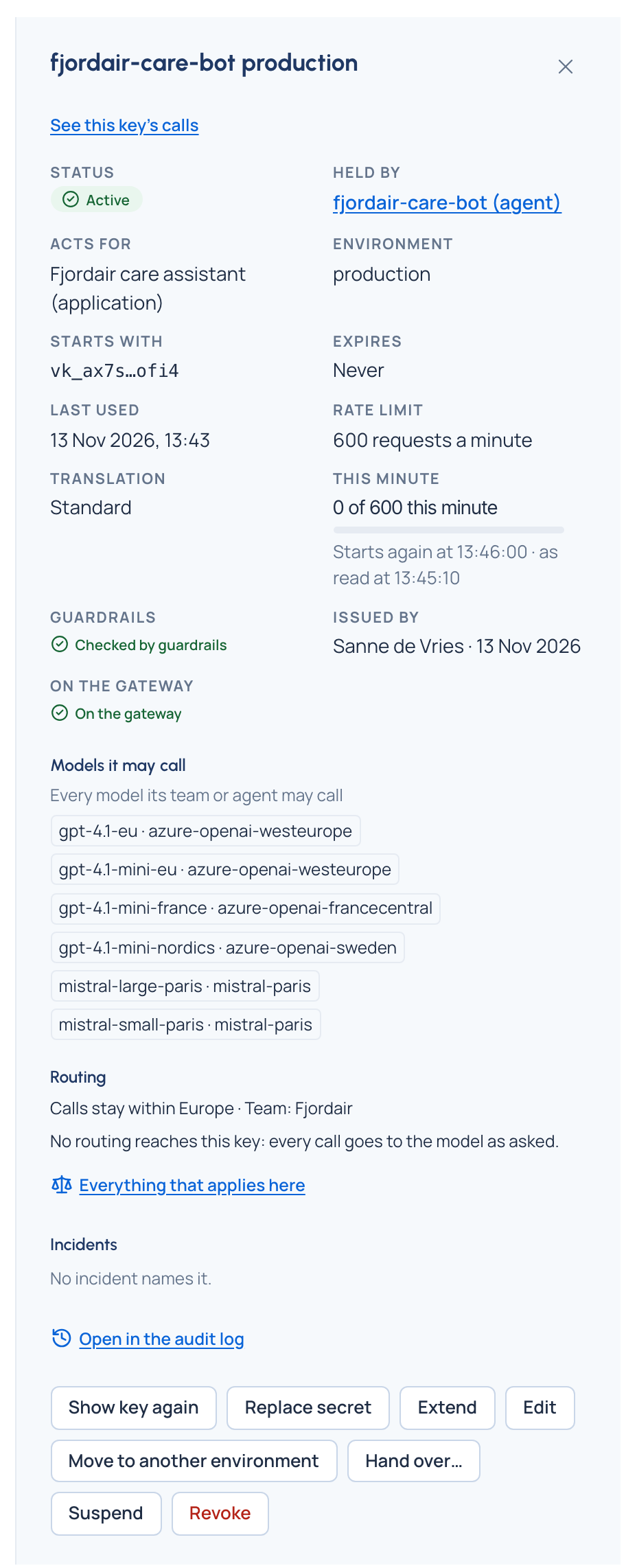
Each key says which limit applies: "60 requests a minute", "600 requests a minute (the default)" or "No limit". A key with a limit shows This minute: how many calls it has made this minute against its limit, as a meter, with Near its limit from 80% and At its limit when it's reached. It's a reading, refreshed every few seconds, not a record.
Several gateway nodes
With several gateway nodes counting together, the nodes share their counts every few seconds (every second unless an organisation admin changes it in Settings › Gateway), so a key's limit holds across all of them; a key can go over by about that much of a minute's calls. Status shows how rate limits are counted on your installation: by every node together, or by each node on its own.
Related
- Keys
- Budgets: limits on money rather than requests
- Safety switches: stopping a runaway caller altogether