For users
You use AI at work: in a tool, a script or an agent you've built. Vidai gives you your own key, shows which models you may call and why, what your calls cost, and explains a refused call in plain words, so you don't have to ask anyone.
Your problem today
You don't know which models you're allowed to use until something fails. When a call is refused, the error says "forbidden" and nothing more. You ask a colleague, who asks IT.
Life with Vidai
- Your own key, issued in a minute from Keys, with Connect your app beside it for your SDK.
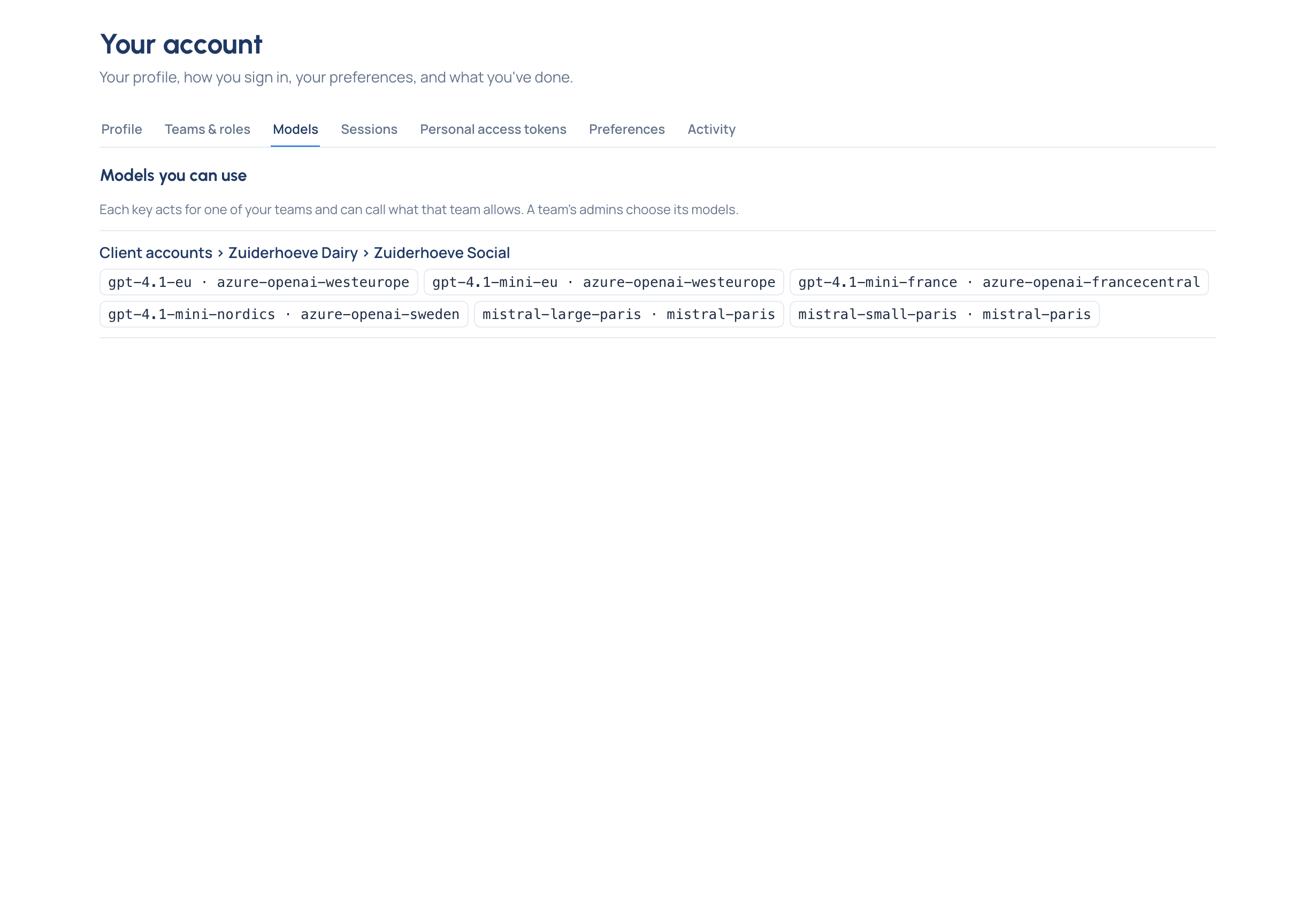
- Your models, and why. Your account › Models lists the models you may call, team by team: each of your teams allows its own.
- Your usage. Home shows your calls this month, what they cost in each currency and the models you used most.
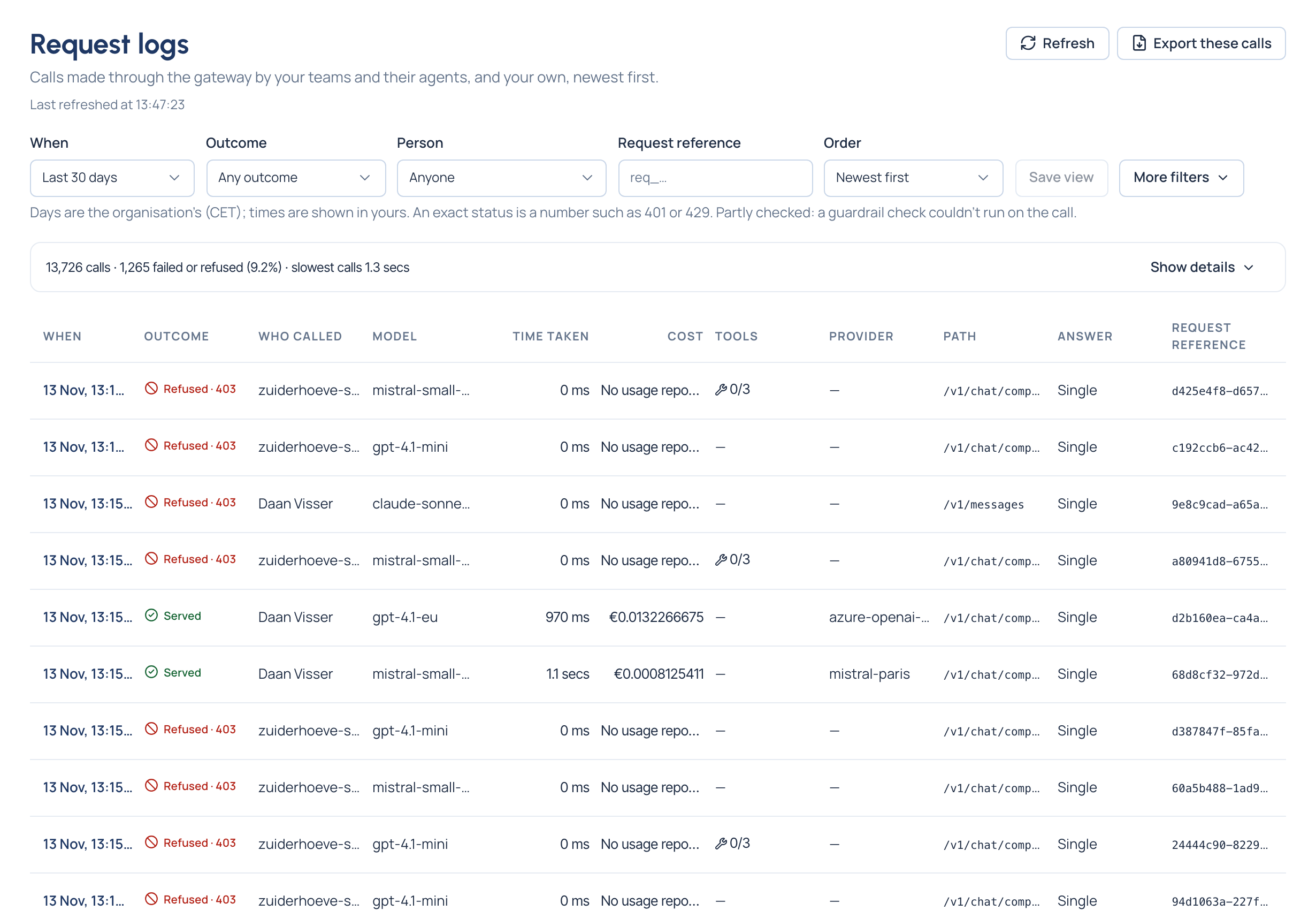
- Every call explained. Request logs shows the calls made with your keys. A refused call says what refused it (a rule, a budget, a suspended key) and why, in words.
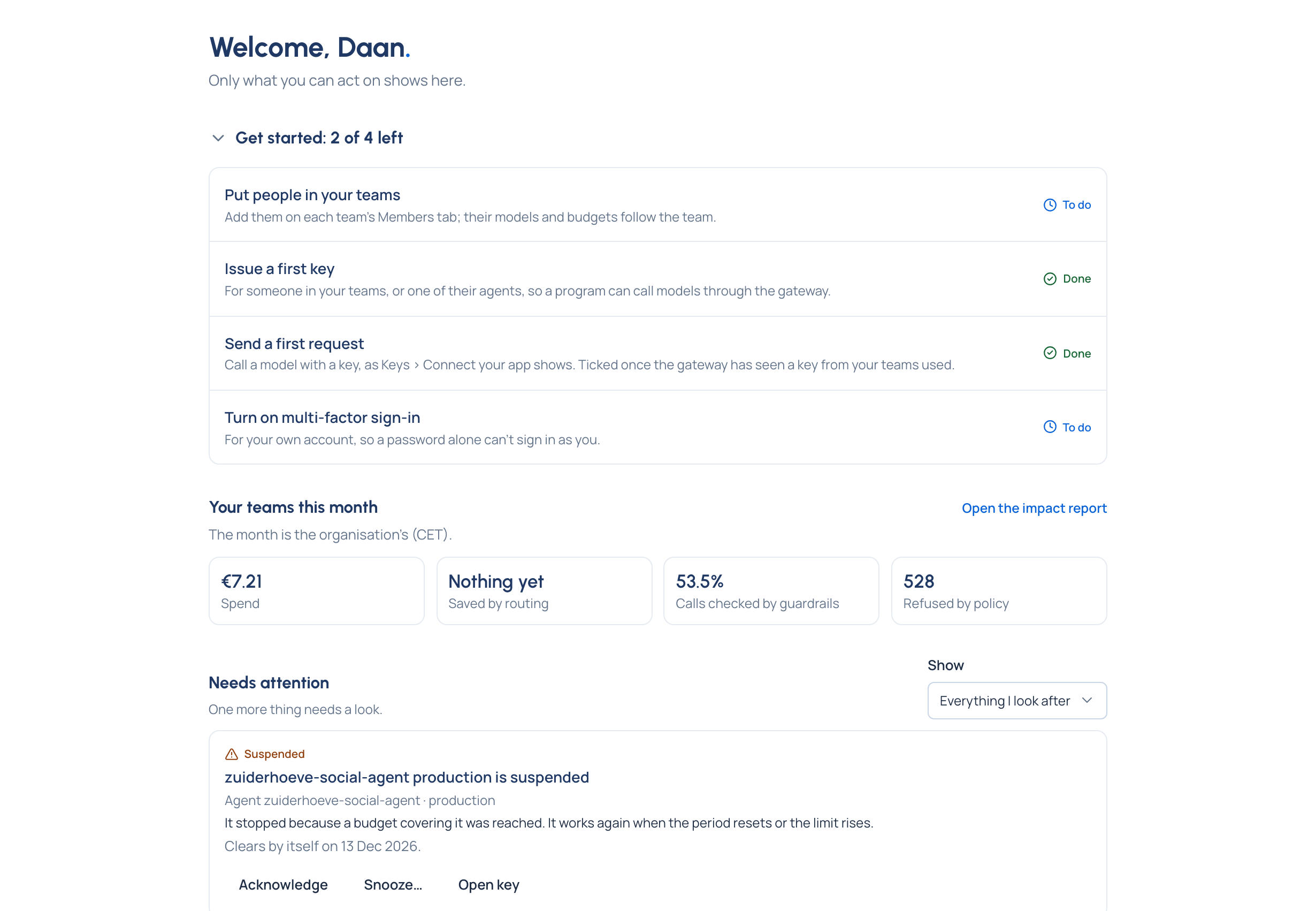
What you'll use
Your account › Models lists the models you may call, under each of your teams, so you know what your key can reach before you write a line of code.
Request logs shows your own calls: each one's outcome, the model that answered and what it cost, and, for a refused call, why in words.
You can also turn on multi-factor sign-in, make a personal access token for your own scripts, and choose your language, appearance and time zone on Your account.
The team Vidai stands in for
A help desk answering "which models may I use?" and "why was my call refused?".
Your reading path
- How Vidai works.
- Your first key and request.
- Keys and Model access.
- Request logs and the call record.
- Your account how-tos, such as see the models you may call, and what a user can do.