For Finance and FinOps
You're asked what AI costs, who spent it and whether it's under control. With Vidai every call is priced within minutes, at the price in force when it was made, and owned by a team, an application, an agent and a person. Budgets act before the invoice does, and you run all of it yourself, with the Finance role, without admin rights.
Your problem today
Several provider invoices arrive at month end, each a single line per model. Nobody owns any line. Splitting them by team means a spreadsheet and guesswork, and a runaway agent shows up as a surprise weeks after it started.
Life with Vidai
- Cost within minutes. Every call is priced shortly after it's made, from the rate card or a price you entered. A call with no price is counted as unknown and said so, never shown as zero.
- Owned, as it was then. Each call is charged to the team its key acted for at the time; moving a team later never moves past calls.
- One currency per amount. Euros and dollars sit side by side, never converted or added together.
- Budgets that act. Set on the organisation, an environment, a team, an application, a person, an agent or a key: Notify only, Stop calls at the limit or Send calls to another model at the limit.
- Bills you can close. Lock billing periods; late calls are counted as adjustments on the first open day. Markups for chargeback, exports for your finance systems.
- Savings you can test. What-if shows what your real past calls would have cost on other models.
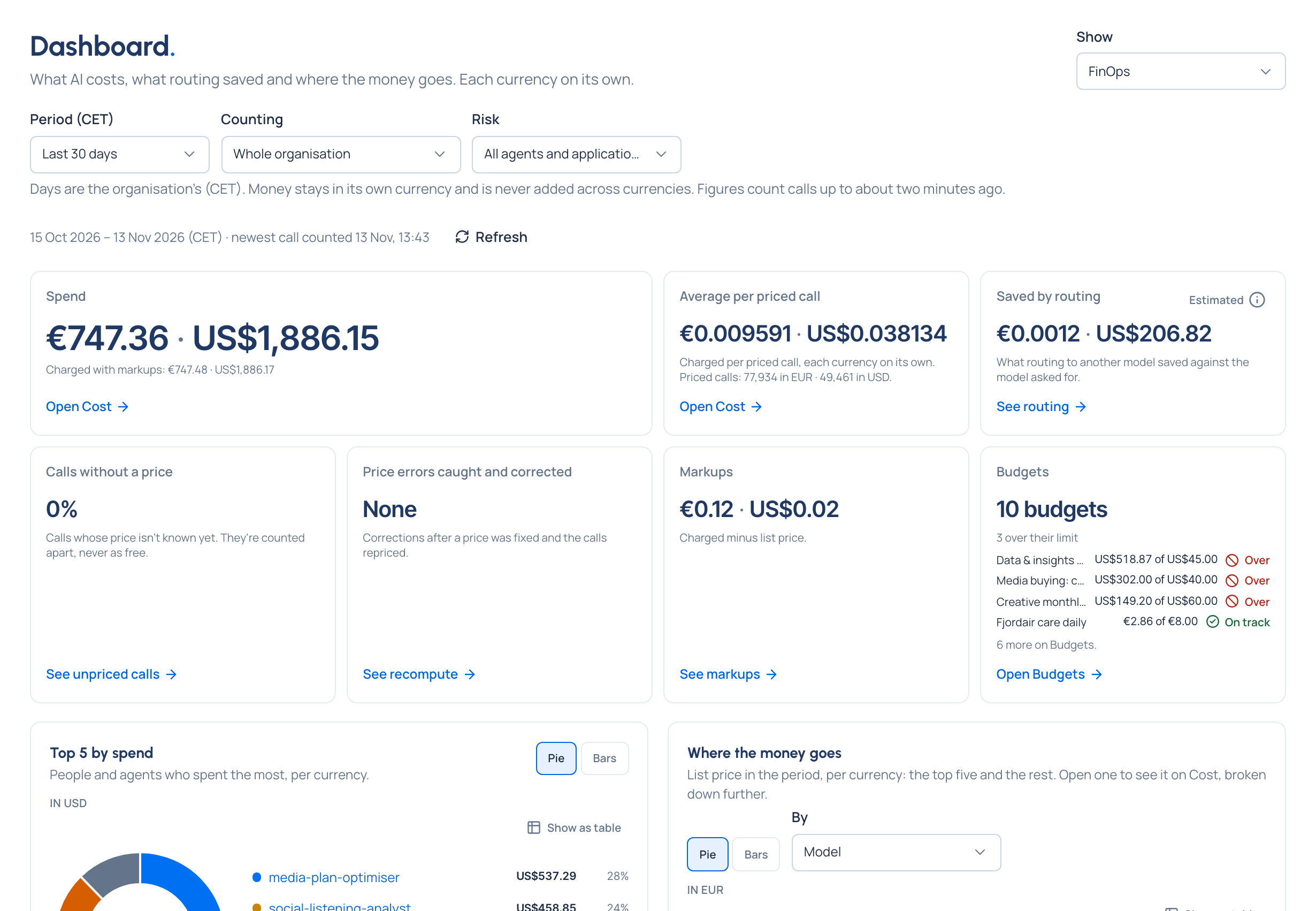
What you'll use
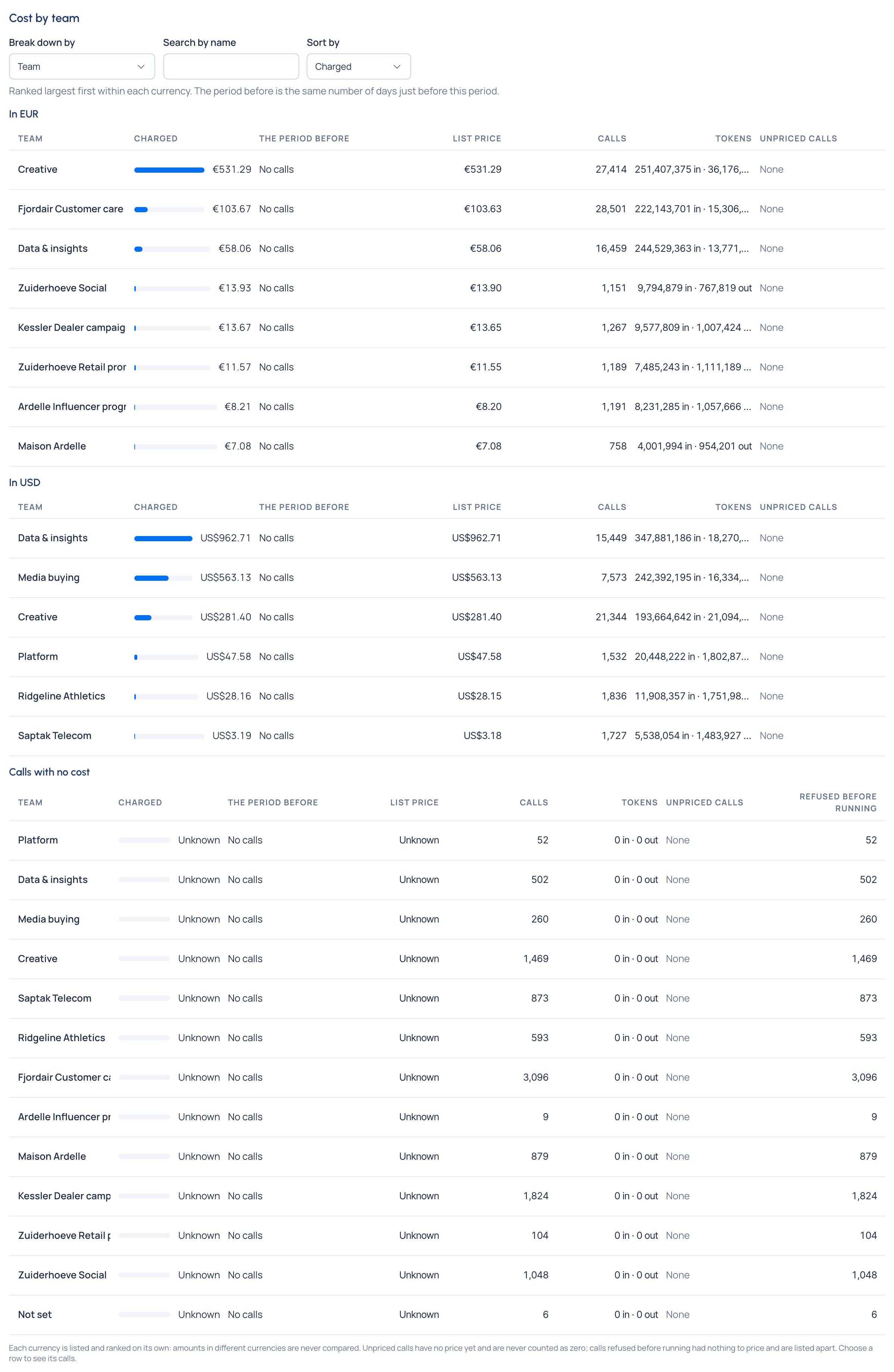
Money › Cost answers "who spent what": by team, person or agent, application, environment, key, provider or model, against the period before.
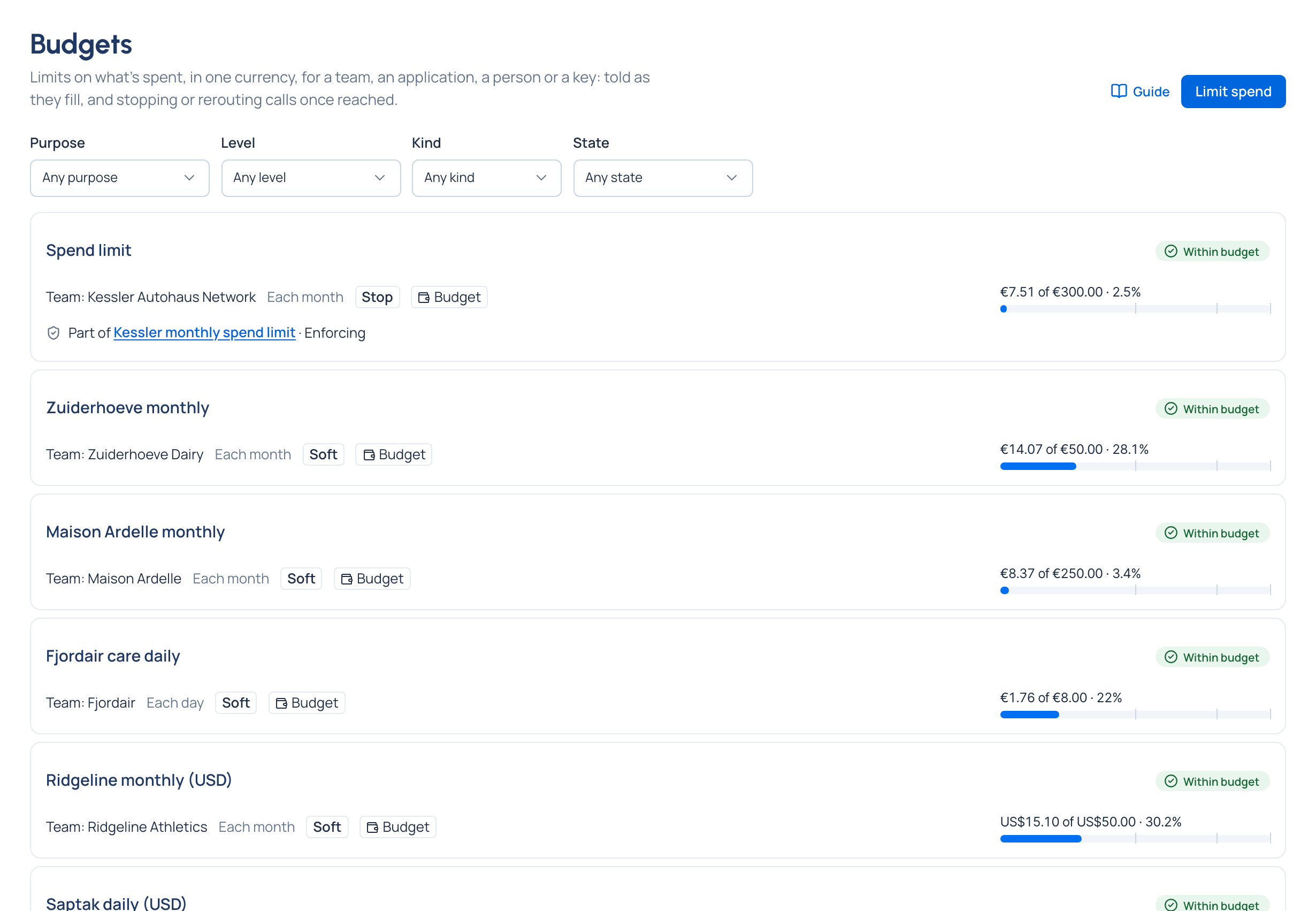
Money › Budgets shows each budget's spend against its limit, its state in an icon and a word, and who it tells.
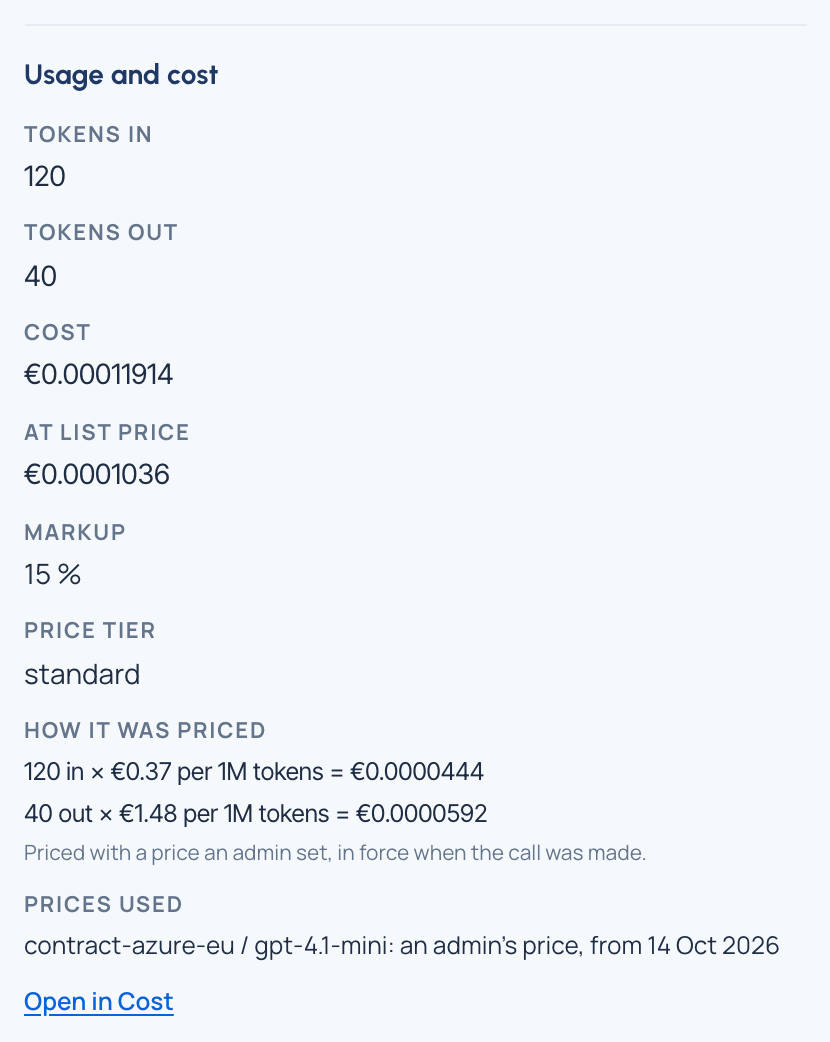
Every call's page in Request logs shows How it was priced: each part as quantity × rate = amount, and the price used, with where it came from.
Re-pricing past calls after a late or corrected price (recompute, with a dry run first) is part of the Enterprise edition; what Enterprise includes depends on the features your licence includes. On Community, new calls always use the price in force and calls already costed keep their cost.
The team Vidai stands in for
A FinOps engineer and a cost pipeline: collecting usage, pricing it, attributing it, and keeping a price history that matches what was charged.