Find what a call cost
Purpose: explain any single charge: what a call cost, why, at which price, and who it was billed to.
Before you start
You see the calls you may read cost for: the whole organisation (organisation admins, viewers, Finance), your teams (group admins), or your own keys.
Steps
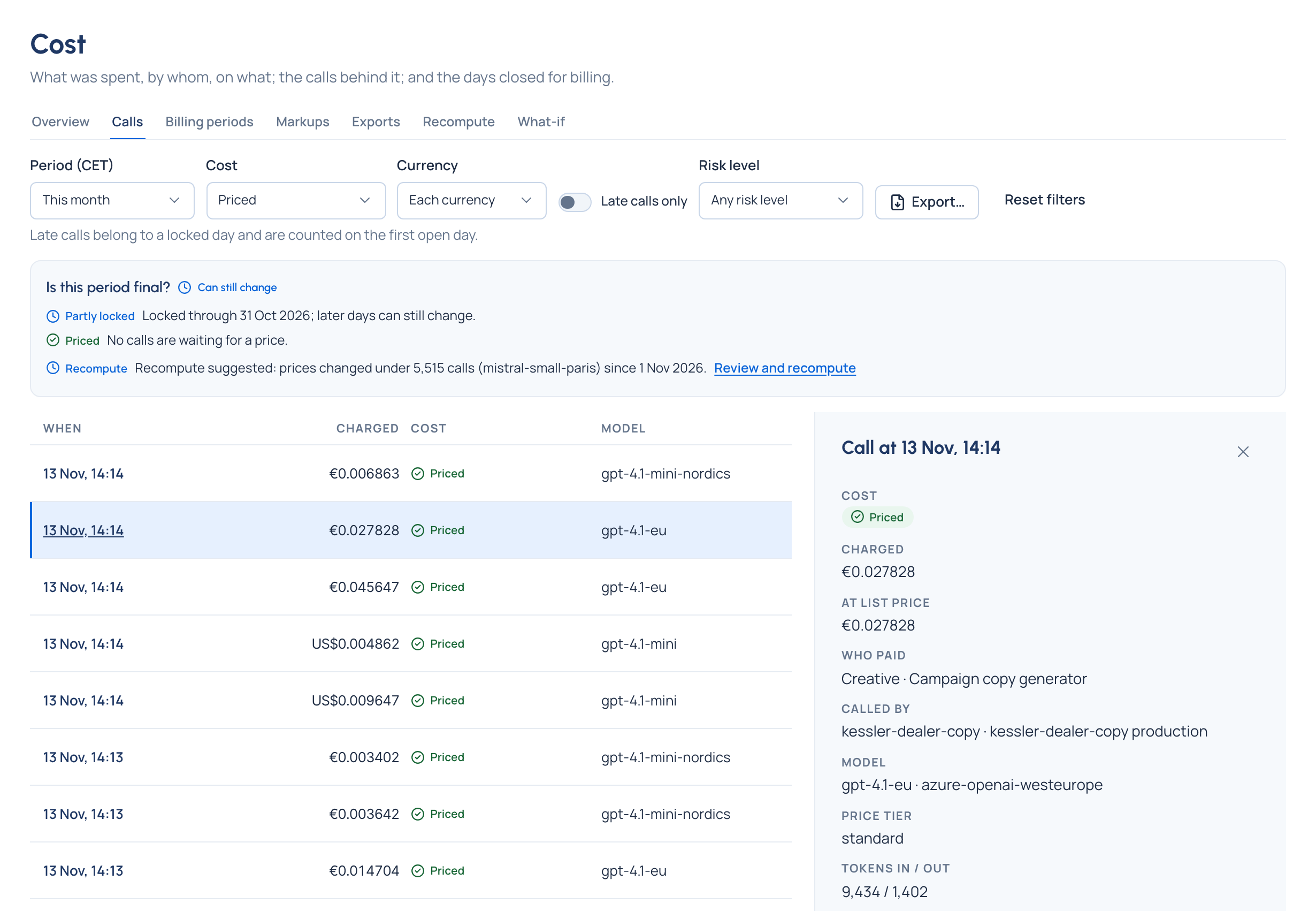
- Open Money › Cost and choose Calls. Every call is listed with its cost, newest first.
- Filter by period and by Cost: Priced, Free, Unpriced, Refused before running, Waiting for a price or Couldn't be priced (Vidai tried to price it and couldn't). Turn on Late calls only to see calls that belong to locked days.
- Choose a call. Beside the list you see:
- what it cost and why, and the markup;
- who paid, and who called it;
- the model, the price tier and the tokens;
- how it was priced: its parts, the rate-card line, and the price version in force at the time;
- any corrections from a recompute.
- To see the same call's whole record (what was asked, what the rules did), choose Open in Request logs. Copy its Request reference to quote it.
Check it worked
The call's cost matches its tokens times the rates shown for its price version, plus the markup.
From a breakdown
Choosing a row on Overview (a team, a model…) opens Calls filtered to that row. The address keeps the filters, so you can send the link.