Find a key, its calls, and export your keys
"Which keys does the Fjordair team hold, which expire this month, and which has nobody used?" One list answers it, and the same filters export it for an access review or a spreadsheet, never with a secret in it.
Before you start
- Anyone signed in. What the list holds follows your role: your own keys, your teams' keys as a group admin, or every key.
Steps
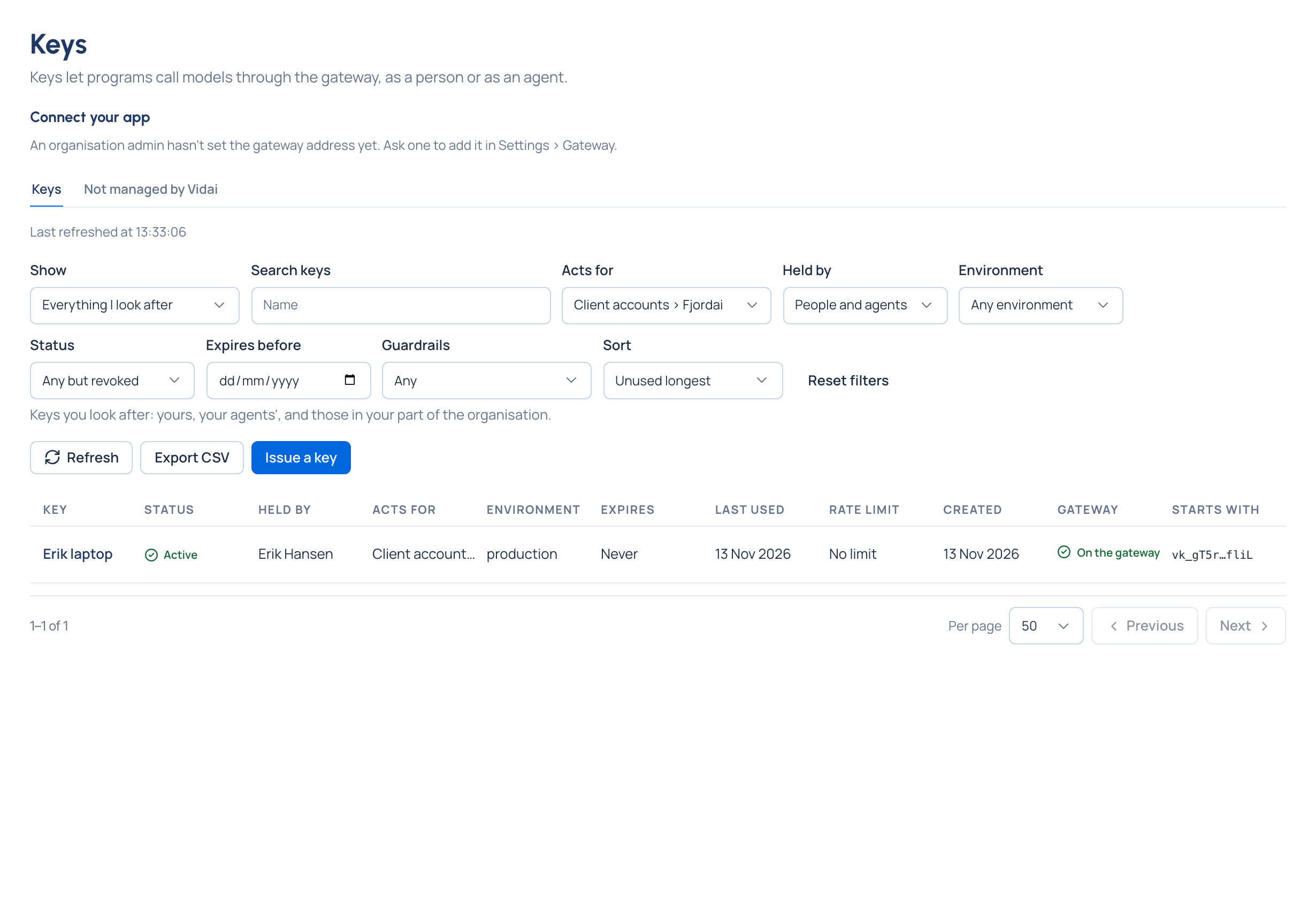
- Open Keys. My keys shows your own; Everything I look after shows the keys you manage: your agents', your teams' if you're a group admin, every key for organisation admins, viewers and Compliance officers Enterprise.
- Narrow the list:
- Held by: people or agents.
- Acts for: a team or an application. Environment.
- Status: active, suspended, expired or revoked (revoked keys are left out unless you ask for them).
- Expires before a day.
- Guardrails: keys checked by guardrails, keys guardrails only log, or keys no guardrail reaches.
- Under Everything I look after, Sort by name, newest first, expiring soonest, used most recently or unused longest. Each filter choice shows how many keys it would leave.
- Choose a key to open it beside the list.
See a key's calls
On the key, choose See this key's calls: Request logs opens filtered to it. Last used on the key comes from the gateway's record of calls, about two minutes behind, refused calls included.
Export the list
Choose Export CSV. It downloads every key that matches your filters, every page: name, holder, what it acts for, environment, status and why, models, rate limit, until when an old secret works, expiry, last used, created and who issued it. Dates are written the international way (2026-10-31T09:00:00Z) so any spreadsheet reads them.
Good to know
- The file never holds a secret or even a key's start.
- Last refreshed at says when the list was read; Refresh reads it again, keeping your filters.
- Filters stay in the page's link, so you can share exactly what you're looking at.