See what changed in the rate card
Purpose: know which prices went up or down, and from when, before the invoice tells you.
Before you start
Money › Prices is for organisation admins, organisation viewers, Finance and Compliance officers Enterprise.
Steps
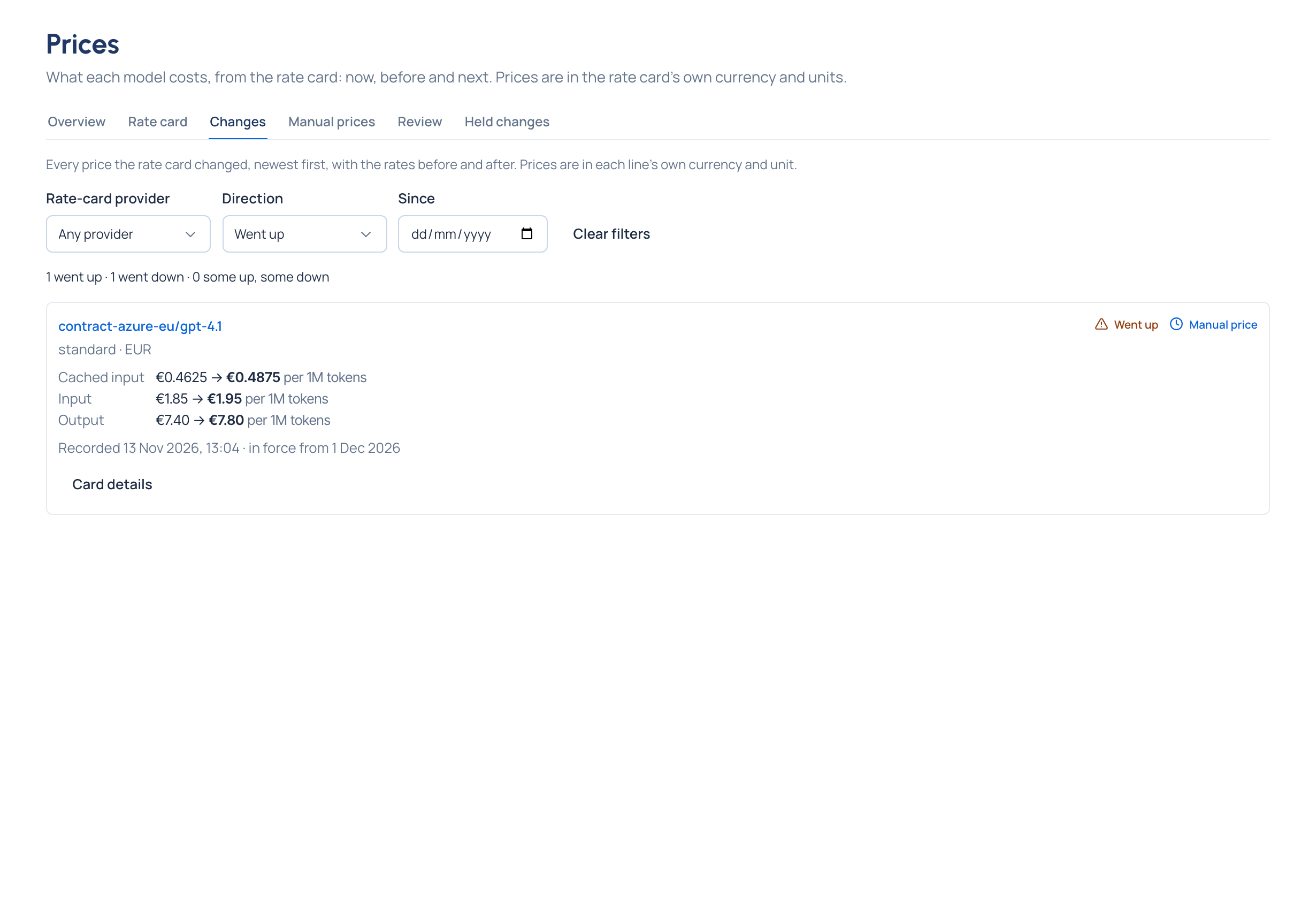
- Open Money › Prices and choose Changes. Every change is listed, newest first.
- Filter with Rate-card provider, Direction (Any direction, Went up, Went down or Some up, some down) and Since a day.
- Read the line above the list: how many changes went each way for the provider and day chosen, whatever direction you picked ("4 went up · 1 went down · 0 some up, some down").
- Each change names the line (rate-card provider and model, its tier and region), every rate before → after in the line's own currency and unit, when it was Recorded, from when it's in force, and whether it came From the rate card or is a Manual price. A badge says Went up, Went down or Some up, some down (also when a rate was added or removed).
- Choose Card details for the card's rates, when it applies, and any corrections recorded on it.
- Show older changes reads the next 50.
Check it worked
The summary line's counts match the changes listed when Direction is Any direction.
Good to know
- A price announced for later is listed with the day it starts; calls before that day keep the old price.
- The filters stay in the page's address, so a link reopens the same list.