Switch on tamper evidence and confirm the gateway's key Enterprise
Purpose: from the moment you switch it on, Vidai seals its own records and the gateway records each call so a change or a gap shows. Confirming the gateway's signing key then proves who sealed the gateway's records, not only that they're intact. Do this before you need the evidence: calls made earlier stay unattested.
What Enterprise includes depends on the features your licence includes. On Community, the audit log is chained in every edition: see Check that the audit log wasn't altered.
Before you start
- You're an organisation admin. A Compliance officer Enterprise sees the card and can verify, but doesn't switch it.
- Pick a quiet moment: switching restarts the gateway for a few seconds. Calls in flight finish; new calls can't be served for those seconds.
- For the key, you need someone who can run a command on the gateway's machine.
Steps
Switch it on
- Open Proof › Evidence. The Tamper evidence card reads Off.
- Choose Record tamper evidence. The dialog, Switch tamper evidence on?, says that calls made before now stay unattested.
- Choose Switch on and restart the gateway. The card reads Switching while the gateway catches up, then On.
Confirm the gateway's key
- Once the gateway starts recording, the card shows The gateway's signing key, its installation and its key, marked Not confirmed.
- On the gateway's machine, someone runs
vidai_server evidence keyand reads you thekey_idit prints. - If it matches the key on the card, choose Confirm the gateway's key, then They match: confirm.
Check it worked
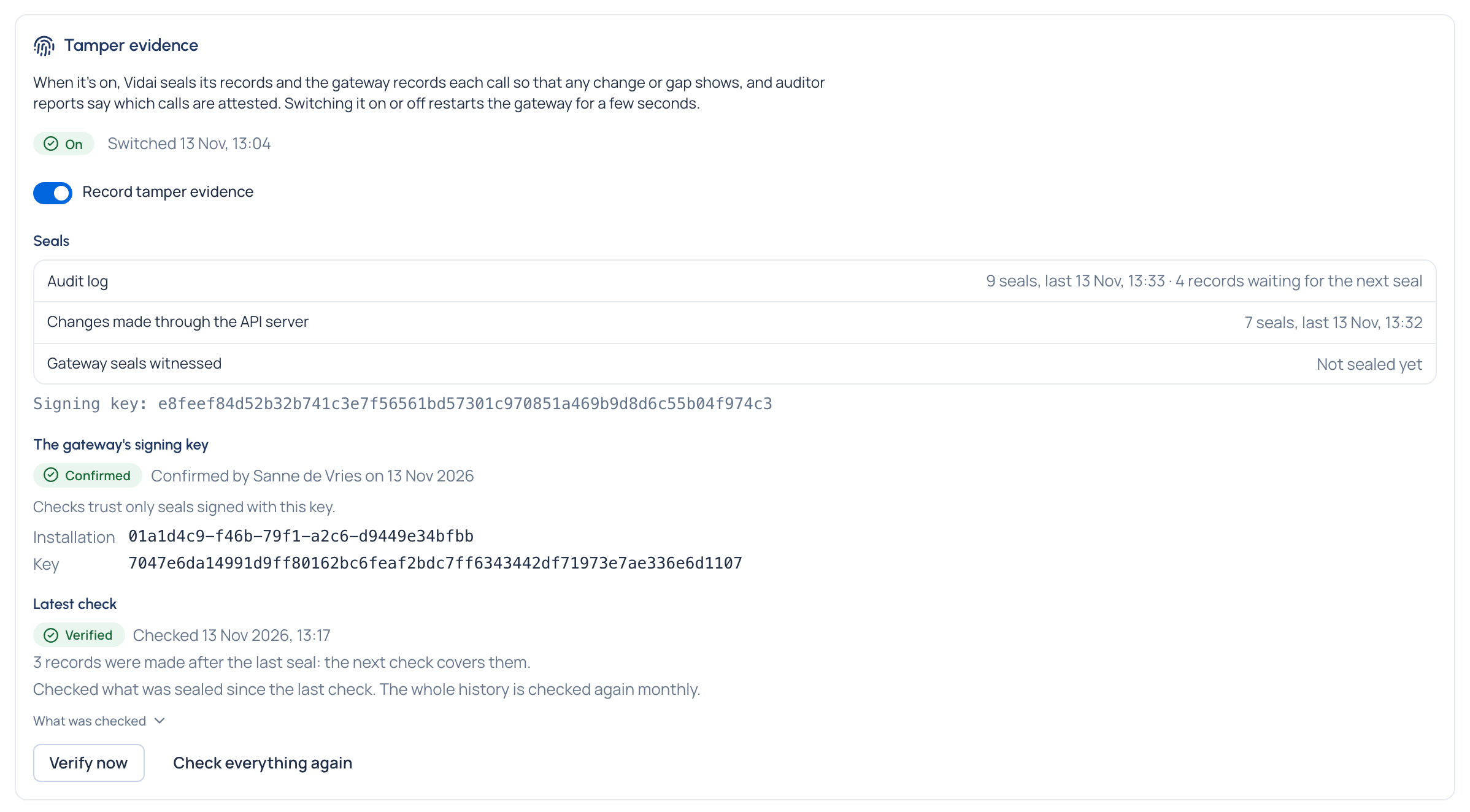
- The card reads On, with Switched and the time.
- Seals shows each stream (the audit log, changes, and the gateway seals Vidai witnessed) with how many seals and the last one; records waiting for the next seal are sealed within five minutes.
- The key reads Confirmed, with who and when.
- Choose Verify now: the result should read Verified. See Verify the evidence.
Good to know
- If the card reads Out of step, it says why: the gateway's licence doesn't include tamper evidence, it has no database to keep the records in, or its configuration differs. Fix that, then switch again.
- Key not handed over or Another installation means the gateway is signing with a key, or reporting an installation, that nobody confirmed. Find out why (a new or copied database?) before choosing I know why: trust this key.
- Switching off makes a final seal; calls from then on aren't attested.
- A new VidaiGuard address waiting for a restart takes effect on the same restart.