Save views, remember filters and export lists
The questions you ask every week ("blocked calls on Fjordair this month", "every role change by an admin") shouldn't need rebuilding each time. Lists remember your filters on any device, Request logs and Audit keep named views, and the lists people take to a spreadsheet or an auditor export as a CSV file that holds exactly what the list shows.
Before you start
Anyone signed in. Exports need the role named under each one below.
Lists remember their filters
Filter a list, sort it or change its page size, and it's remembered with your account: open the list again, here or on another device, and it's as you left it. That works on People, Teams, Roles & access, Keys, Request logs, Approvals (the tab you were on), Applications & agents, Models, Providers, Audit, Service accounts and Every API token Enterprise, Settings › Email log, and Activity on Your account.
- A link that carries its own filters always wins: what a colleague sends you opens as they saw it.
- Reset filters in a list's filter bar clears them.
Save a view
On Request logs and Audit, keep a set of filters under a name and come back to it from any device.
- Set the filters you want.
- In the filter bar, choose Save view.
- Type a Name and choose Save. A view with the same name is replaced.
- Next time, choose it in Saved view. Its filters replace the ones on screen.
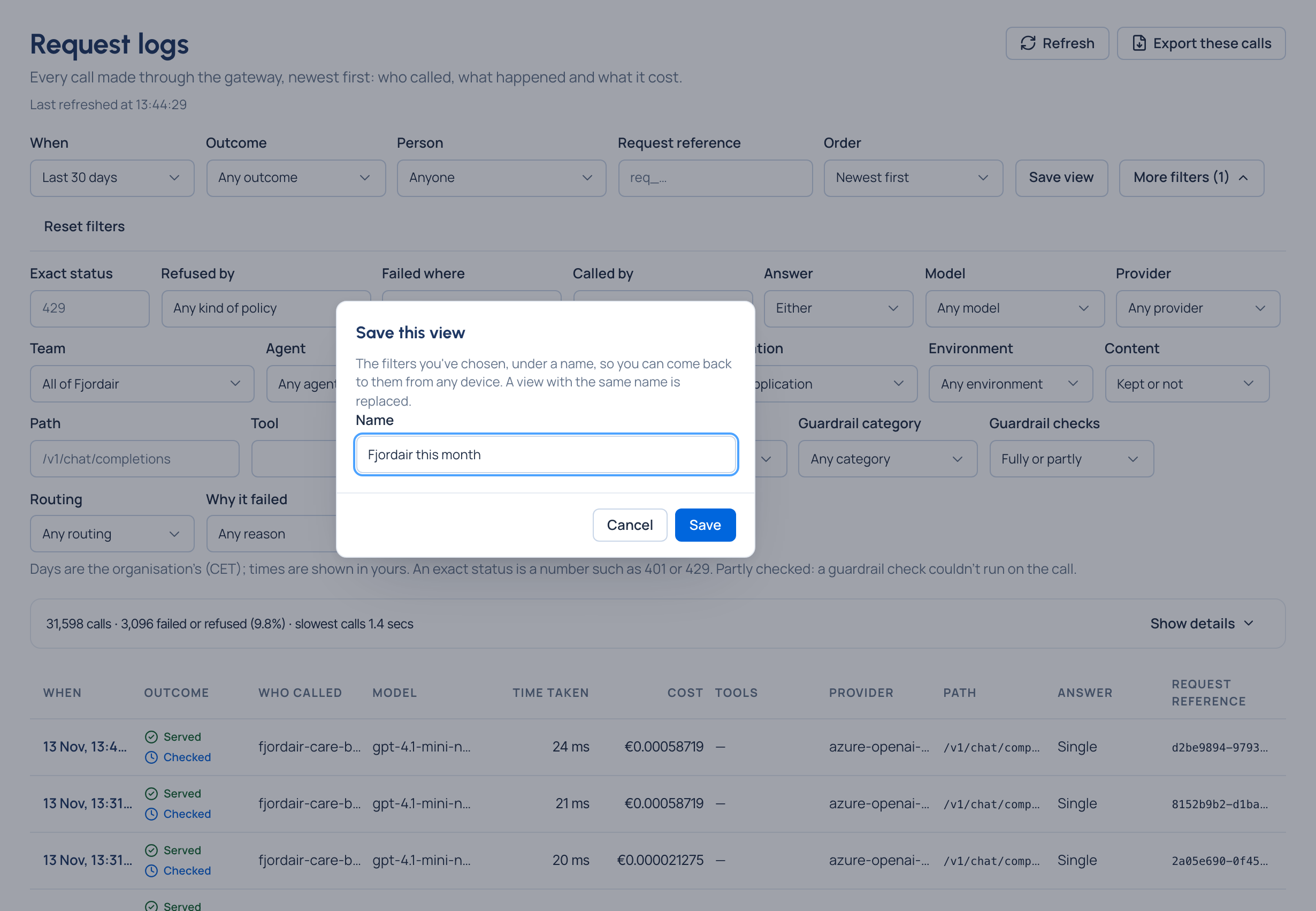
To remove one, choose it in Saved view, then Delete view.
Export a list
| List | Button | Who | What you get |
|---|---|---|---|
| Request logs | Export these calls | Organisation admins and group admins | A CSV of the calls the list shows, with all its filters |
| Audit | Export these events | Organisation admins and Compliance officers Enterprise | A CSV of whole days of events; the other filters and the search go with it |
| Keys | Export CSV | Anyone who sees the list | Every key matching your filters, every page, downloaded at once |
| Cost | Export… | Anyone who can open Cost | Cost for a period; see Export cost |
For Request logs and Audit, the file is made in the background. The button says Export started, and Find it under Cost › Exports takes you to the download. Exports are kept for 7 days, each download is recorded in the audit log, and each file's SHA-256 lets anyone check a copy against the download.

Check it worked
Open the list on another device: your filters are there. Your saved view is in Saved view. Your export is listed under Cost › Exports when it's ready.
Good to know
- Up to 20 saved views per list, each name at most 60 characters. Save view needs at least one filter set.
- Lists choose their columns to fit the space: a wide list shows more columns, a narrow one shows each row on two lines. There's no setting to pick columns.
- Compliance officer is a role of the Enterprise edition; what Enterprise includes depends on the features your licence includes.