See who can call a model
Purpose: an auditor asks who could reach a model last March; a vendor flags a model you want to retire; finance wants to know who is on the expensive one. Vidai answers from one screen: the teams and agents whose models include it, and every key that can call it now, or could at a date and time you choose.
Before you start
- You're an organisation admin, an organisation viewer or a Compliance officer Enterprise. What Enterprise includes depends on the features your licence includes.
- Group admins don't see this view; they see each of their teams' models on the team's Models tab (Choose which models a team or agent may call).
Steps
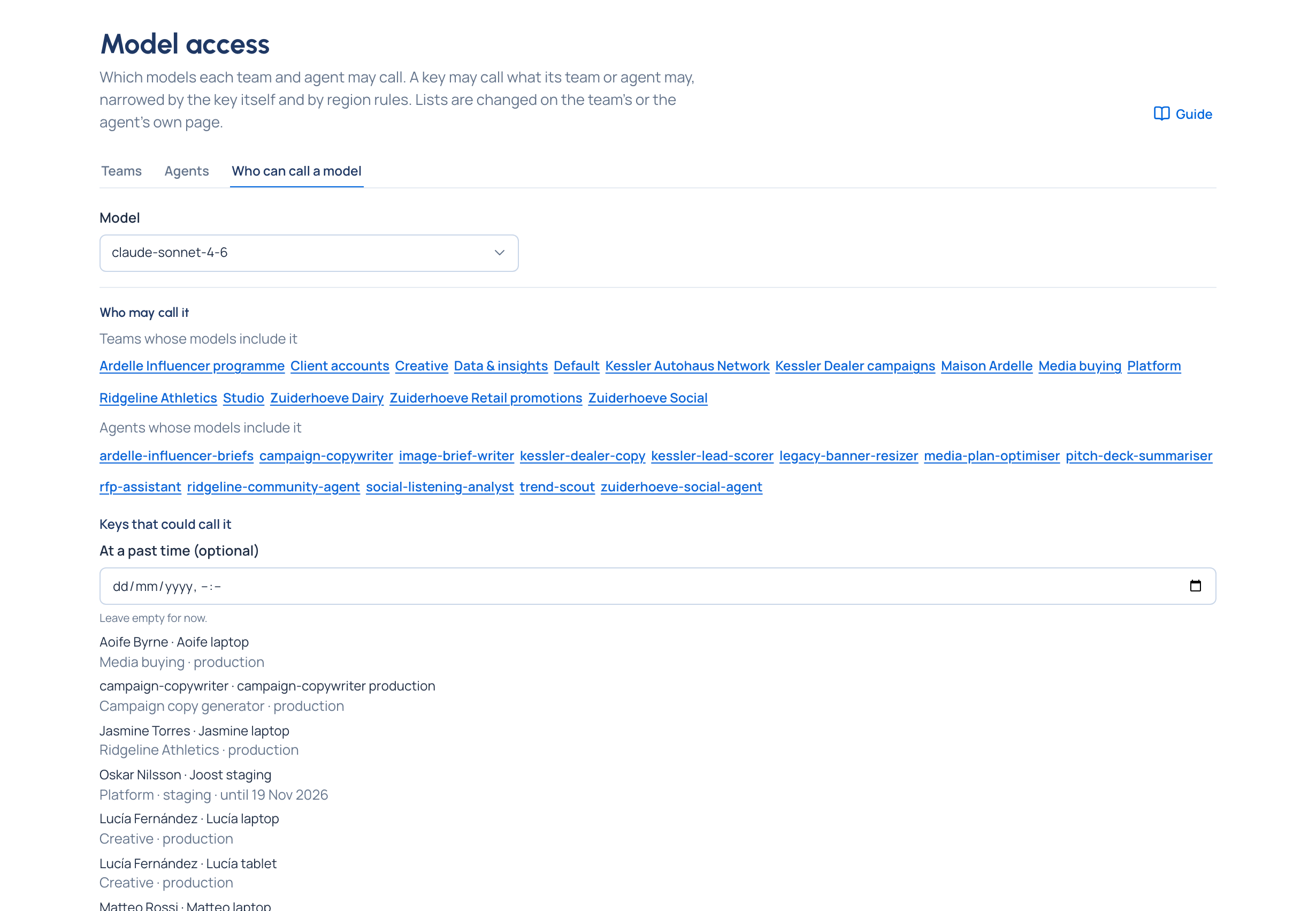
- Open Models & routing › Model access and choose Who can call a model.
- In Model, type part of the name and choose the model, for example
claude-sonnet-4-6. - Read Who may call it:
- Teams whose models include it and Agents whose models include it, whether or not they hold a key. Each name opens the place its models are chosen.
- Keys that could call it: each key with whose it is and its name, then the team or application it acts for, its environment and, if it ends, until when.
- To look back, set At a past time (optional) to a date and time. The list then shows the keys that could call it at that moment. Empty it to go back to now.
You can ask the same from the model itself: open Models & routing › Models, choose the model and open its Who can call section.
Check it worked
The keys you expect are listed. When nothing can reach the model, it says so: No key can call it now. (or No key could call it then. for a past moment), and when no team or agent has the model, it points you to the team's Models tab to give it. A long list ends with and more.
Ask the other way round: what can this agent call?
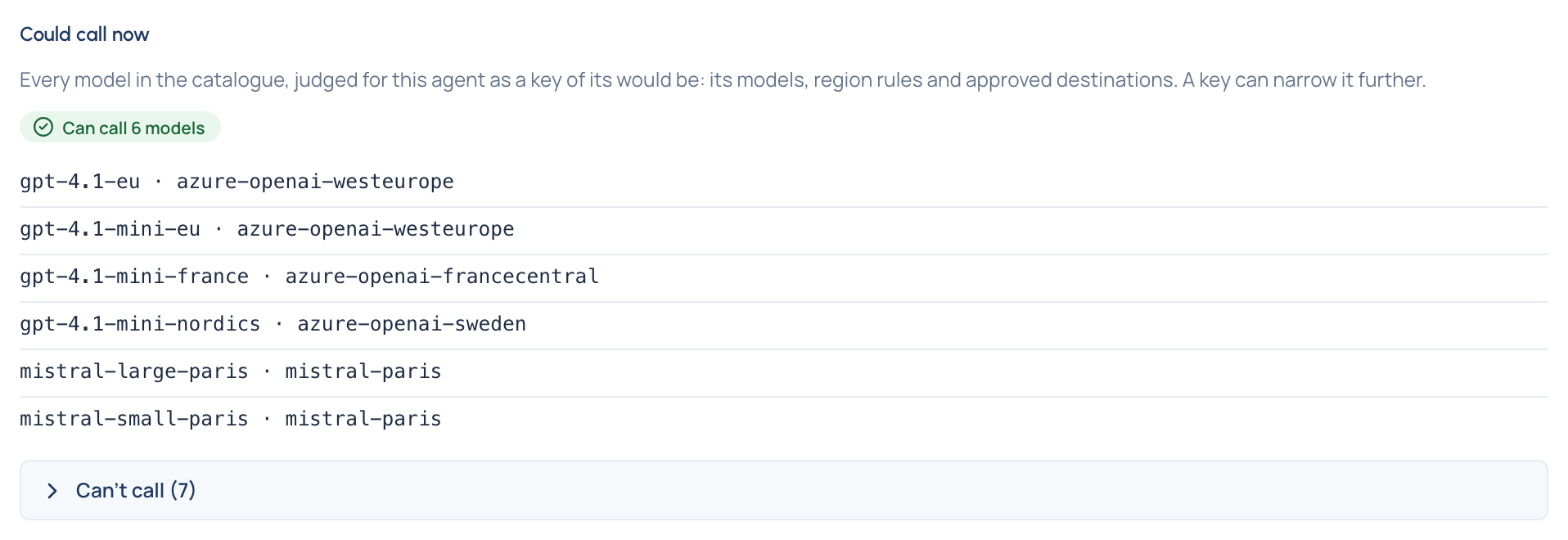
On an agent's Models section, or a person's Models tab on People, Could call now goes through every model in the catalogue as a key of theirs would be judged: their models, region rules and approved destinations. It says how many they can call and lists the others under Can't call (N), each with the reason, even before they hold a key.
Related
- Choose which models a team or agent may call
- Switch a provider or model off: its preview names the keys that lose the model
- Run an access review
- Concepts: Model access
Good to know
- With a past moment set, only keys are listed: the teams and agents show for now only.
- A key can narrow what its team allows, so a team listed under Who may call it may still have keys that can't.