Search the audit log
Purpose: answer "who switched that guardrail off, and why?" from the record, not from memory. The audit log holds every sign-in and change, newest first, and records can't be changed or removed. It's in every edition.
Before you start
- Organisation admins, organisation viewers and Compliance officers Enterprise see the whole log; group admins see the events about their teams and what's in them. What Enterprise includes depends on the features your licence includes.
Steps
- Open Proof › Audit.
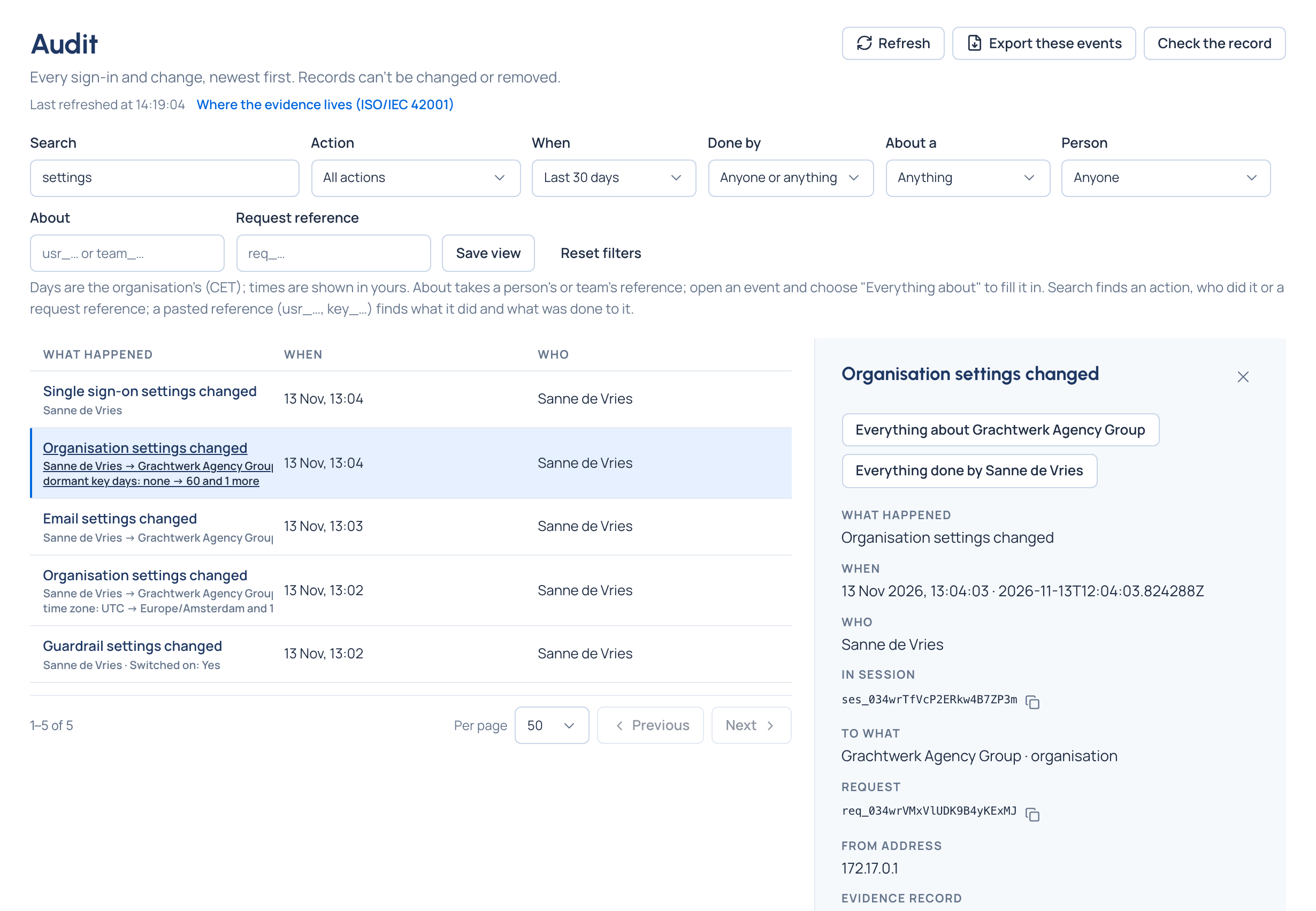
- Narrow the list with the filters:
- Search: one box for an action (key. finds every key event), who did it, or a reference. Paste a reference
(
usr_…,key_…) to find what that person or thing did and what was done to it. - Action, for example Failed sign-in.
- When: the last hour, today, yesterday, the last 24 hours, 7 or 30 days, any time, or Choose dates. Days are your organisation's.
- Done by: a person, an agent, a service account, or Vidai itself.
- About a: the kind of thing, such as a key, team, model or role.
- Person, About and Request reference (as quoted in an error).
- Choose an event to see its full record beside the list.
- Optional: Save view keeps these filters under a name, with your account.
Check it worked
The event's record shows what happened, when (your time and the exact UTC time), who (and whether they used a session or an API token), to what, what changed (each field before → after) and any reason they typed. An event about a call opens it in Request logs with Open it in Request logs.
Good to know
- The address keeps your filters and the open event: send the link to a colleague, who sees only what they may see.
- When the filters match nothing, the list says "Nothing here"; Clear filters puts every filter back to the last 7 days.
- Everything about … and Everything done by … on an event narrow the log to that thing or that person.
- A failed sign-in says why in words, and its Who reads Not signed in.