Model access
"Can our interns call the most expensive model?" shouldn't need a search through every key. Model access answers it at the level it belongs: each team and agent has a list of models, sub-teams and keys can only narrow it, and Vidai shows who could call a given model now, or at any moment in the past.
How a key's models are worked out
A call is allowed only when every level agrees:
flowchart TD
    AP["Approved for use<br/>(the organisation's list)"] --> T["The team's models<br/>(or the agent's)"]
    T --> ST["A sub-team: the same,<br/>or fewer"]
    ST --> K["The key: all of them,<br/>or only some"]
K --> C{"Call allowed"}- Approved for use is the ceiling for everyone: a model not on it can't be called by anyone.
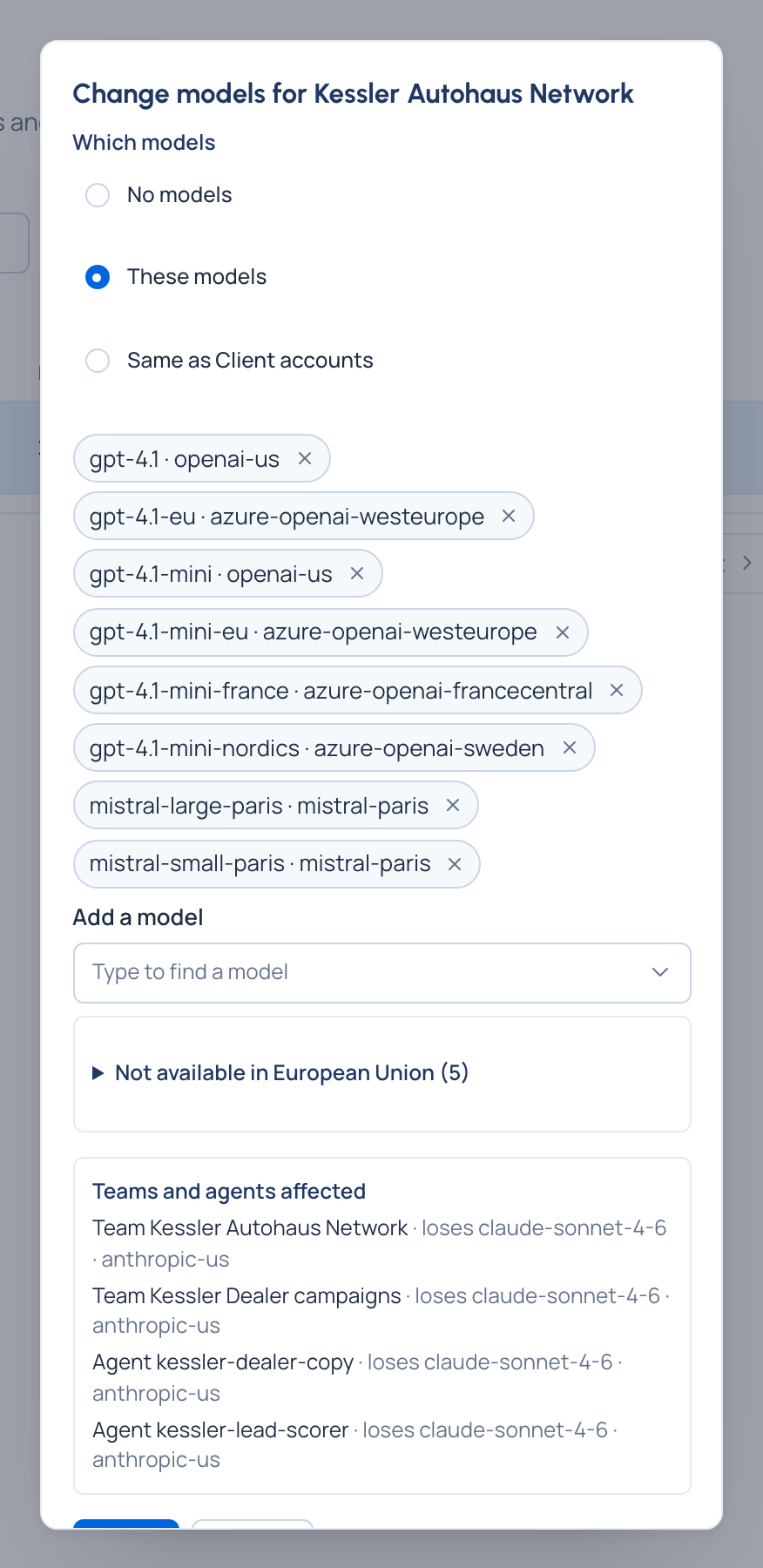
- A team's models are one of: No models, These models (a list), Same as the team above, or Every model (top-level teams only). A new top-level team starts with none; a sub-team follows the team above; the Org group starts with every model.
- An agent follows its team by default and can only have models its team allows.
- A key may call all of what its team or agent allows, or only some.
- In Enterprise, a region rule narrows it further to models placed in an area.
Routing never widens access: a model a key can't call is never offered as a routing target.
Changing access, with a preview
Changing a team's or an agent's models shows a preview first: every team and agent that would gain or lose models, and every live key affected, with keys that would stop working first. Only then Apply. Group admins may narrow their teams; only an organisation admin widens a top-level team.
Extra models for one person
Now and then one person needs a model their team doesn't have. Extra models lets an organisation admin give it to them in that team, with a reason and optionally an end date, without widening the team. Giving one to yourself waits for a second admin.
Who could call a model
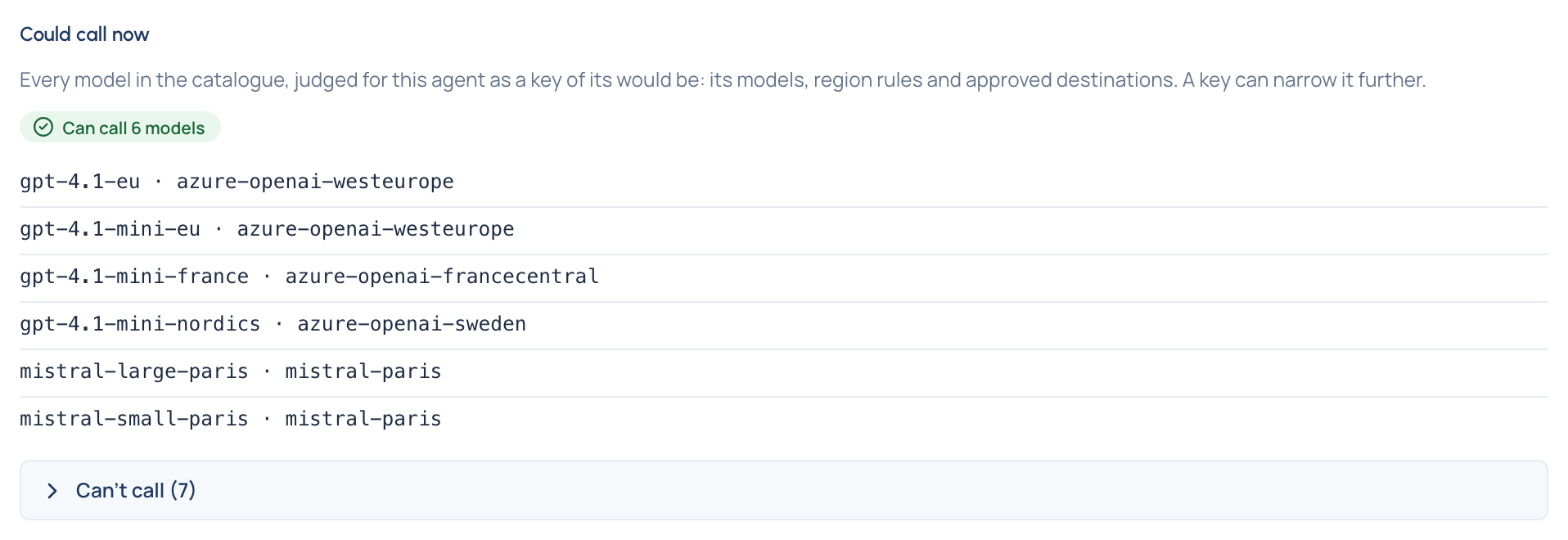
- Could call now, on a person's or an agent's page, goes through every model in the catalogue and says whether they could call it, even before they hold a key. Each one they can't call says why (not in their team's models, outside a region rule's area, not approved for use, its provider not placed, switched off) and where it's put right.
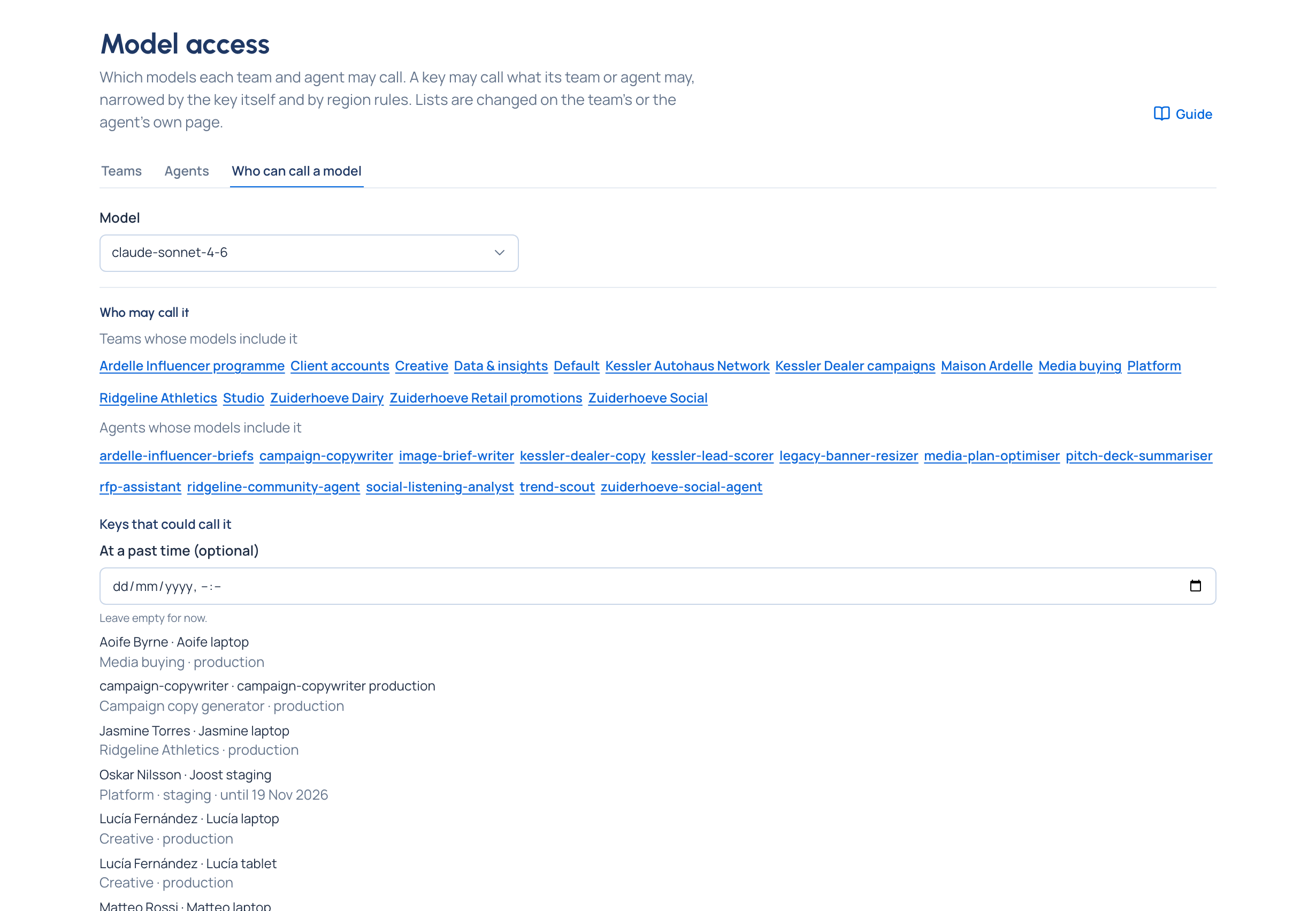
- Who can call a model (on Models & routing › Model access, and on each model's page) lists the teams and agents whose models include it, and every key that can call it now, or, with a date and time, every key that could at that moment. It's the answer an auditor asks for.
Everyone sees their own: Your account › Models lists, for each of their teams, the models their keys there may call.