Roles at levels
Central IT shouldn't have to approve every key, and an account director shouldn't be able to raise their own budget. Roles in Vidai are given on a level, so a team runs itself inside limits that stay with the people above it.
flowchart TD
    org["Grachtwerk Agency Group<br/>(the organisation)"]
    cl["Client accounts"]
    zd["Zuiderhoeve Dairy"]
    zs["Zuiderhoeve Social"]
    zr["Zuiderhoeve Retail promotions"]
    ka["Kessler Autohaus Network"]
    org --> cl
    cl --> zd
    cl --> ka
    zd --> zs
    zd --> zr
    sanne(["Sanne: organisation admin"]) -.-> org
    femke(["Femke: group admin"]) -.-> zd
    daan(["Daan: user"]) -.-> zs
The levels
| Level | Roles given there |
|---|---|
| The whole organisation | Organisation admin, organisation viewer, Finance, Compliance officer Enterprise, content reader, the three permissions |
| A team (and every team under it) | Group admin, content reader |
| An agent or an application | Owner, viewer, content reader |
| A service account Enterprise | Owner |
Finance and the Compliance officer exist only on the whole organisation: their work is organisation-wide by nature.
Group admins and their sub-teams
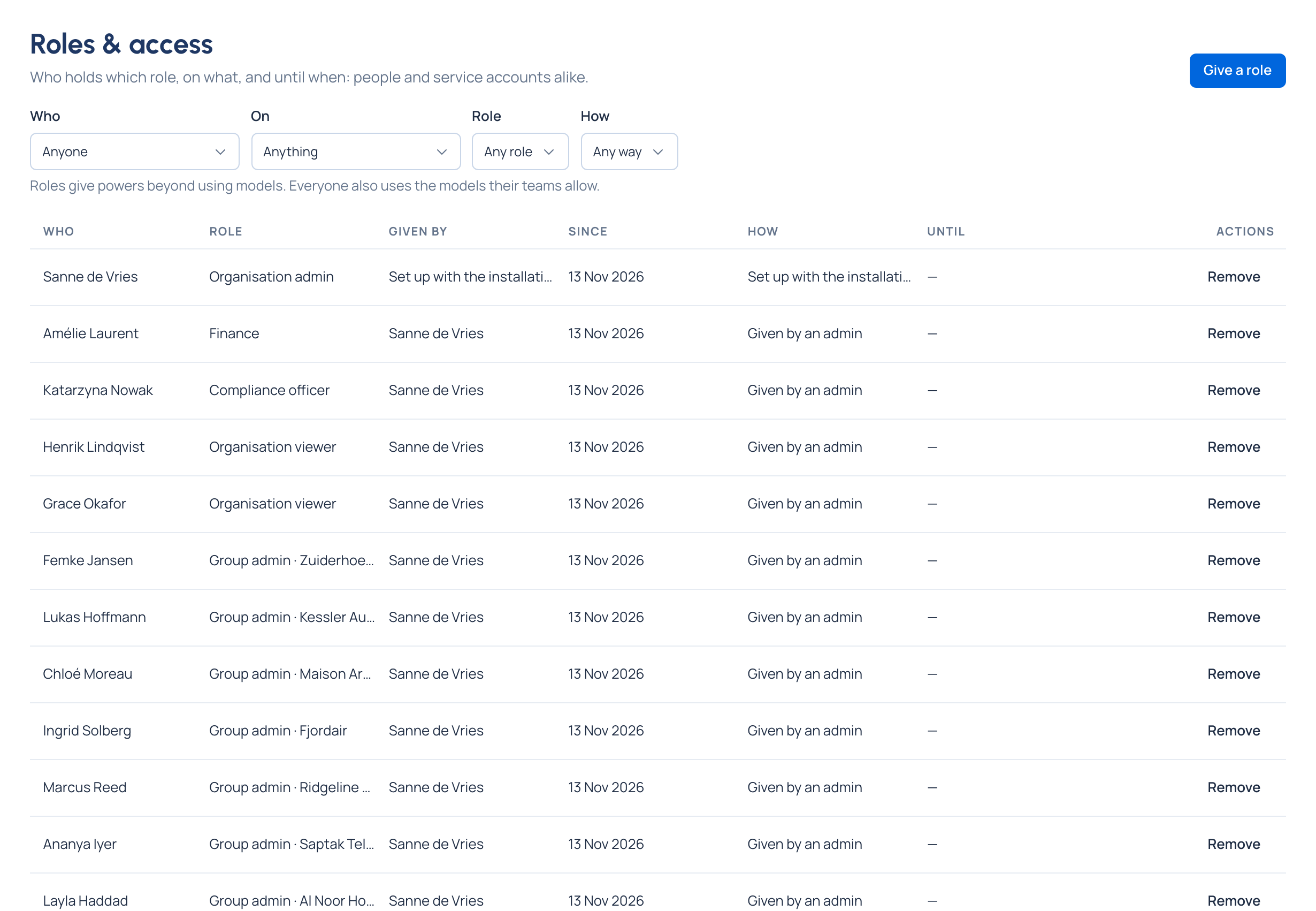
A group admin of a team runs that team and every team under it. In the demo, Femke Jansen is group admin of Zuiderhoeve Dairy, so she also runs Zuiderhoeve Social and Zuiderhoeve Retail promotions.
In their part of the organisation, a group admin:
- sees the people, keys, agents, applications, calls and cost there, and the audit log's events about them;
- adds people, makes sub-teams, and makes other group admins;
- issues keys for people in their teams and for their agents;
- sets budgets, guardrails, policies and routing rules on their teams;
- narrows the models their teams may call;
- decides approvals in their part, and sees the Admin, FinOps and Compliance dashboards for their own teams.
Their menu shows only their part: People and Teams list their teams, and their Teams tree starts at their own top team, not at the organisation.
What stays above a group admin
Some decisions are never a group admin's to make for themselves:
- Budgets on themselves. A group admin never sets a budget on themselves or their own keys: someone above them does. To lift a team's budget for a while, they Ask to lift for up to 24 hours…, and an organisation admin or Finance decides.
- Lifting a guardrail. They ask; a Compliance officer, or whoever was given Approve guardrail overrides, decides.
- Widening their own access. Adding themselves to a team or giving themselves a role waits on Approvals for a second admin.
- Widening a top-level team's models. A group admin may narrow models; only an organisation admin widens a top-level team.
- The organisation and environments. Routing rules and budgets on the whole organisation or an environment are for organisation admins.
- The safety switches and Settings are for organisation admins.
Roles with an end date
Any role can be given Until a date, with a Why that's kept with the role and in the audit log. It ends by itself on that date. Roles & access lists who holds which role, on what, since when and until when, and how it was given: set up with the installation, given by an admin, came with making something (the maker of an agent owns it), or from single sign-on.