Integrations: email, BI and events
Data that stays in one console doesn't reach the finance warehouse, the security team's SIEM or the person whose key expires on Friday. Vidai sends it where each audience already looks: emails to people, scheduled data files to your storage and BI tools, and events to your SIEM as they happen.
Three jobs, three channels
| Channel | For | What goes | Edition |
|---|---|---|---|
| People | Invitations, password resets, email address changes, key expiry reminders, budget warnings | Community and Enterprise | |
| BI push | Your warehouse and BI tools | Calls, daily cost, the audit log, guardrail findings, policy snapshots, on a schedule | Enterprise |
| Event webhooks | Your SIEM, chat or own systems | Changes and sign-ins, refused and blocked calls, models going out of service and back, Needs attention items, as they happen | Enterprise |
What Enterprise includes depends on the features your licence includes. On Community, people still get their emails, and every list in the Control room exports to a file.
flowchart LR
    V["Vidai"] -- "email" --> P["People"]
    V -- "data files every hour or day<br/>(S3-compatible, SFTP, webhook)" --> BI["Warehouse and BI"]
V -- "signed events in seconds" --> S["SIEM / webhook"]Email
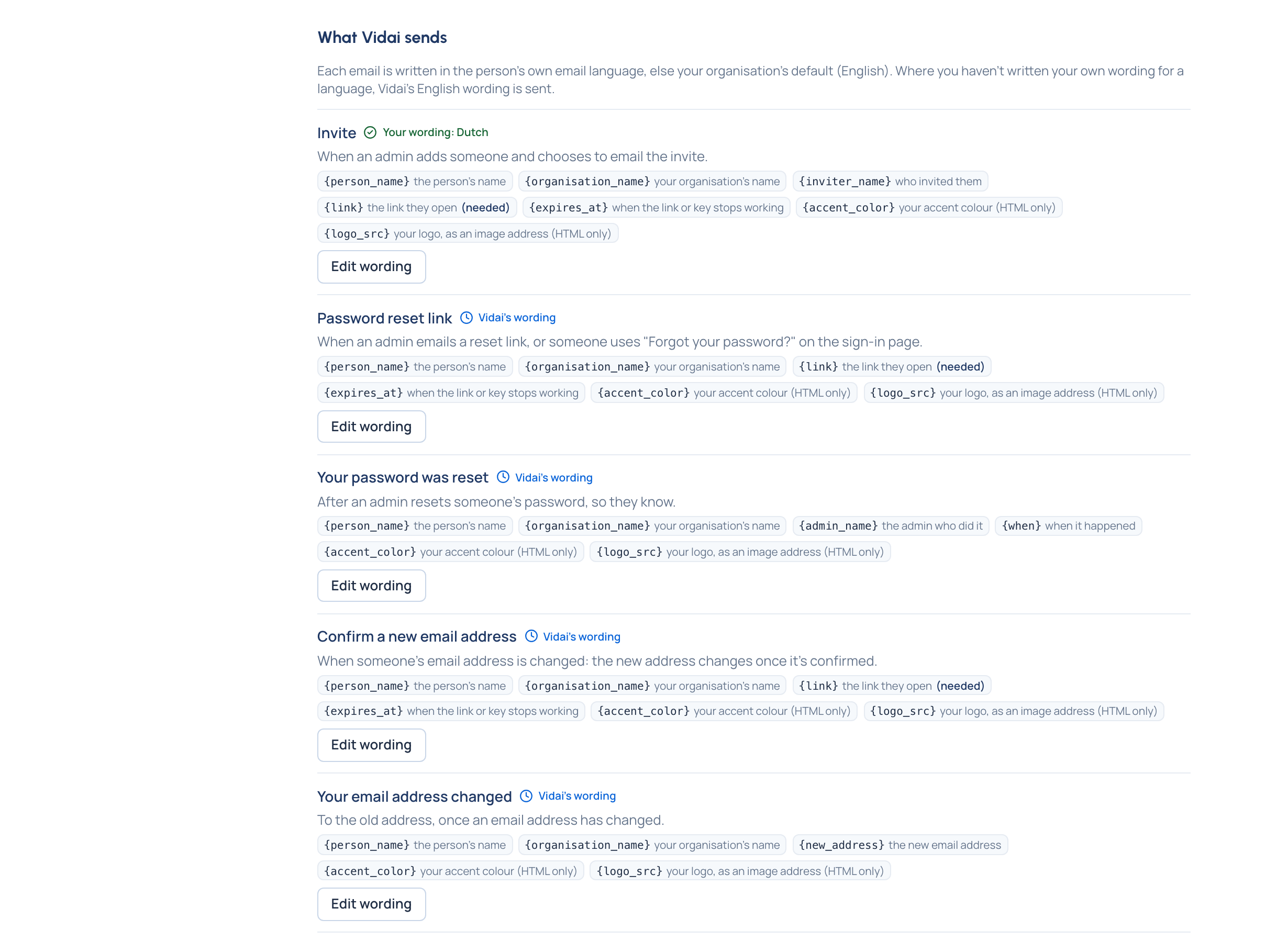
Connect your own mail server once, and Vidai emails people instead of handing out links. Each email can carry your logo and accent colour, its wording can be changed per language, and people choose the language of their own emails. The Email log lists what was sent, to whom, and why one didn't go, without showing what it said.
BI push Enterprise
A destination is a bucket in S3-compatible storage, a folder on an SFTP server, or a webhook. For each dataset you
choose the format (Parquet, CSV or JSON Lines) and how often (every hour or every day). Each drop holds
what's new since the last one, with a manifest.json listing every file's rows and SHA-256 checksum, so your side
knows every file arrived whole. A failed delivery is never skipped: the next one that works catches up.
Event webhooks Enterprise
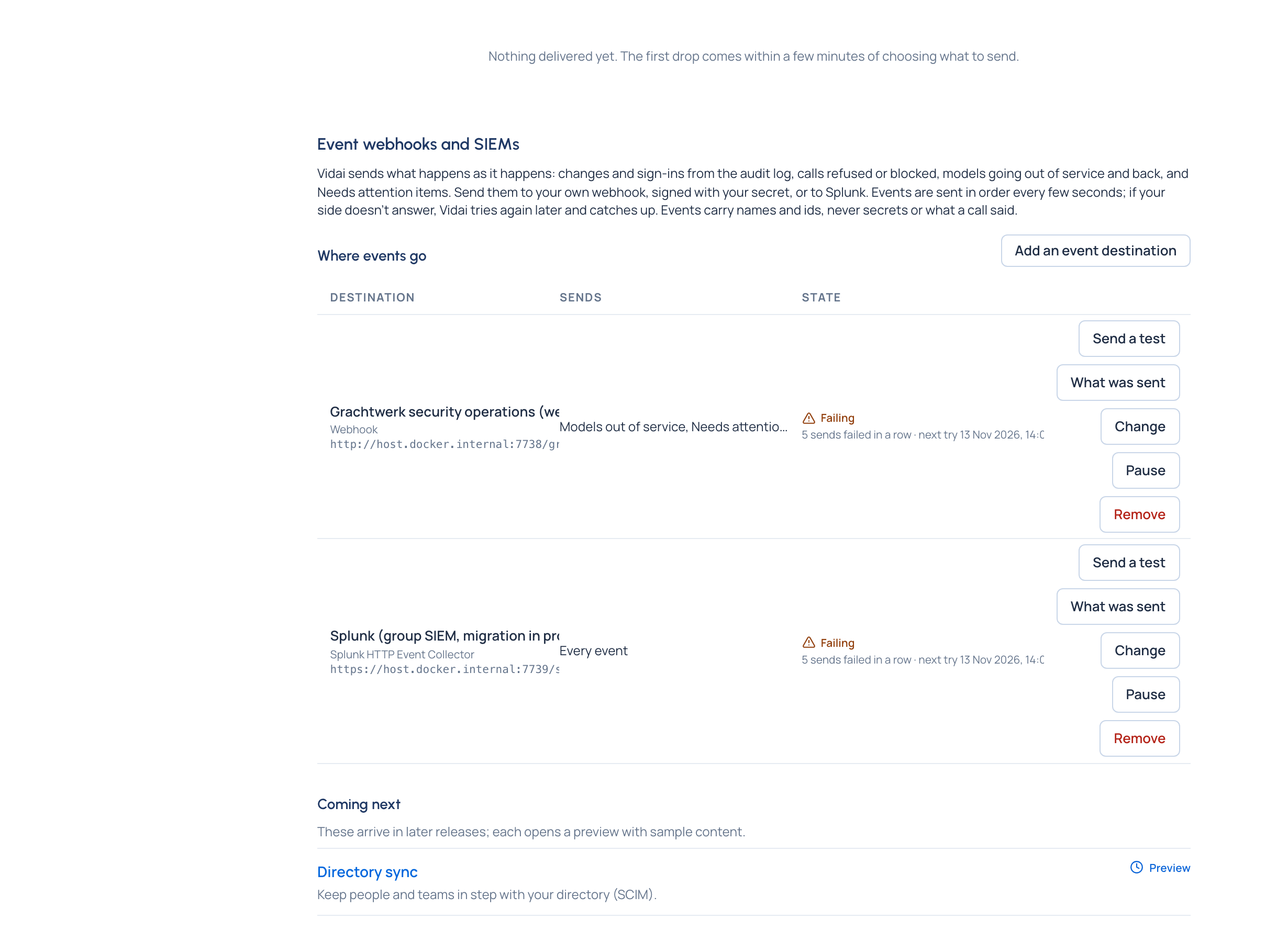
Events go in order, every few seconds, to your own webhook or to Splunk's HTTP Event Collector; Microsoft Sentinel, Elastic and other SIEMs take them through their HTTP intake. You choose every event, or only some topics (Calls refused or blocked, Models out of service, Needs attention, Keys and tokens, People, teams and sign-in, Budgets, cost and prices, Rules and compliance, Tamper evidence). Events carry names and ids, never secrets and never what a call said. If your side doesn't answer, Vidai keeps the events and catches up in order.
Signed, so you can trust them. Each webhook post carries X-Vidai-Timestamp and X-Vidai-Signature, an
HMAC-SHA256 over the timestamp and the body made with your signing secret. Your side checks it in a few lines.