Guardrails
Telling every team to strip personal data before calling a model works until one team forgets. Guardrails check what each call sends, on its way through the gateway, for every app, team and agent at once: card numbers, personal data, health data, secrets and keys, prompt injection, your own internal terms. They block, mask or pseudonymise what they find before any model sees it, and record what they did. You start in observe mode, see what a rule would catch, then enforce it.
Two checks
| Check | How it finds things | Edition |
|---|---|---|
| Pattern checks | Regular expressions in categories (personal data, secrets, prompt injection, profanity, internal data, or your own). A library of 232 built-in patterns, some with a check digit (Luhn for card numbers, mod 97 for IBANs), plus your own | Every edition |
| VidaiGuard checks | VidaiGuard, Vidai's own models, running beside your gateway, finds what a pattern can't: a person's name in free text, a disguised injection attempt | Enterprise |
Guardrails are complete on pattern checks alone: every pack, rule, policy and regulation acts on its patterns, in both editions. VidaiGuard adds what a pattern can't find. On Enterprise it's either set up or not set up (see below); on Community, guardrails are pattern checks, and the Control room says nothing about VidaiGuard. Because VidaiGuard runs in your own infrastructure, checking your data doesn't mean sending it to someone else.
Each check is decided on its own; a block from either refuses the call.
Libraries, and the rules that use them
Patterns and packs do nothing on their own. A pack is a set of patterns (and, for some packs, VidaiGuard checks) for a purpose: GDPR, HIPAA, PCI DSS, credentials, agent safety, regional personal data for the Gulf states and more. Only a rule at a level makes them act, on every key below it. On Enterprise, VidaiGuard is chosen, never assumed: a pack rule uses its VidaiGuard checks only when Also use VidaiGuard is on for it (off by default), and a recipe or a regulation's recommended policies make their VidaiGuard checks only with Also use VidaiGuard on. Built-in packs can't be changed; copy one to drop or add checks, giving a reason for each difference. When a release changes the original, your copy is never changed for you: it says Original changed until you review it.
Five actions, strongest first
| Action | What happens to the call |
|---|---|
| Block | The call is refused |
| Redirect | It goes to an approved model instead |
| Pseudonymise | Found values are swapped for realistic stand-ins; the model sees the stand-ins, and the originals are put back in the answer, streamed answers included |
| Mask | Found values are blanked out |
| Log only | The call goes through; the finding is recorded |
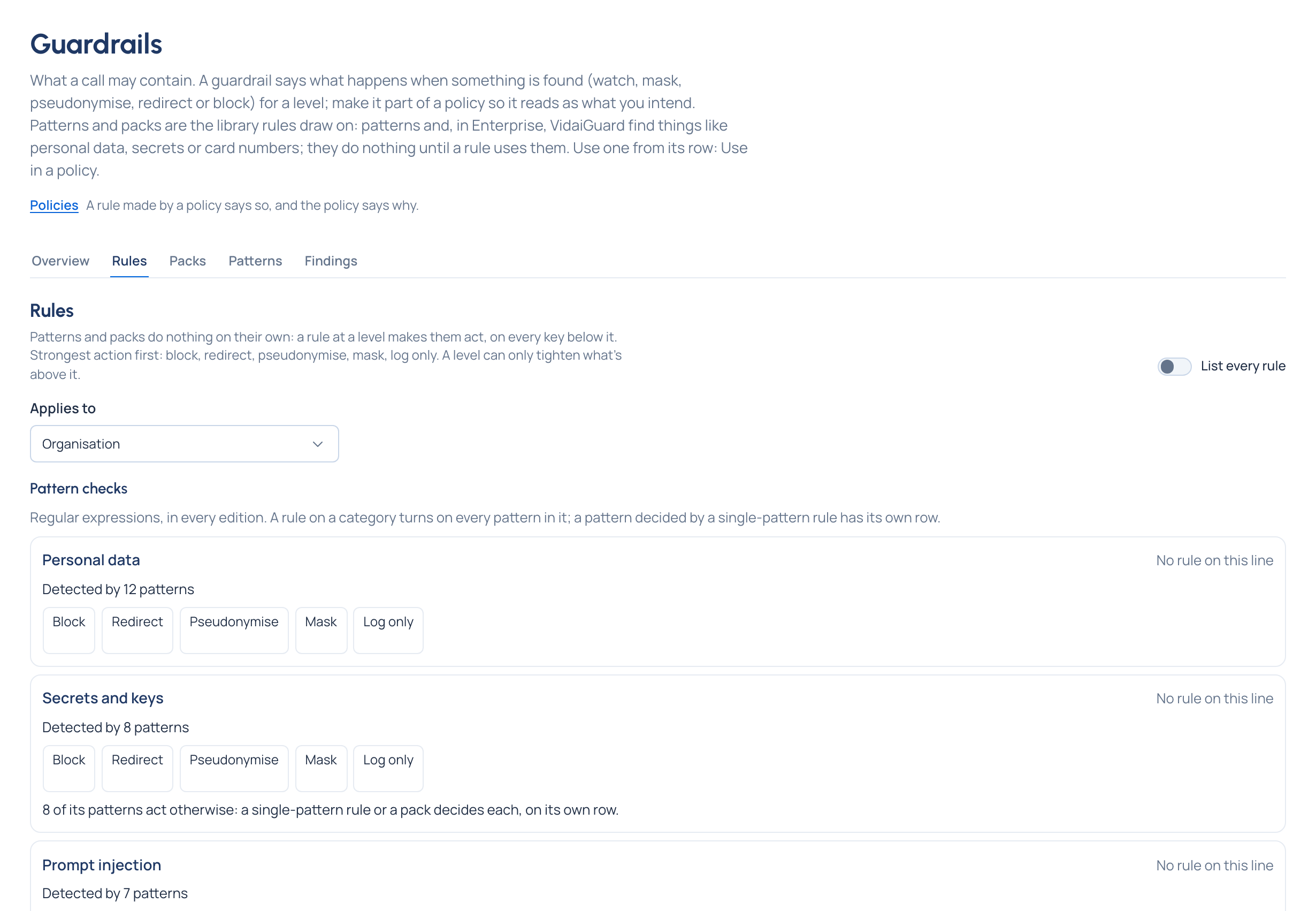
When several rules cover the same thing, the strongest wins, and a level can only tighten what's above it. Some actions can't apply to some findings, and the screen says why: an injection attempt is about the whole message, so it can only be blocked or logged; a card number has no stand-in, so mask it instead of pseudonymising it.
A rule that only logs personal data says Stores the original text, because wherever call bodies are kept the original is stored. Mask or block to keep it out.
flowchart LR
  Req[Request: every message,<br/>tool results too] --> P[Pattern checks]
  Req --> V[VidaiGuard checks]
  P --> D{Strongest action<br/>across levels}
  V --> D
  D -->|Block| X[Refused]
  D -->|Redirect| R[Approved model]
  D -->|Pseudonymise / Mask| M[Sent with stand-ins<br/>or blanks]
  D -->|Log only / nothing| S[Sent as is]
  D --> F[Finding recorded]
Guardrails check what's sent to a model, every message and tool results included. The model's answer isn't checked.
Observe, then enforce
A pack is added to a level in Observe (the default) or Enforce. A rule inside a named policy follows the policy's state: while the policy is Observing, its guardrails only log, and the policy shows What enforcing would have done over the last seven days. Nothing is blocked until you choose to enforce.
VidaiGuard: set up or not set up Enterprise
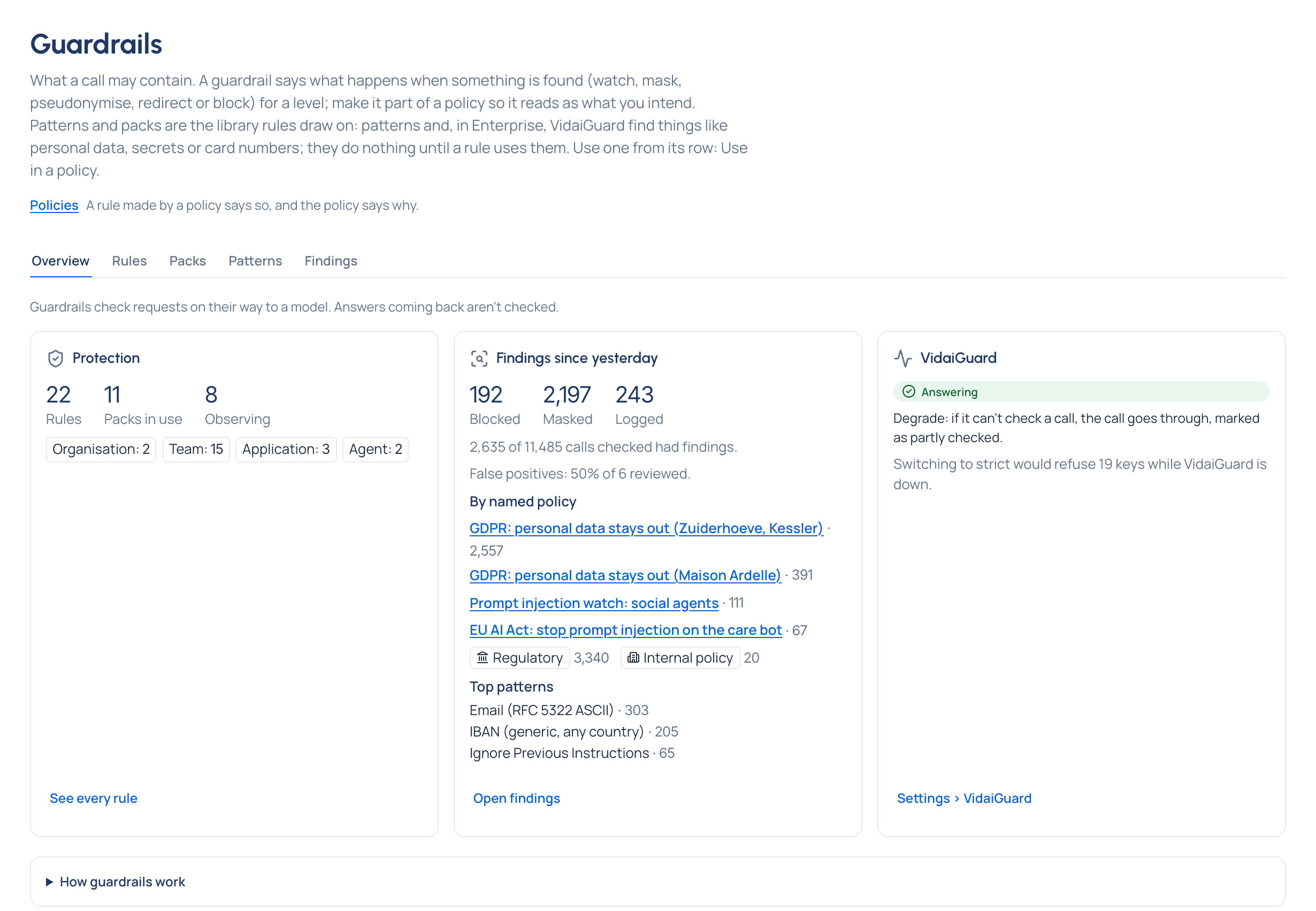
Not set up is a normal, complete state: pattern checks act on every call, and a pack's or a policy's VidaiGuard checks start once VidaiGuard is set up (an address for it and a model chosen, in Settings › VidaiGuard). Nothing waits on it, and saving is never held back.
Set up, VidaiGuard runs beside the patterns while VidaiGuard checks on is switched on. If it isn't answering, you choose, once, in Settings › VidaiGuard: degrade (the default) lets calls through on pattern checks, marked partly checked; strict refuses calls that needed a VidaiGuard check. Before switching to strict, the Control room says how many keys would be refused while VidaiGuard is down. Strict isn't offered while VidaiGuard isn't set up.
A rule that uses VidaiGuard while it's off or not set up never refuses a call: the call is checked by its patterns, and the call says so ("Checked by patterns only: VidaiGuard is off", or "…wasn't answering" when it was on but didn't answer). A call whose chosen checks all ran is never marked partly checked.
VidaiGuard can also be removed, from Settings › VidaiGuard › Remove VidaiGuard…, with a reason, at the gateway's next restart or now. Afterwards it reads Not set up and rules run on patterns; setting an address brings it back.
Each pack says what runs for it in one badge, wherever it shows (its card, What's in it, a pack rule, New policy, a recipe's parts). On a rule, part or form, it's for that rule: a rule that doesn't use VidaiGuard reads Patterns only. On the card and in What's in it, it's what the pack's VidaiGuard checks do wherever a rule uses them:
| Badge | What runs |
|---|---|
| Patterns only | The pack has pattern checks only, or the rule doesn't use VidaiGuard: its patterns act on their own |
| VidaiGuard not set up | Its pattern checks act; its VidaiGuard checks start once VidaiGuard is set up |
| VidaiGuard checks off | Its pattern checks act; its VidaiGuard checks start once checks are switched on |
| VidaiGuard on | Pattern and VidaiGuard checks both act |
| Partly by patterns | Some of what it names has no chosen VidaiGuard model: patterns cover those alone |
| Patterns only: no VidaiGuard model | No chosen VidaiGuard model finds what it names, so only its patterns act |
| VidaiGuard unavailable: patterns only | VidaiGuard isn't answering and degrade is on: only patterns act, calls are still served |
| Refused while VidaiGuard is unavailable | VidaiGuard isn't answering and strict is on: calls from keys it checks are refused until it's back |
What you see on screen
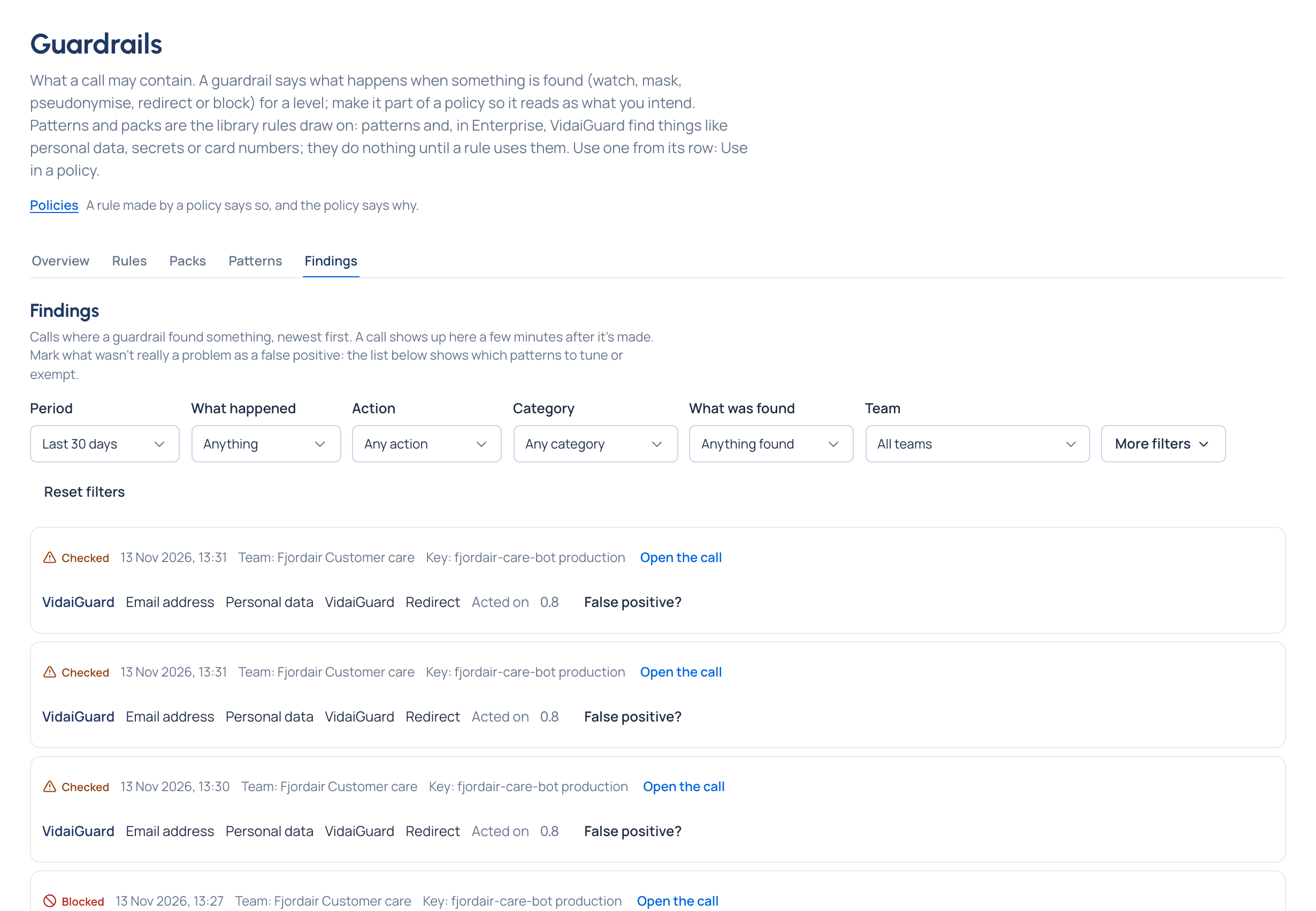
Policies › Guardrails has five tabs: Overview (protection in place, findings since yesterday, and on Enterprise VidaiGuard's state: Not set up, Answering, Not answering, Checks off or Not known yet), Rules (one grid per level, each row saying what detects it, the action, and whether it's set here or inherited), Packs, Patterns and Findings. A finding opens the call it came from. If it wasn't really a problem, Mark as false positive; False positives, last 30 days shows which patterns to tune.
Exceptions and the safety switch
An exemption lets one key off one rule, with a reason and an optional end. In an emergency, an organisation admin can lift a rule for up to 24 hours: see Exceptions, overrides and approvals. For an incident, Guardrails on can be switched off for the whole gateway for a while, and every page says so while it's off: see Safety switches.
Related
- Policies and regulations: guardrails as parts of a named policy
- Regions and data residency: where data may go
- Request logs: each call's findings, and which policy decided them
- Rules at levels