Providers and models
Every team signing up to its own AI service means keys in every app, invoices nobody can split and data going who knows where. In Vidai you connect each provider once, say where it runs, and offer its models to the organisation from one list. Teams call those models through the gateway; the provider keys never leave it.
Providers
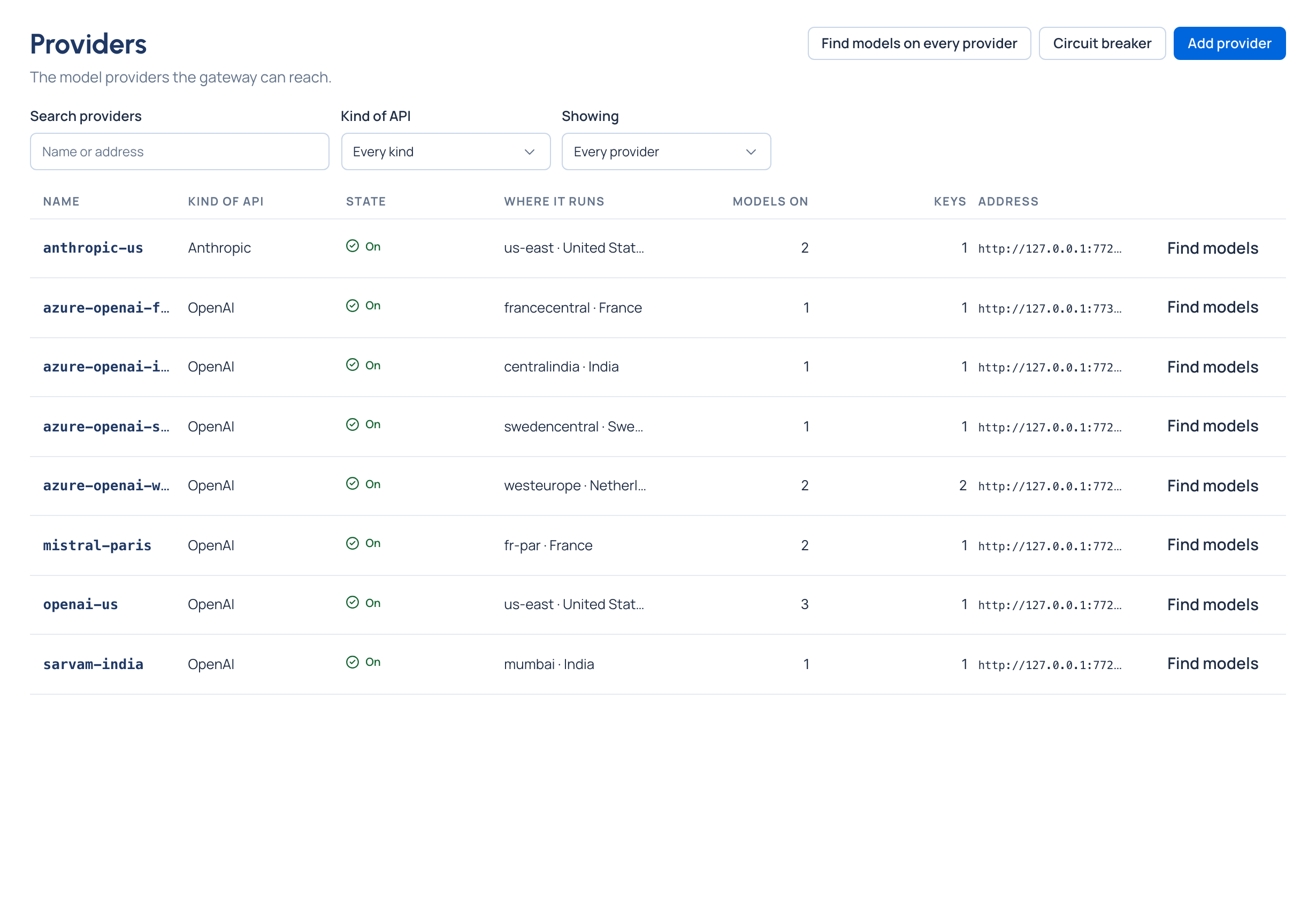
A provider is a service the gateway can reach: OpenAI, Azure OpenAI, Anthropic, AWS Bedrock, Google Gemini, Google Vertex AI, Mistral AI, IBM watsonx and others, or your own models on Ollama or any OpenAI-compatible server. Adding one starts from a preset that fills in its kind of API, address, how its usage is read and a name; you add the API key.
Each provider records:
- Where it runs: its location and the area its data is processed in (the European Union, the United States, …),
worked out by Vidai for known addresses, or set by an admin with a reason. A provider with several regions is one
provider per region (
openai-eu,azure-openai-westeurope), so each region's data stays where you chose. - Agreements: a data processing agreement (GDPR), a business associate agreement (HIPAA), a PCI DSS attestation, each with its reference and end date. A region rule can require them before a call reaches the provider.
- Pricing: which part of the rate card prices its models, or Not priced. See Prices and the rate card.
- Upstream keys: the keys the gateway uses to call it, shown by their last four characters only. See Provider keys and resilience.
- Health at the gateway: Taking calls, Recovering or Refusing calls, and each model's circuit.
- History: every change to it, who made it and when.
Models
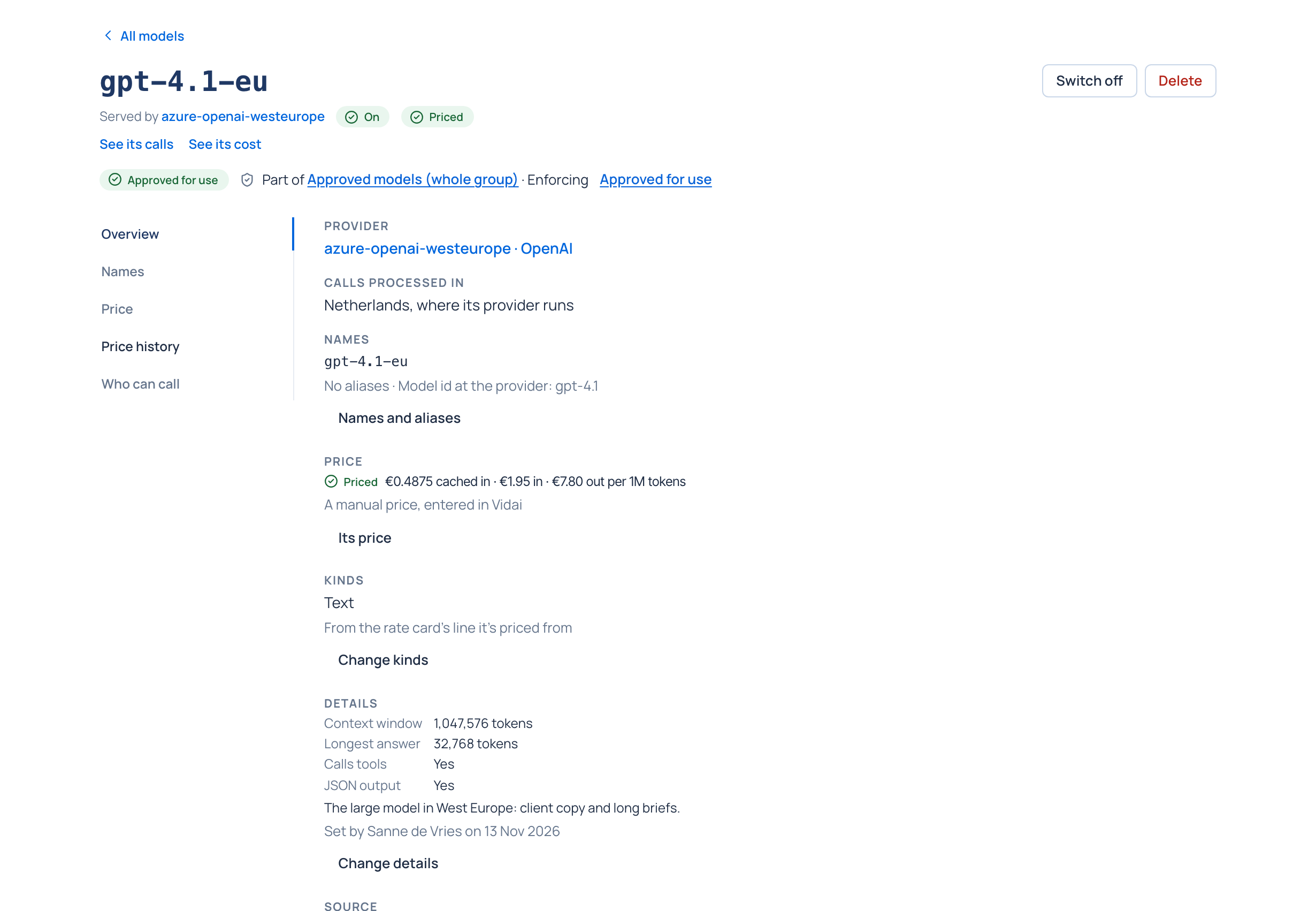
A model is what the gateway offers from a provider. Each has:
- a name apps call, which never changes, and any aliases (see Model names and aliases);
- its model id at the provider, when that differs (an Azure deployment, for example);
- its kinds (text, image, audio, video, embedding) and details such as its context window, whether it calls tools and gives JSON output. What nobody has said reads Unknown: Vidai never guesses;
- a price state: Priced, Free, Needs review, No match, Not in the rate card or Not priced. A model without a price never shows $0;
- whether it's On or Switched off.
Find models asks a provider which models it offers. New ones arrive switched off, ready for you to review and switch on. Models can also be added by hand.
Approved for use
Under the models list is the organisation's list of models any call may reach. While it's empty, every model is approved; once it has entries, everything else is refused at the gateway, whatever a team's models say. Model access then decides who may call which approved model. See Model access.
flowchart TD
    P["Provider<br/>azure-openai-westeurope<br/>(European Union)"] --> M1["Model gpt-4.1-eu"]
    P --> M2["Model gpt-4.1-mini-eu"]
    M1 --> A{"Approved for use?"}
    A -->|yes| MA["Model access:<br/>which teams and agents"]
    A -->|no| R["Refused for everyone"]
Switching off, with the consequences first
Switching a provider or a model off stops every key calling it. Before you confirm, What it changes shows how many keys lose models, each with the models it loses, and the routing rules that would pause. Nothing changes until you confirm, and switching on brings it all back.
Related
- Model names and aliases
- Provider keys and resilience
- Translation between API formats: any SDK to any of these providers
- Regions and data residency
- Prices and the rate card