Follow Get started on Home
Nobody reads a set-up manual before they need it. Get started, on Home, shows each person only the steps that apply to them, links each to where it's done, and ticks it from what really exists in Vidai, so it never says "done" for something that isn't.
Read the card
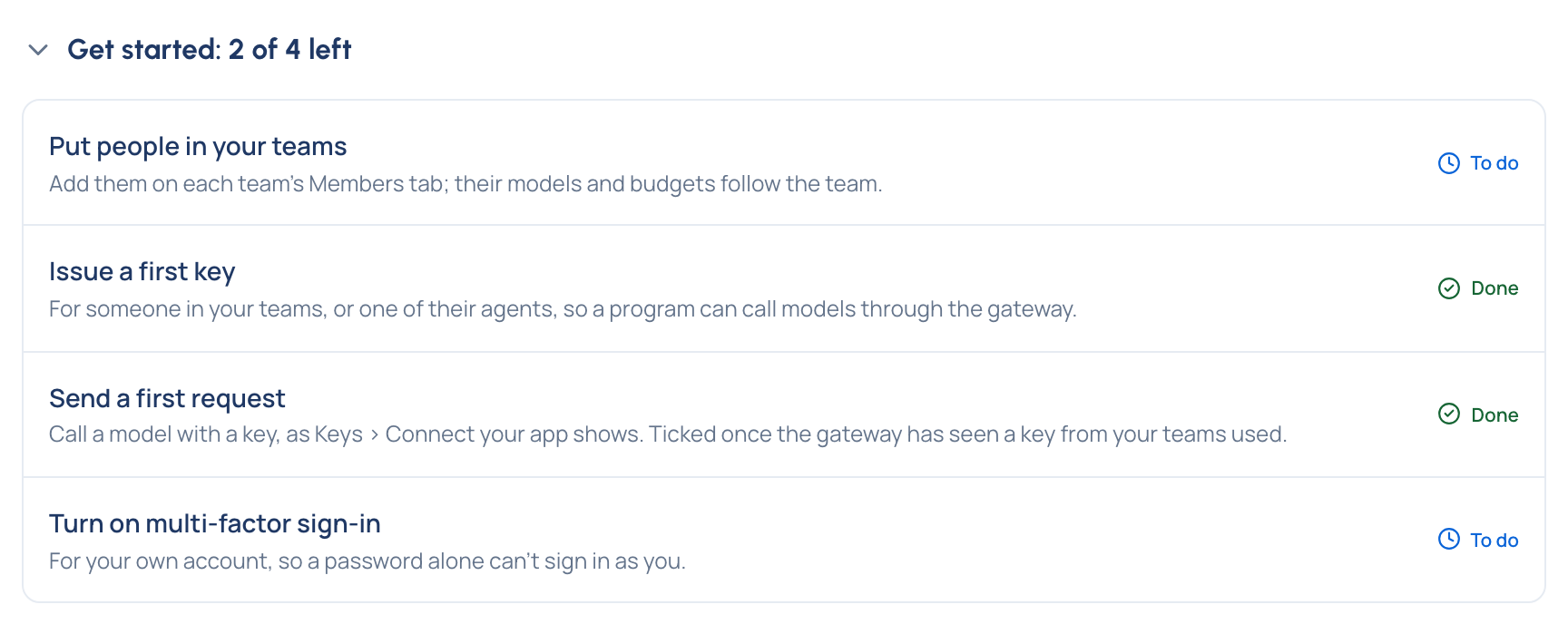
Its title says how many steps are left: "Get started: 3 of 4 left", or "Get started: all done". Each step has a line on why it matters and a state: To do or Done. Choose a step's name to go where it's done.
Fold it away
Choose the title to fold the steps away or open them again. Your browser remembers your choice. Once every step is done the card starts folded, on that one line.
Which steps you see
| You are | Your steps |
|---|---|
| Organisation admin | Add a provider, Add a model, Connect the rate card, Create your teams, Add people, Issue a first key, Send a first request, Turn on multi-factor sign-in. On the Enterprise edition, with single sign-on in your licence, also Connect single sign-on (optional): ticked once it's on, never counted |
| Group admin | Put people in your teams, Issue a first key (for someone in your teams or one of their agents), Send a first request, Turn on multi-factor sign-in |
| Everyone else | Issue yourself a key, Send a first request, Turn on multi-factor sign-in |
| Organisation viewer (and a Compliance officer in no team) | Turn on multi-factor sign-in only: viewers look and don't call models, so they hold no keys |
Nobody is asked to create an environment: the default environment is ready for everyone, and a new key goes there unless you choose another.
When each step is ticked
| Step | Done once |
|---|---|
| Add a provider | A provider exists |
| Add a model | A model exists |
| Connect the rate card | The rate card is connected |
| Create your teams | There's a team besides the Org group |
| Add people / Put people in your teams | There's someone besides you |
| Issue a first key / Issue yourself a key | A key you can see exists |
| Send a first request | The gateway has seen one of those keys used; it's about a minute behind |
| Turn on multi-factor sign-in | Your own account uses it |
| Connect single sign-on (optional) | Single sign-on is Optional or Required |
Related
- Set up your organisation walks the organisation admin's steps in order.
- Your first key and request walks a user's.
- Turn on multi-factor sign-in.