Review and revoke API tokens Enterprise
Tokens pile up: a script from last year, a contractor's tool, a test that never got cleaned up. Organisation admins see every API token in one list, filter for the stale ones, and revoke them in a click.
This list is part of the Enterprise edition, with service accounts; what Enterprise includes depends on the features your licence includes.
Before you start
You're an organisation admin.
Steps
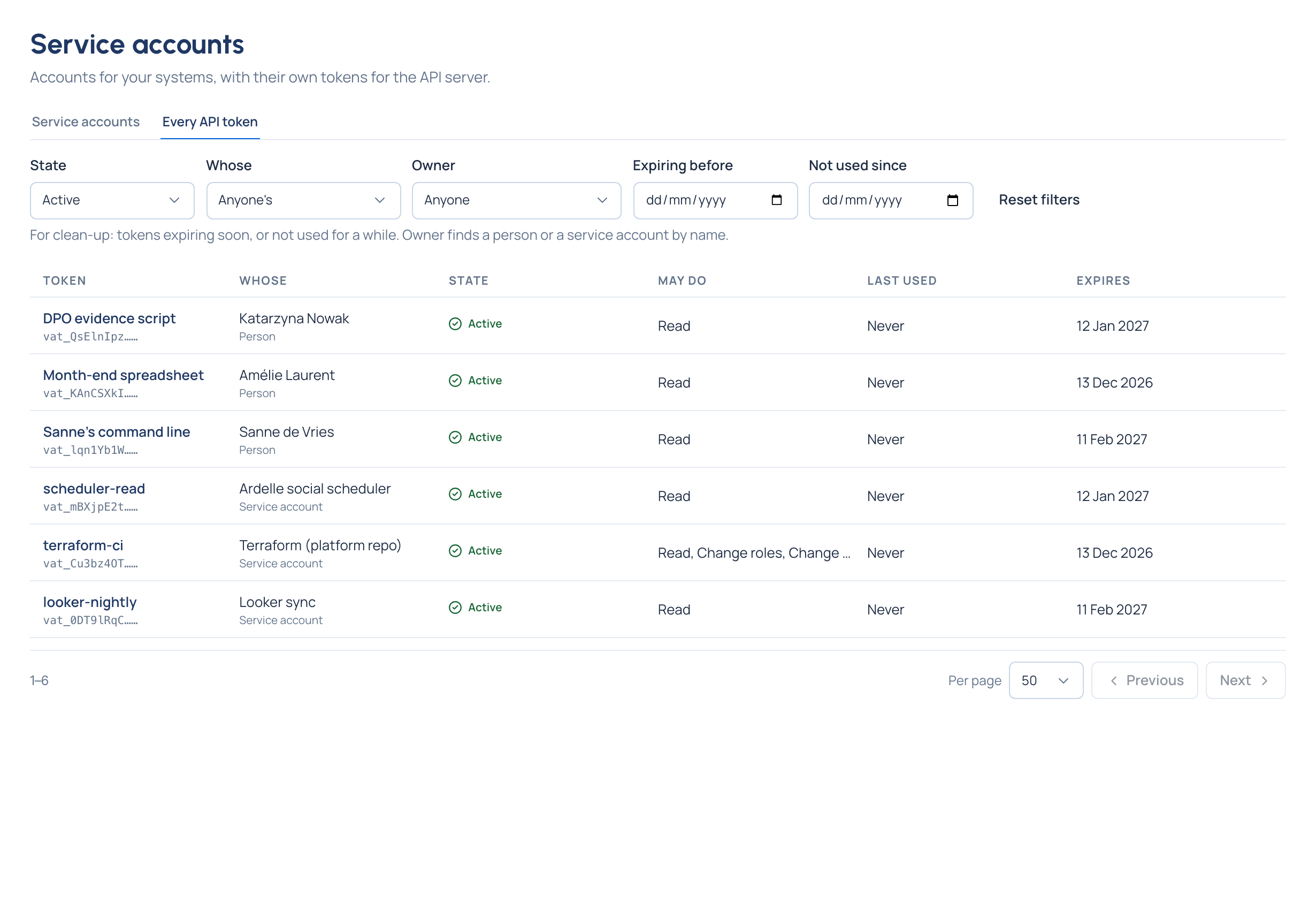
- Open Service accounts and choose the Every API token tab.
- Each token shows whose it is (a person or a service account), what it may do, when it was last used and when it expires.
- Narrow it: State (active, expired, revoked), Whose, Owner (a person's or service account's name), Expiring before a day, or Not used since a day.
- Choose a token to see more, then Revoke it.
Check it worked
The token's state reads revoked, and whatever used it is refused at once. The audit log records it.
Good to know
- On the service accounts list, Not used since finds the accounts nothing has called for a while.
- There's no search by token name on Every API token: filter by owner instead.
- Filters and page size are remembered with your account.