Send a model's calls to another model
Purpose: your apps ask for gpt-4.1 because that's what their developers typed. Most of their calls would be
answered as well by a smaller model, or by another vendor's. A routing rule sends calls for one model to another,
for one key, a team or the whole organisation, and its page shows what it saved, per currency.
In the demo world, the Creative team's internal drafts don't need the large model: calls from Creative to gpt-4.1 go
to gpt-4.1-mini.
Before you start
- You're an organisation admin, or a group admin for your own teams.
- The target model is one the keys at that level may call, and is approved for use.
Steps
- Open Models & routing › Routing and choose New routing….
- Choose Send a model elsewhere and Continue.
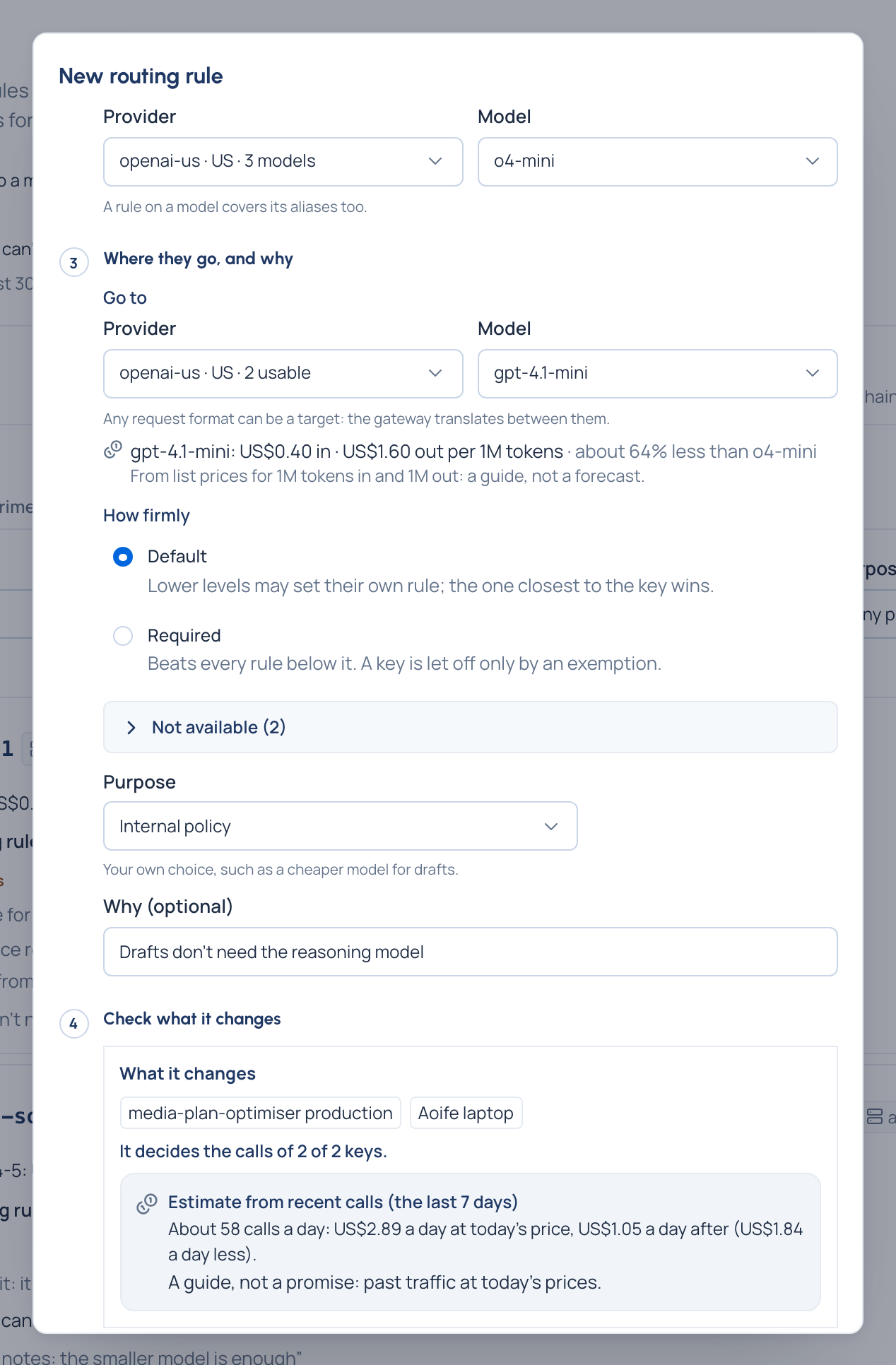
- Applies to: the level (the organisation, an environment, a team, an application, a person or agent, or one key), then which one, for example Team › Creative.
- Calls to: the Provider, then the Model programs ask for (
openai-us,gpt-4.1). A rule on a model covers its aliases. - Go to: choose the provider first, then one of its models. Each provider says where it runs and how many of its models are usable at that level. Once chosen, Vidai shows the target's list price against the model asked for, for example "about 80% less".
- If something you expected is missing, open Not available: every model that can't be used here, with the reason (provider switched off, not in the team's models, outside a region rule, not approved for use) and a link to where it's changed.
- Choose the Purpose (Compliance, Regulatory, Internal policy or Budget) and add Why.
- How firmly:
- Default: a lower level may set its own rule, and the one closest to the key wins.
- Required: beats every rule below it; a key is let off only by an exemption.
- Choose Check what it changes. You see the keys it decides and the ones it doesn't (and why), and an Estimate from recent calls: calls a day to that model over the last 7 days, what they cost a day now and what they'd cost on the new model, in the models' own currency.
- Save.
Check it worked
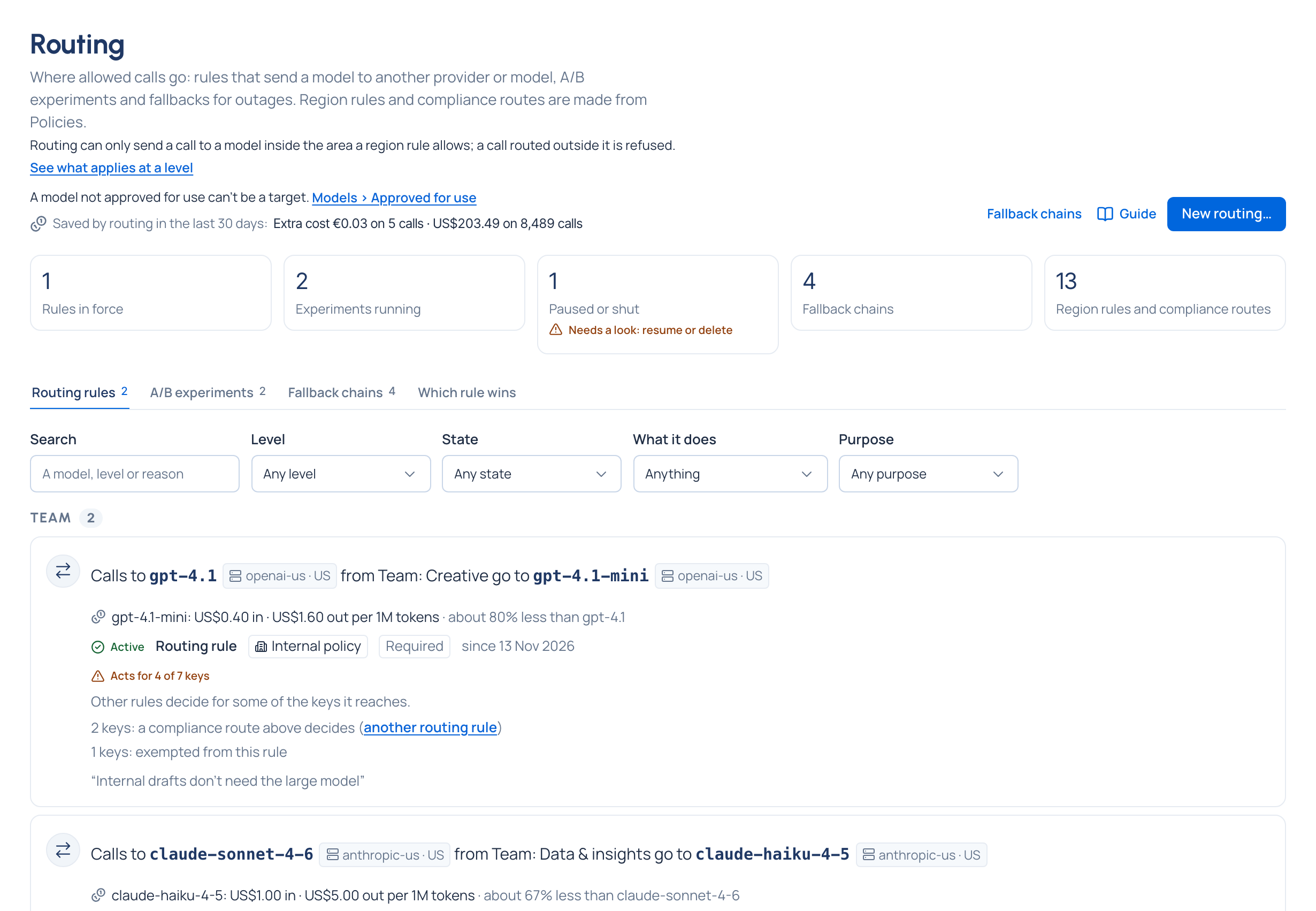
The rule reads as a sentence on Routing rules, under its level: "Calls to gpt-4.1 from Team: Creative go to
gpt-4.1-mini". Its page shows What it does here (Applies when it decides for every key it reaches) and
Calls it decided, which opens Request logs on exactly those calls. Each one says Routed in Answered by, and
the answer's x-vidai-model header names gpt-4.1-mini.
Pause a rule
To stop a rule without deleting it (a supplier incident, a quality check):
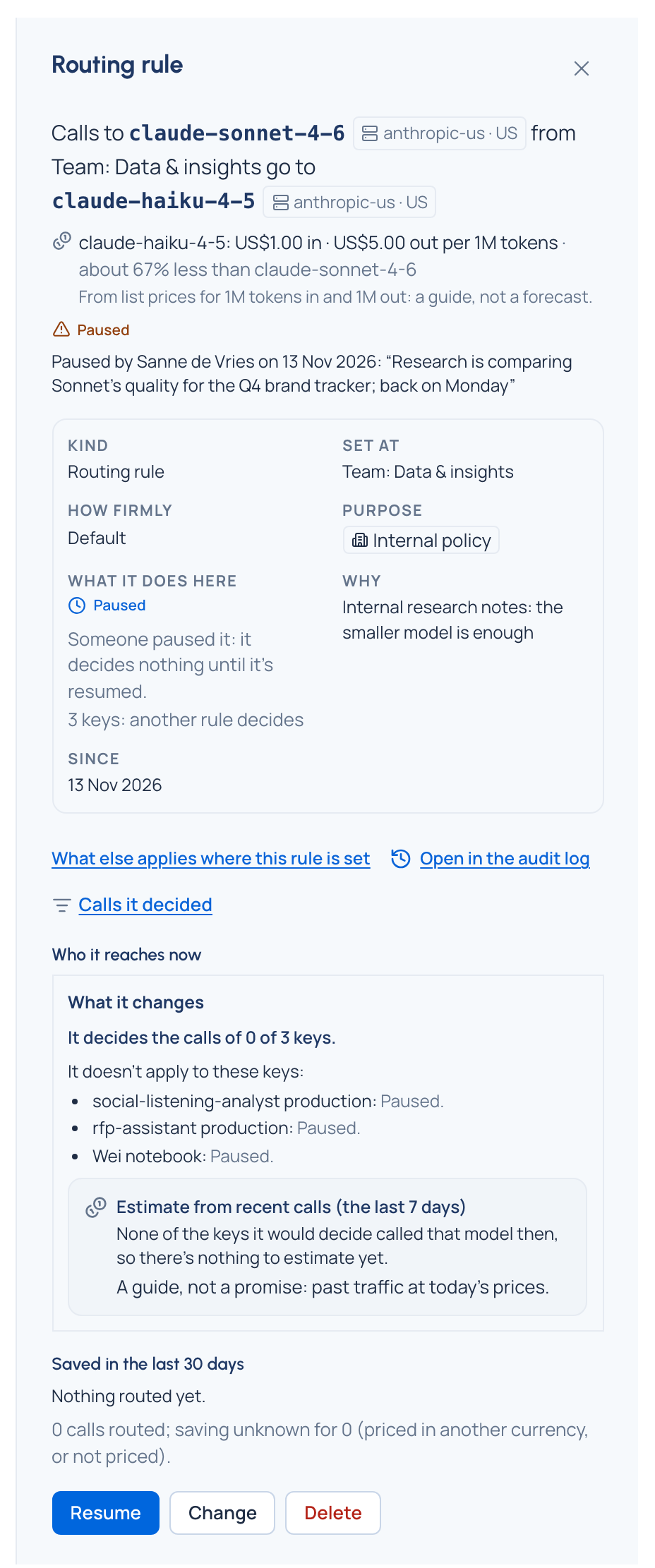
- Open the rule and choose Pause….
- Say why and choose Pause. From the next call it decides nothing.
- Resume brings it back. Meanwhile the page says who paused it, when and why, for example: “Research is comparing Sonnet's quality for the Q4 brand tracker; back on Monday”.
Let one key off a required rule
- Open the required rule and choose Exempt a key….
- Pick the key, give a reason and, if you like, an end date.
- Choose Exempt the key. When the level that set the rule grants it, the key is exempt at once; otherwise it waits for a second admin in Approvals. The key follows the rule again when the exemption ends.
Related
Good to know
- Routing never widens access: a model a key can't use is never offered as a target.
- When a target can't be used any more (switched off, deleted, out of a team's models), the rule pauses itself and says why; it doesn't come back on by itself. Home's Needs attention tells whoever may change it.
- A card says Not acting here when a stronger rule decides every key it reaches, and Already in place when another rule already does the same; both name the other rule.
- The estimate and price comparison are guides from list prices, never converted between currencies.
- To stop a model altogether, take it out of the key's models; routing has no "deny" rule, on purpose.
- After a rule is deleted, calls may follow it for a short while; changing its target takes effect at once.
- The gateway translates between request formats, so the target can be another vendor's; OpenAI's Responses API is the exception, and the form warns you before saving.