Add a markup
Purpose: bill teams or clients what you've agreed, not only what the provider charged: a handling fee on top, or a discount below.
Before you start
- You're an organisation admin or Finance. Organisation viewers read Markups; group admins don't see it.
- Decide where it applies: Whole organisation, A provider or A team. When several apply, the most specific wins: the team's, then the provider's, then the organisation's.
Steps
- Open Money › Cost and choose Markups.
- Choose Add a markup.
- Under On, choose the whole organisation, a provider or a team, and which one.
- Enter Markup (%): for example
15, or negative for a discount, such as-5. - Starts: a day and an optional time, in the organisation's time zone. Leave it empty to start now.
- Enter a Reason. It's kept with the markup and in the audit log.
- Choose Add. "Markup added. It applies to new calls straight away."
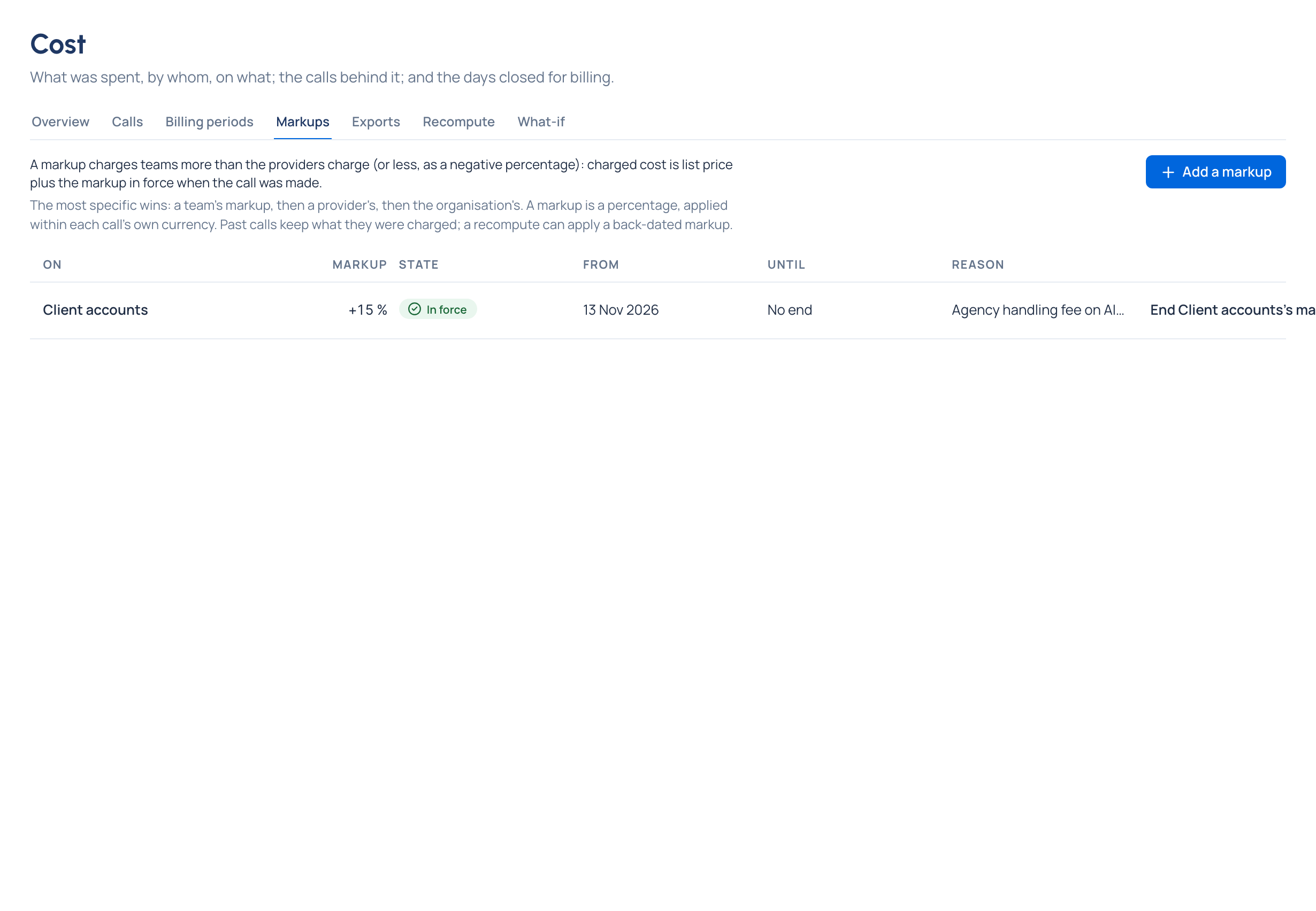
Check it worked
- The markup is listed In force (or Starts later).
- New calls charged to that team show Charged above At list price by the percentage.
End a markup
Choose End …'s markup in its row and confirm End it. It stops from now; past calls keep what they were charged. Adding a markup ends the current one for the same scope.
Good to know
- A markup is a percentage within each call's own currency, never an amount added across currencies.
- A percentage above −100 and up to 1,000 is accepted.
- A markup that starts in the past changes past calls only after a recompute. After you add one, the dialog checks which calls since then would change and offers Recompute now Enterprise.