Require multi-factor sign-in and set password rules
The accounts that can change everything shouldn't depend on a password alone. Require a second factor for admins, or everyone, give people a date to set it up by, and choose who may reset passwords. Each change takes effect at once and is recorded in the audit log.
Before you start
You're an organisation admin. Open Settings › Sign-in & security. It says who changed these settings last, and when.
Steps
Require multi-factor sign-in
- Under Multi-factor sign-in, choose who must use it:
- Not required: each person decides for themselves.
- Admins: organisation admins and group admins.
- Everyone: everyone who signs in.
- Optionally set Give people until (optional) to a date (a day after today).
- Save. If you don't use multi-factor sign-in yourself, you're warned first: you'd be held too. Choose Set it up first, or Save, then set it up.
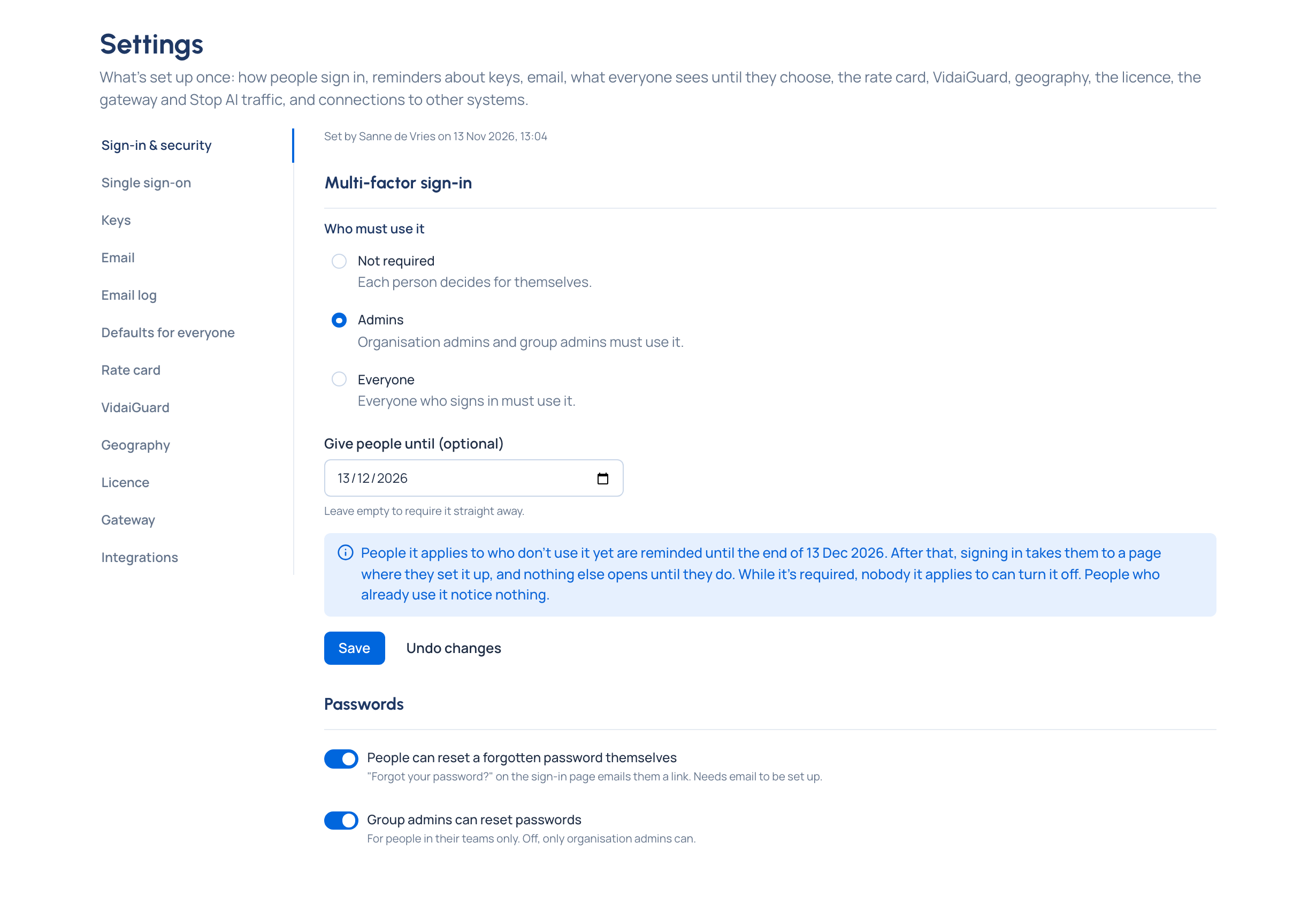
Until the date, people it applies to who don't use it see a reminder with the date. After it (or straight away, with no date), signing in takes them to Set up multi-factor sign-in, and nothing else opens until they've done it. People who already use it notice nothing.
Who may reset passwords
Two switches, each effective at once:
- People can reset a forgotten password themselves: Forgot your password? on the sign-in page emails them a link. Needs email to be set up.
- Group admins can reset passwords: for people in their teams only. Off, only organisation admins can.
Check it worked
On People, filter Multi-factor to Off to see who still hasn't set it up. While it's required, nobody it applies to can turn it off.
Good to know
- Passwords need at least 12 characters and are checked against common and breached passwords. Vidai doesn't force periodic changes, following current guidance.
- Under single sign-on, your identity provider's own second factor protects the sign-in; this setting protects Control room passwords where people still have one.
- Sessions end after a while without activity, with a two-minute warning to stay signed in, and have a maximum length.
Related
- Turn on multi-factor sign-in: what each person does.
- Reset someone's password or multi-factor sign-in
- Reset a forgotten password