See one person's or team's history
Purpose: for an investigation, a leaver or a person-level review, see one person's or one team's whole history without building a filter by hand. In every edition.
Before you start
- You can read the audit log: an organisation admin, an organisation viewer, a Compliance officer Enterprise, or a group admin for their own teams. What Enterprise includes depends on the features your licence includes.
Steps
A person
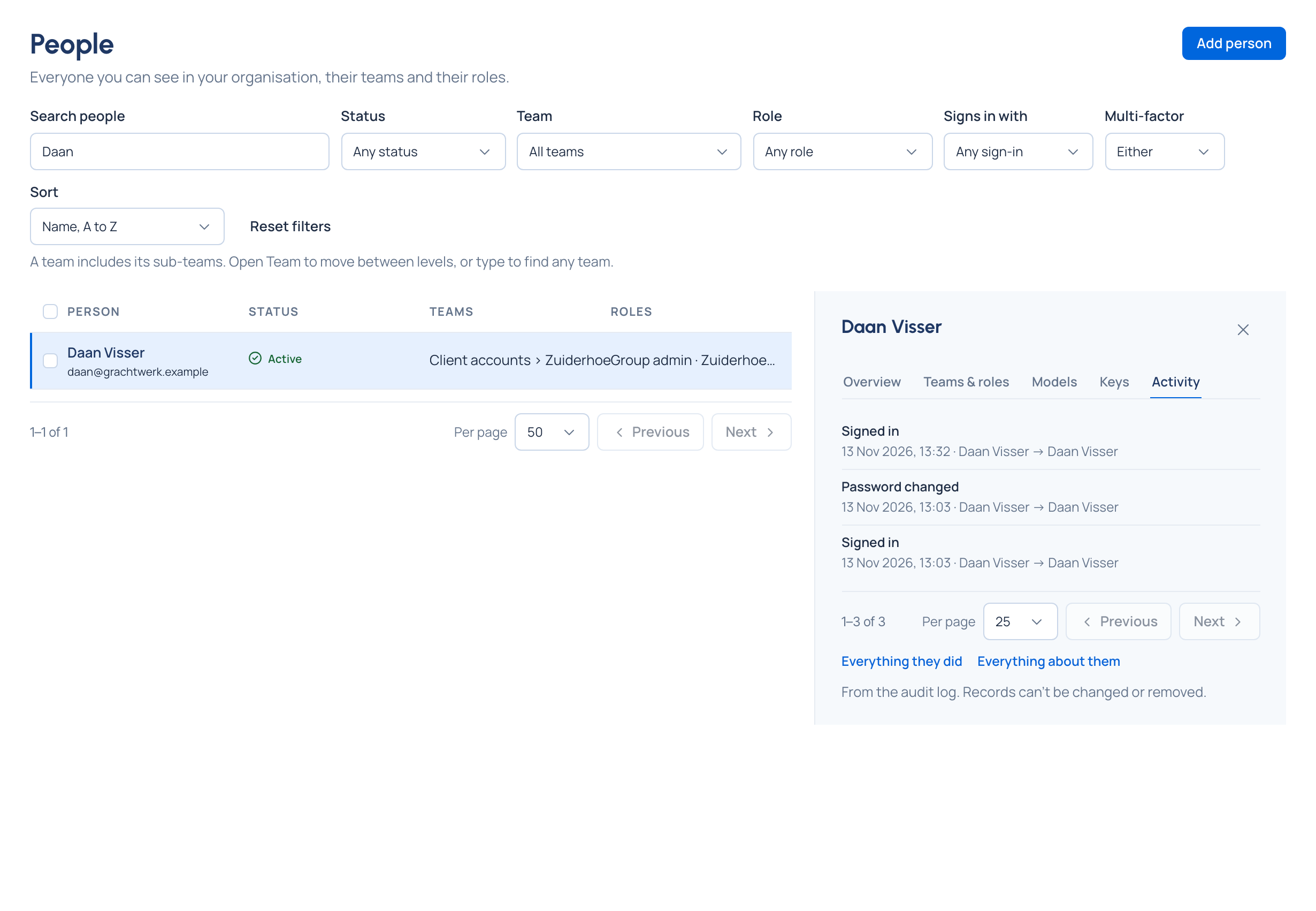
- Open Who › People and choose the person.
- Open the Activity tab: their sign-ins and changes, and what was done to their account, newest first, a page at a time.
A team
- Open Who › Teams and choose the team.
- Open the Activity tab, and Open in the audit log for the full log narrowed to that team.
From any event
In Proof › Audit, open an event and choose Everything about … (the thing it's about) or Everything done by … (the person, agent or service account who did it).
Check it worked
Every row reads as one line: who did it, to what, and the main detail. Choose a row (or open it in the audit log) for the full record.
Good to know
- Everyone can see their own history under Your account › Activity.
- Someone deleted since reads Someone no longer here; their records stay.