Check that Vidai is working
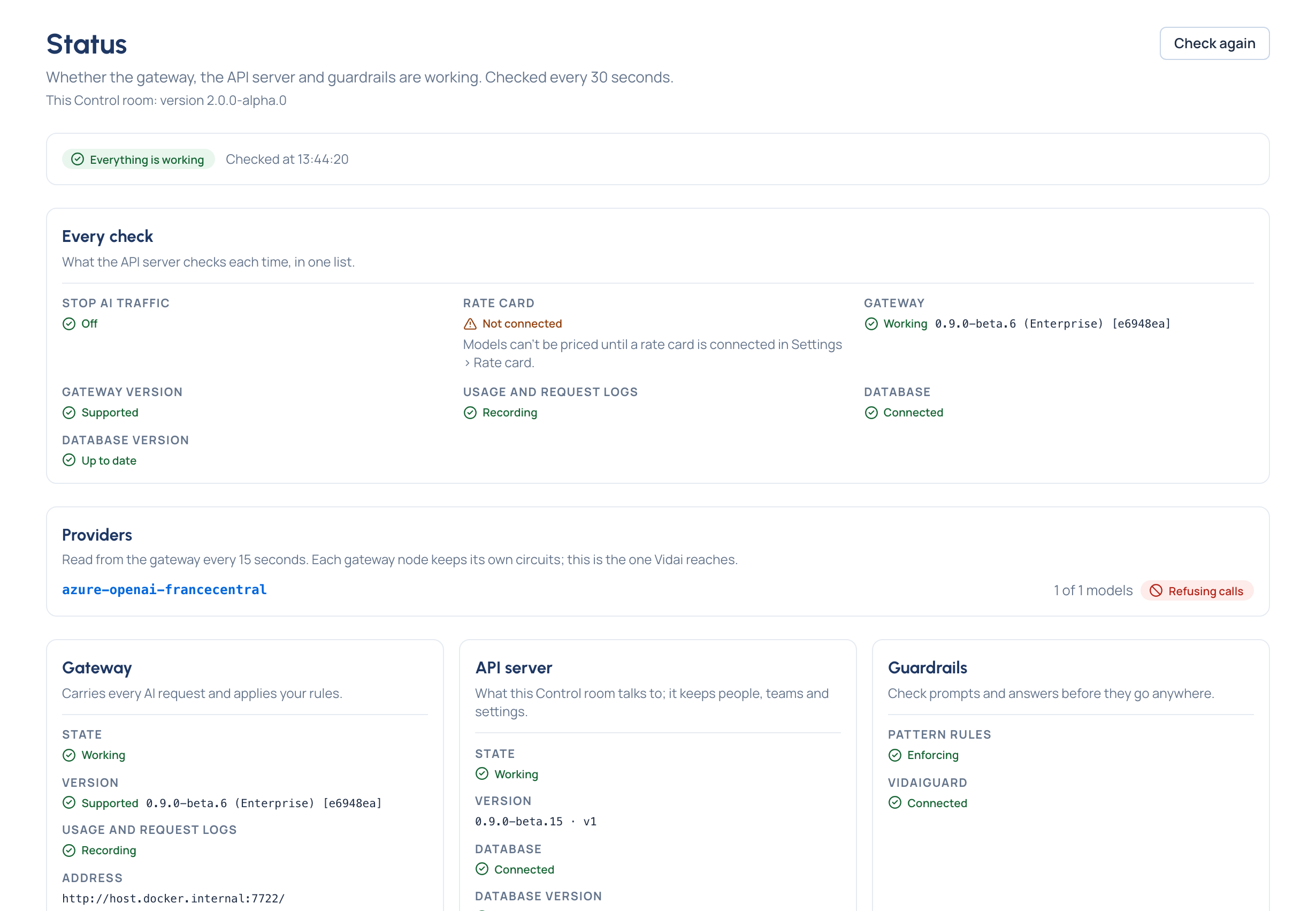
Purpose: when someone says "AI is down", know in ten seconds whether it is, and which part. System › Status checks every part of your installation and says, in words, what's working and what needs a look. Guardrails are never shown as working when they can't be checked.
Before you start
You're an organisation admin, organisation viewer or Compliance officer Enterprise.
Steps
- Open System › Status. The first line sums it up: Everything is working or Some parts need attention.
- Read Every check: Stop AI traffic, the rate card, the gateway, its version, and whether usage and request logs are recording.
- Read the Gateway and Gateway instances: each instance Up to date, Picking up the latest change or Not heard from just now, with its version.
- Read Guardrails: whether pattern rules are Enforcing, and on Enterprise, whether VidaiGuard is Connected (or Not set up, a normal state in which pattern checks act on their own).
- Read Providers: any with a circuit open or recovering, and how many of their models are affected; or Every provider is taking calls.
- Choose Check again to check now; the page checks every 30 seconds by itself.
Check it worked
Every line reads as working, or says what needs a look. Every status word is explained in Statuses and what they mean.
Good to know
- When pattern rules are partly or not enforcing, or VidaiGuard is set up but down, a notice says so on every page for organisation admins and viewers.
- A database connection that's Not encrypted is fine on a private network; for a cloud database, turn encryption on and check the certificate.
- The version of this Control room is under the page title, to quote to support.