Budgets at several levels, and route budgets
Purpose: match budgets to how money is really controlled: a ceiling for the organisation, a limit per client team, a tighter one for an experiment, and a cheaper model instead of a hard stop where work mustn't halt.
Before you start
- Read Set a budget: every budget is made the same way.
- Organisation admins and Finance may set a budget at any level; group admins on their teams and the people, agents and keys in them.
How layered budgets combine
- Every budget counts. A call under a team budget and a key budget counts in both, and any one reached acts.
- A budget counts everything below it. A team's budget includes its sub-teams; an agent's calls count against the team it works for.
- An environment's budget is counted in addition to each team's. A call is served only while both have room; the form says so.
- A budget that can never act first is flagged. If a budget above already covers every key with a lower limit in the same currency and period, Check what it changes says this one can never be reached first, and links the one that will be.
flowchart TB
  O[Organisation] --> E[Environment: production]
  O --> T[Team: Data & insights<br/>$495 a month, stop]
  T --> A[Application: RFP assistant]
  A --> G[Agent: rfp-assistant]
  G --> K[Key]
A call from the RFP assistant's key counts against every budget on that path, and against the production environment's budget too.
Steps: a route budget
A route budget keeps work going at the limit, on a cheaper model, instead of stopping it.
- On Money › Budgets, choose Limit spend and fill in Why, Whose spend and How much, and how often.
- Under When it's reached, choose Send calls to another model at the limit.
- Choose the provider, then the model in Send calls to. Only models every key it covers may use are offered; the others are under Not available, each with its reason and where it's changed.
- Set Act at (percent), for example 90, to switch a little before the limit.
- Check what it changes: the replay says on how many of the last 7 days it would have sent calls to the other model.
- Save the budget.
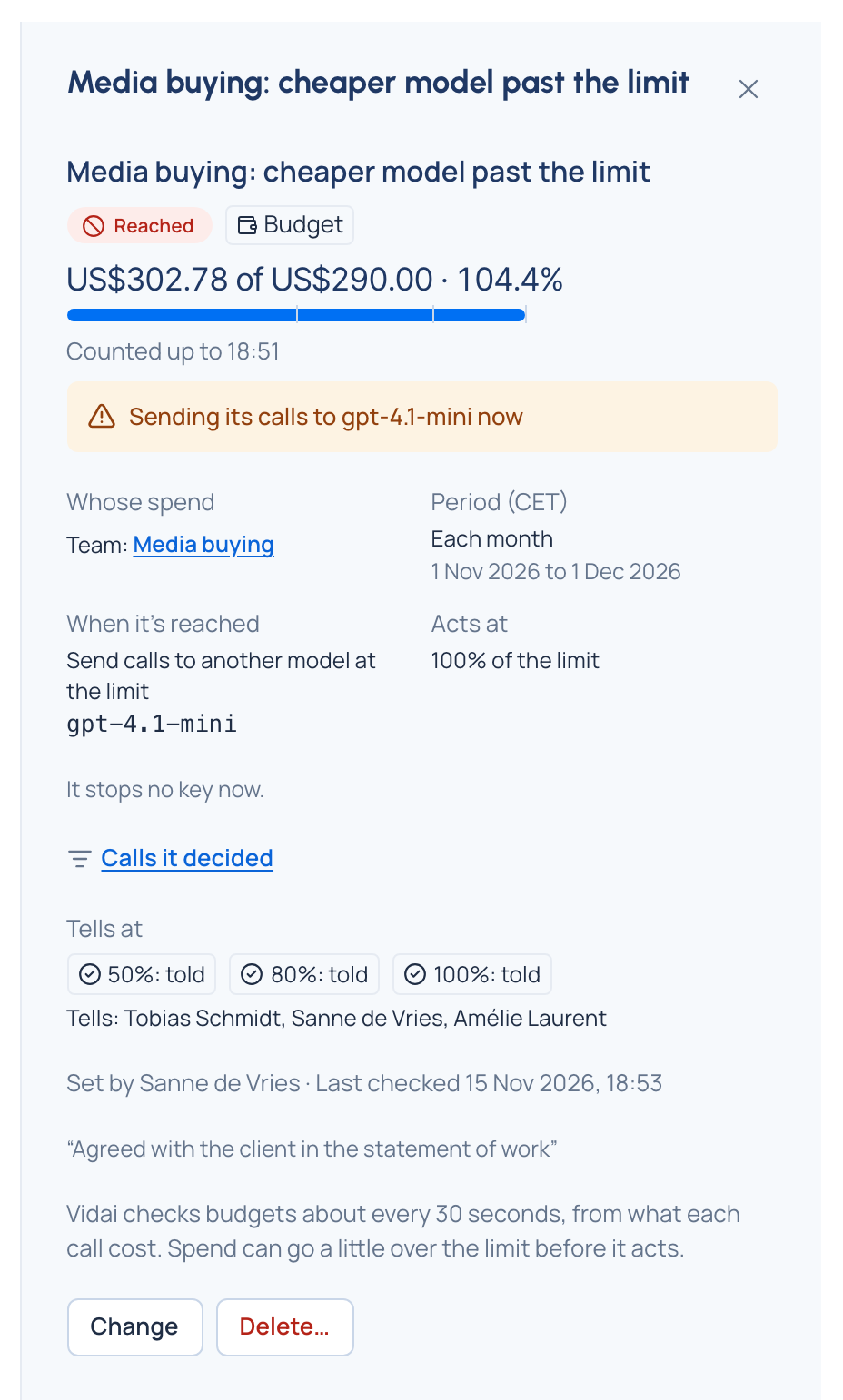
In the Grachtwerk demo world, Media buying: cheaper model past the limit is a $290 monthly route budget on the Media buying team that sends its calls to gpt-4.1-mini once reached.
Check it worked
While it acts, its page says Sending its calls to the model now, and Calls it decided lists the calls it sent elsewhere in Request logs.
A budget on a person
Organisation admins and Finance can set a budget on a person, themselves included (Set at: Person or agent). It counts every call made with that person's keys. Group admins can set one on the people in their teams, never on themselves; someone above them does. It's listed with the other budgets on Money › Budgets and counted under Budgets on the FinOps dashboard, like a budget on a team.
Good to know
- If some keys the budget covers can't use the route model, Vidai refuses the save and names them: give them that model, or choose another.
- Keys that can't use the route model when it acts are stopped, never left to spend.
- Under a stop or route budget, models with no price are refused for the keys it covers: their calls couldn't be counted.
- A budget that belongs to a named policy shows Part of that policy on the list and on its page.
- Calls priced in another currency don't count toward a budget; set one per currency where a team spends in two.