Read a model's price: now, before and next
Purpose: answer "what does this model cost, and what did it cost when that call was made?" from the same prices that priced the calls.
Before you start
- Money › Prices is for organisation admins, organisation viewers, Finance and Compliance officers Enterprise.
- Everyone signed in can read a model's price on Models & routing › Models.
Steps: from the model
- Open Models & routing › Models and choose the model. The list shows each model's price state (Priced, Free, Needs review, No match, Not in the rate card, Not priced, No rate card) and its usual price, such as "$2.50 in · $10.00 out per 1M tokens".
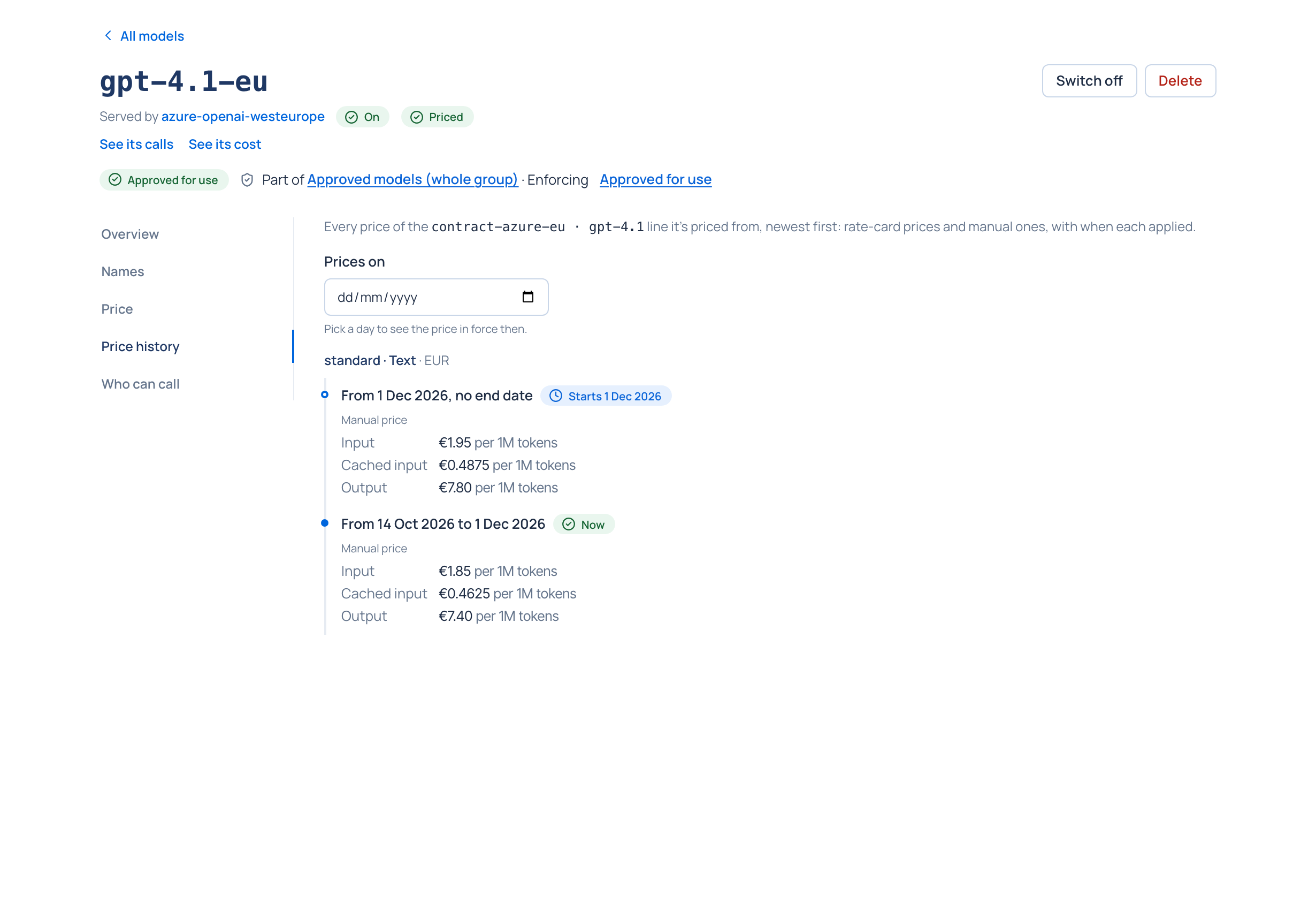
- On the model's page, open Price: where the price comes from (The rate card, or A manual price, entered in Vidai), the rate-card line it's priced from, and the price in force for each tier and part (in, out, cached in…), since when and for which region.
- Open Price history: every price of that line, newest first, "from … to …". The one in force is marked Now; a price that starts later says Starts …. Pick a day under Prices on to see which price was in force then.
Steps: from the rate card
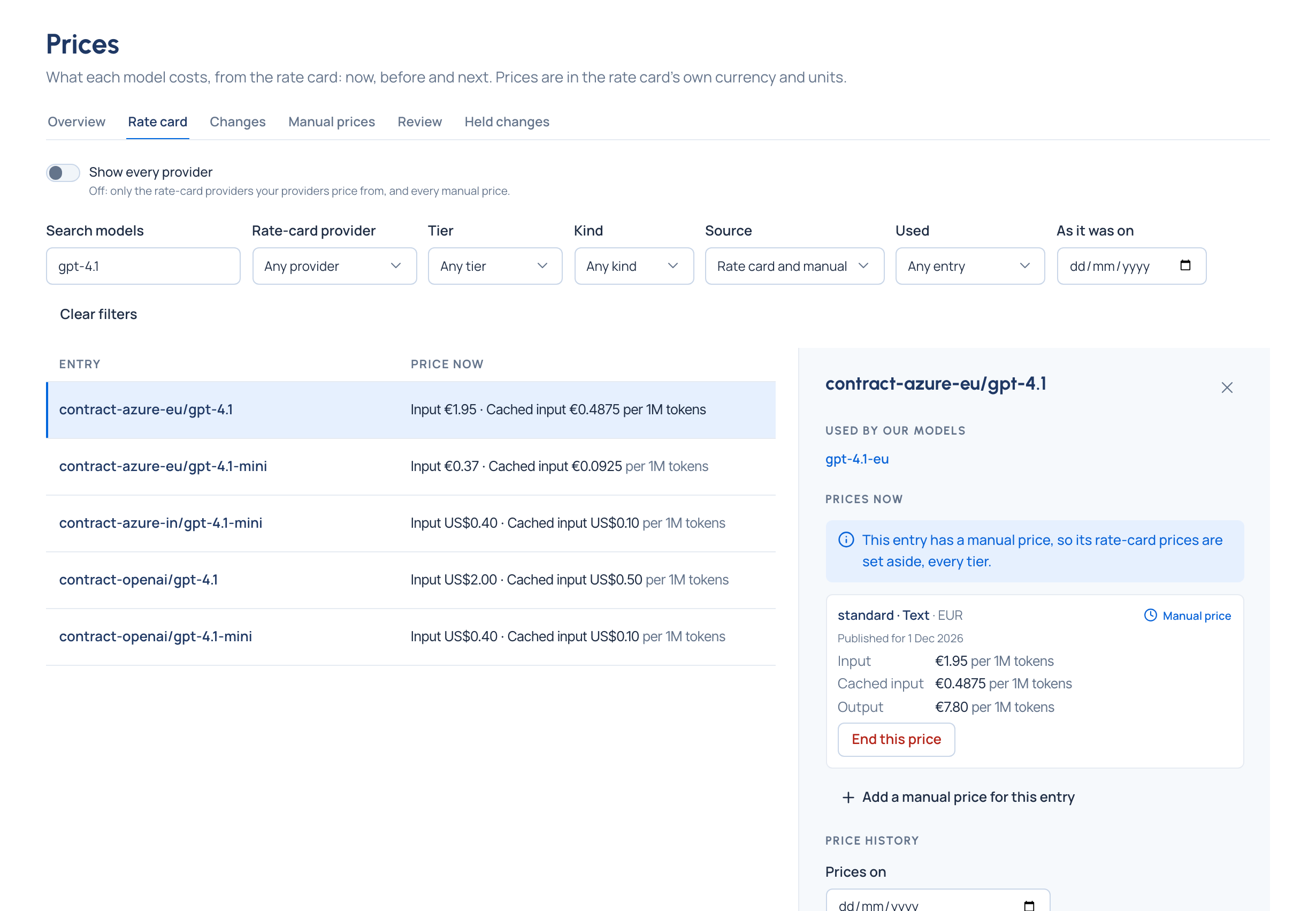
- Open Money › Prices and choose Rate card. It lists the rate-card providers your providers are priced from, and every manual price; turn on Show every provider to browse everything.
- Filter by model name, rate-card provider, tier, kind (text, image, audio, video, embedding), source (rate card or manual) and whether your models use an entry.
- Choose an entry. Beside the list: Used by our models, Prices now (each tier, kind, region and currency, with marks for a manual price, set aside, no longer published or retired) and Price history.
- To see the whole card on a past day, pick it in As it was on: the prices in force that day, by the same rule that priced a call made then. Clear the day to come back to now.
Check it worked
The price shown for a past day matches the price version on a call made that day (Find what a call cost).
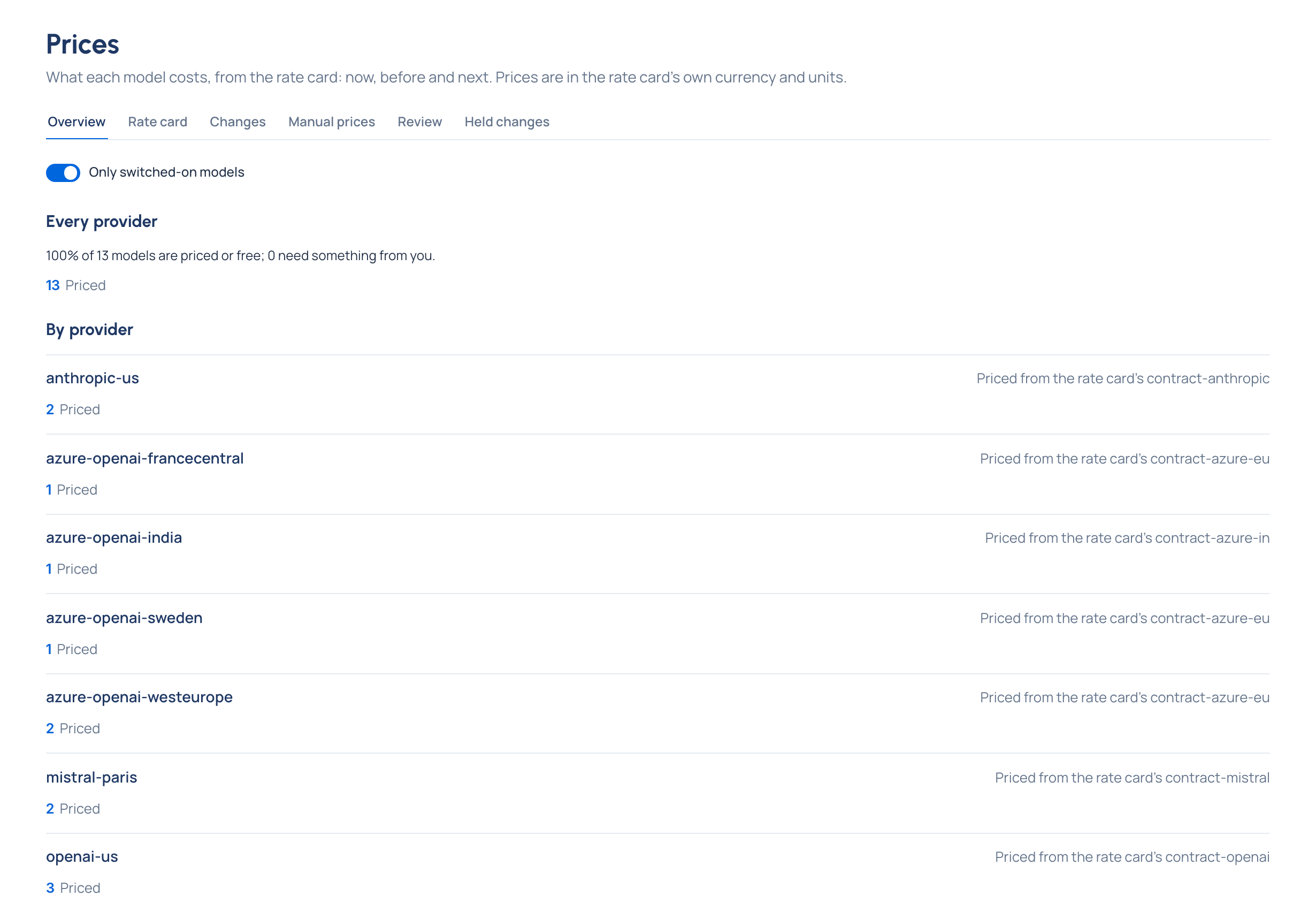
Prices › Overview
How much of your catalogue is priced, in total and per provider: Priced, Free, Needs review, No match, Not in the rate card, Not priced and No rate card. Every number opens Models showing exactly those models. Turn off Only switched-on models to count every model.
Good to know
- Prices are shown in the rate card's own currency and units, as published. A price of 0 reads Free; a model without a price never shows $0, it says why.
- Also covers earlier calls marks the first price on file, which also applies to calls made before it was published.
- A price the rate card stops publishing keeps pricing, marked no longer published, until you replace it.
- Notes on a model's price say when a change is held for a decision, or when long prompts may cost more than shown.