Model names and aliases
Purpose: your code names a model once. Your organisation can then pin a version, move the name to another provider, or route its calls elsewhere for cost or region, and your code never changes. The answer always tells you which model really served the call.
The names you can call
Each model in Vidai has a name, the one apps call. It never changes. A model can also have aliases: other names that reach the same model. Behind the name sits the model id at the provider, what the provider's own API calls it; your code never needs it.
| You send | Reaches | Example |
|---|---|---|
| The model's name | That model | gpt-4o-mini |
| An alias | The model it belongs to | fast → gpt-4o-mini |
| A provider's own model id, prefixed | That provider's model, when another provider already uses the plain name | azure-eu/gpt-4o-mini |
When Vidai finds a provider's models, each gets the provider's id as its name if that's free; if another provider has
already taken the name, it gets <provider>/<model>, where <provider> is the name your organisation gave the provider. Names, once given, don't change by themselves.
See the models your key may call
Ask the gateway. The list holds only the models your key may call, under the names you'd send:
# OpenAI format
curl "$VIDAI_GATEWAY/v1/models" -H "Authorization: Bearer $VIDAI_KEY"

# Gemini format
curl "$VIDAI_GATEWAY/v1beta/models" -H "x-goog-api-key: $VIDAI_KEY"
for model in client.models.list():
    print(model.id)
for await (const model of client.models.list()) {
  console.log(model.id);
}
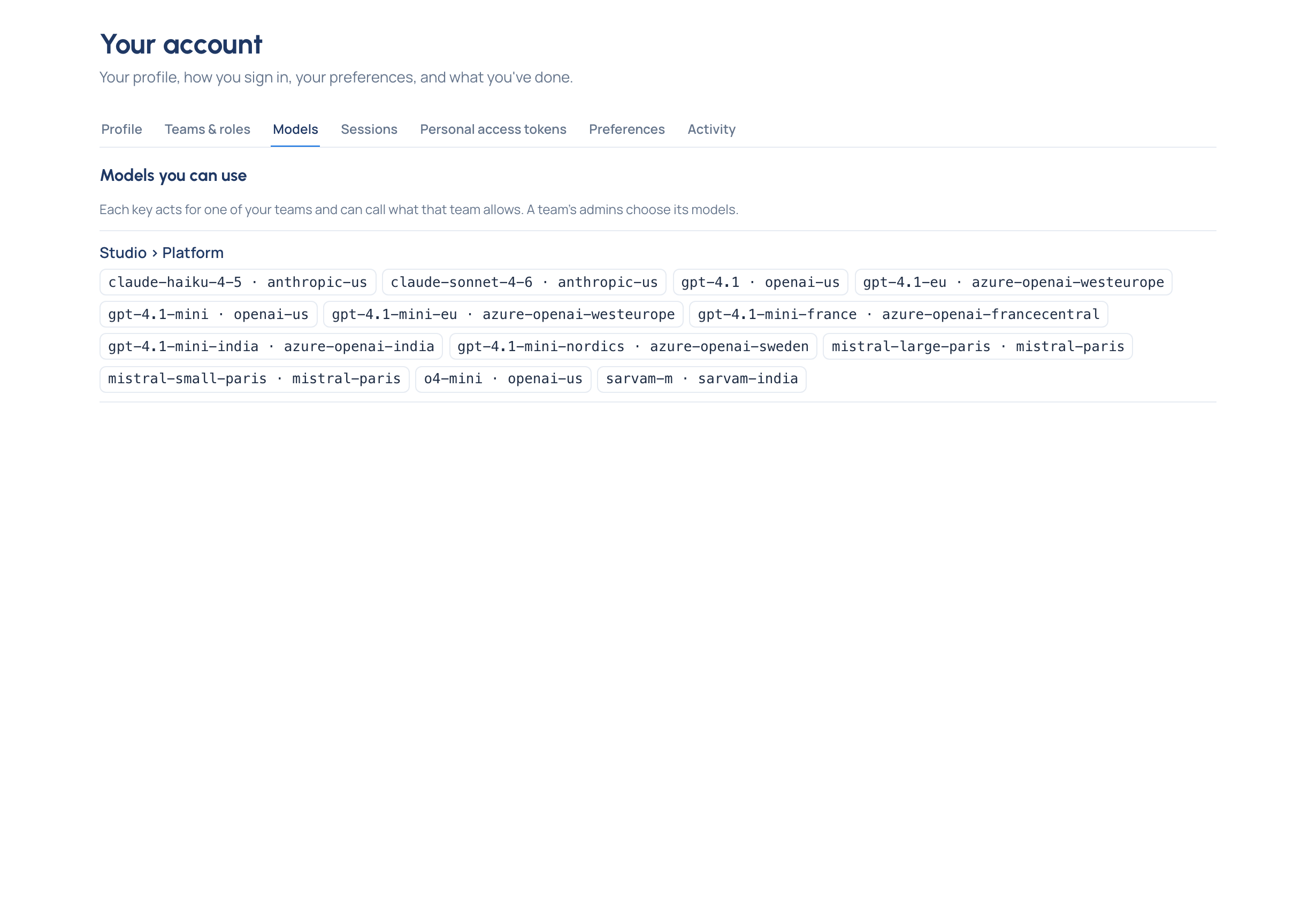
In the Control room, Your account › Models lists, for each of your teams, the models keys there may call, and a key's own page on Daily › Keys lists the models that key may call.
The name you sent and the model that answered
An alias, a routing rule or a fallback can mean another model answers than the one you named. The answer says so:
| Header | Says |
|---|---|
x-vidai-model |
The model that answered, after aliases, routing and fallback. On every answer a model produced, streams and provider errors included |
x-vidai-requested-model |
The model you asked for, only when it differs from the one that answered |
x-vidai-routing-rule |
The routing rule that decided where the call went, when one did |
The model name inside the answer's body is the one the serving model reports, in every SDK format.
x-vidai-model: claude-haiku-4-5
x-vidai-requested-model: gpt-4o
x-vidai-routing-rule: <the rule's id>
In Request logs, the same call reads "Model asked for: gpt-4o" and "Routed to claude-haiku-4-5", with the rule that did it.
What your code should do
- Use the names
GET /v1/modelsgives you, not the provider's ids from its own documentation. - Log
x-vidai-model, not the name you sent, when you record which model produced an answer. - Don't branch on the model name to decide behaviour that matters (cost, data handling): those are your organisation's policies, and the gateway applies them for you.
If something's not right
- 404
model_not_found: no model of that name exists. Check the spelling againstGET /v1/models. - 403
model_not_allowed: the model exists, but your key may not call it. Ask whoever looks after your key, or your team's group admin, to add it. - More in Errors and refusals.