See what you did and what was done to your account
Spot a sign-in you don't recognise, or check when your password or roles were last changed. Your account's Activity comes from the audit log, whose records can't be changed or removed.
Before you start
- Anyone signed in sees their own activity.
Steps
- Open the menu under your name and choose Your account.
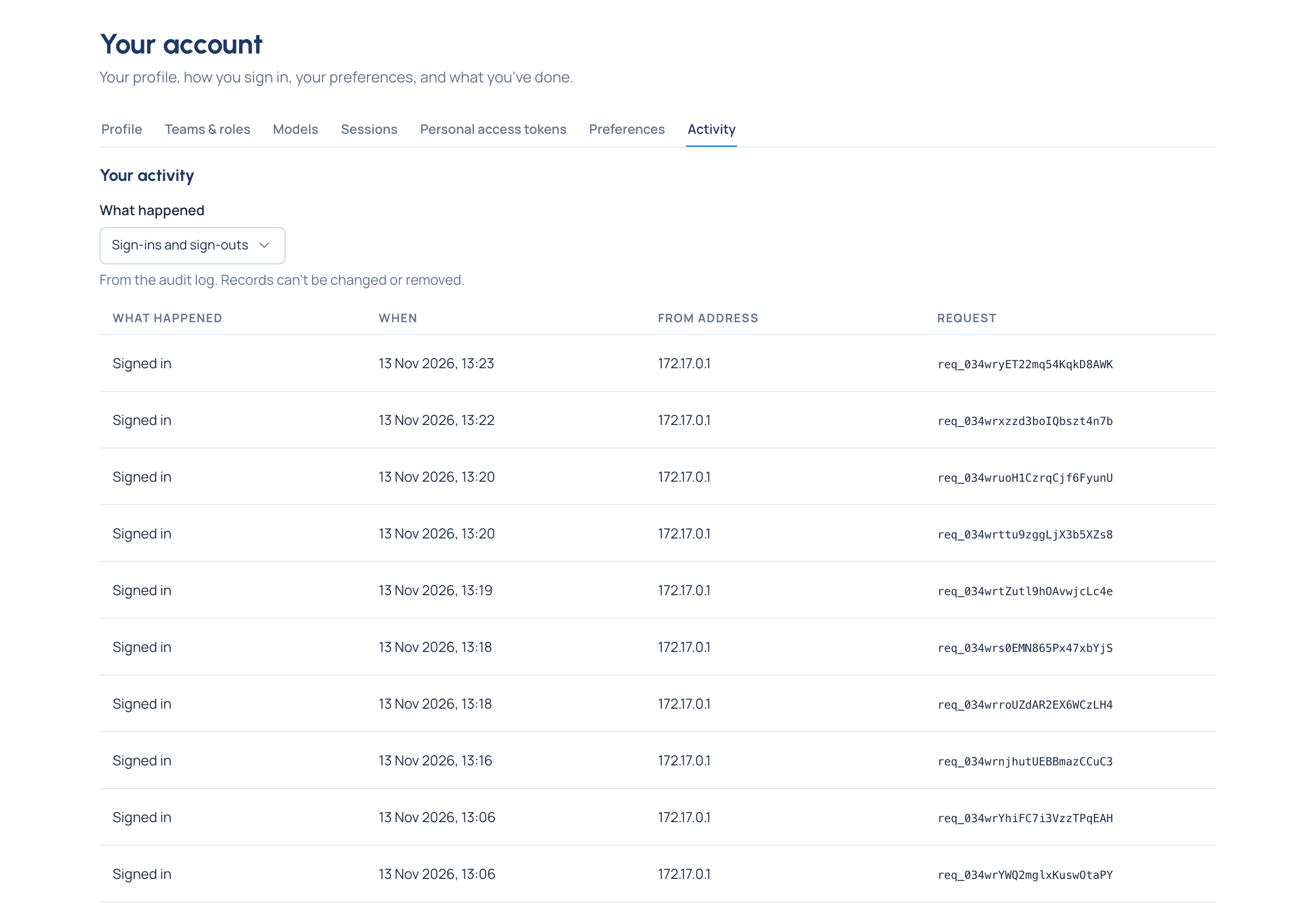
- Choose Activity. Entries are newest first: What happened, When, From address and the Request reference.
- To see one kind only, choose it under What happened: Everything, Sign-ins and sign-outs, Failed sign-ins or Changes to my account. Your choice and page size are remembered with your account.
If you see something you don't recognise
- Open Sessions and choose Sign out beside any device you don't know, or Sign out on every other device.
- Change your password (Profile › Change your password), and turn on multi-factor sign-in if it's off.
- Tell an organisation admin: they can see the full record in the audit log.
Good to know
- Your activity covers you and your account. The organisation's full record is the audit log, for organisation admins and viewers, and for group admins about their own teams.
- An organisation admin or viewer can open the same for anyone, and a group admin for people in their own teams: the Activity tab on a person's page.
Related
- See your teams and roles
- Concept: Audit log