FinOps: AI spend you can run like any other cost
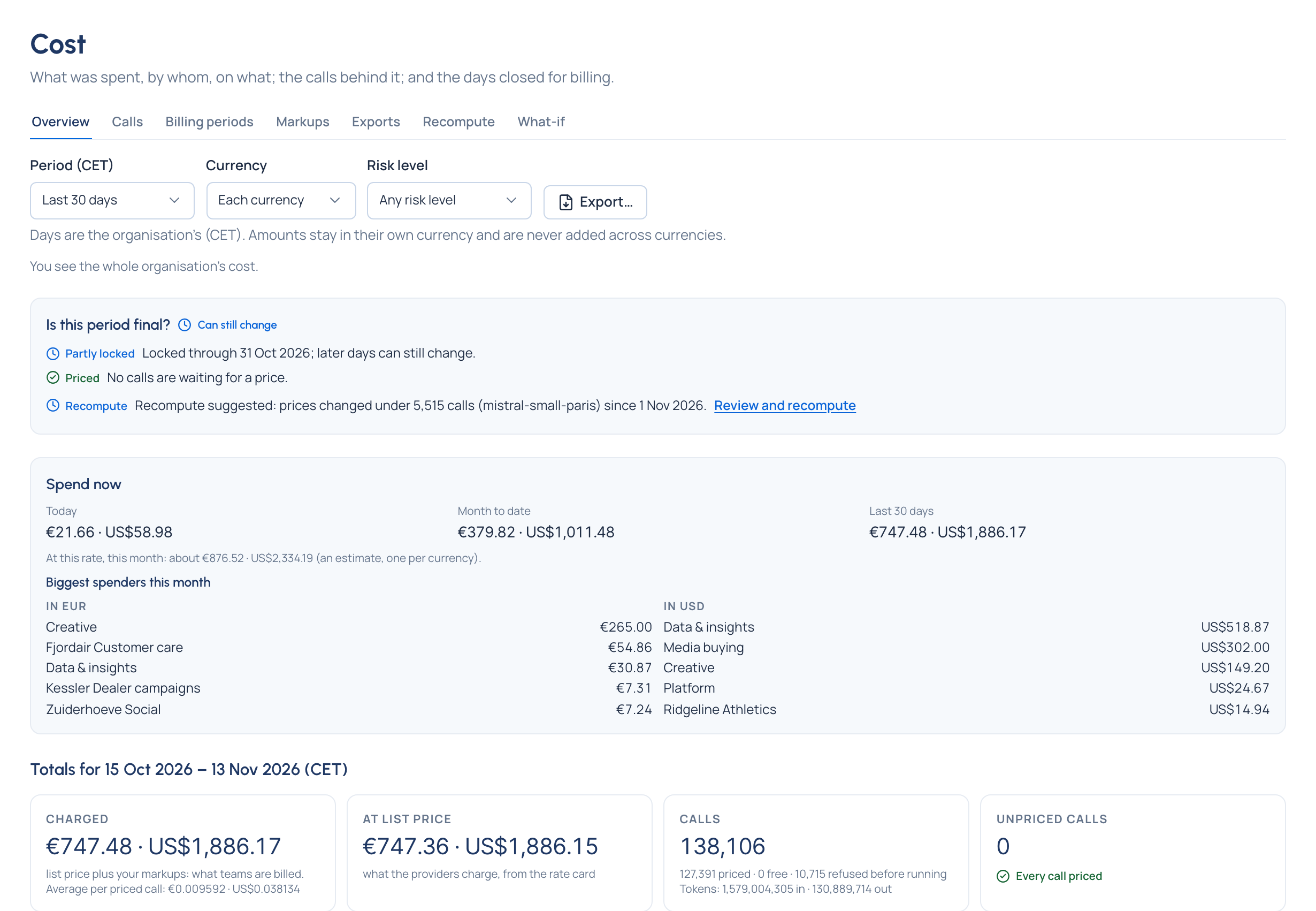
Finance runs AI spend alone, with numbers it can bill from. Every call through the gateway is priced within minutes, at the price in force when it was made, and owned by a team, an application, an agent and a person. Budgets act before the invoice does. Billing periods lock. Exports carry a checksum. Nothing is converted, and nothing unknown is ever shown as zero.
This section is written for Finance and FinOps people, in your words. Each page starts with a question you're asked and ends with the answer on screen.
Start here
- Your AI bill, explained: the problem with AI invoices today, and what changes when every call is priced and owned.
- A month with Vidai: month start to close, as Finance lives it.
How it works
| Page | The question it answers |
|---|---|
| Where prices come from | "Why did this call cost that?" |
| Who spent what | "What did AI cost us last month, by team?" |
| Cost you can rely on | "Can I invoice from this number?" |
| Budgets that act | "How do we stop a runaway agent before Monday?" |
| Charging back | "How do we bill our clients and departments for AI?" |
| Saving money | "Would a cheaper model have done?" |
| What Finance can do | "What does my role let me do?" |
Step by step
The tasks themselves are in the how-to guides: Money (cost, budgets, prices) and Dashboards (the FinOps view and the impact report).
Editions
Cost, prices, budgets, markups, billing locks, exports, what-if and the FinOps dashboard are in both editions. Recompute (pricing past calls again) and sending cost to your BI tool on a schedule come with Enterprise; what Enterprise includes depends on the features your licence includes.