Watching it live
The problem. Between audits, a compliance officer needs to know whether protection is actually in place, and security needs to see refusals as they happen, not in a quarterly report. With Vidai, the Compliance dashboard shows how every call in a period was protected, and event webhooks send refused and blocked calls, rule changes and tamper-evidence results to your SIEM within seconds.
The Compliance dashboard Enterprise
Dashboard, view Compliance, for organisation admins, Compliance officers and group admins (for their own teams). What Enterprise includes depends on the features your licence includes.
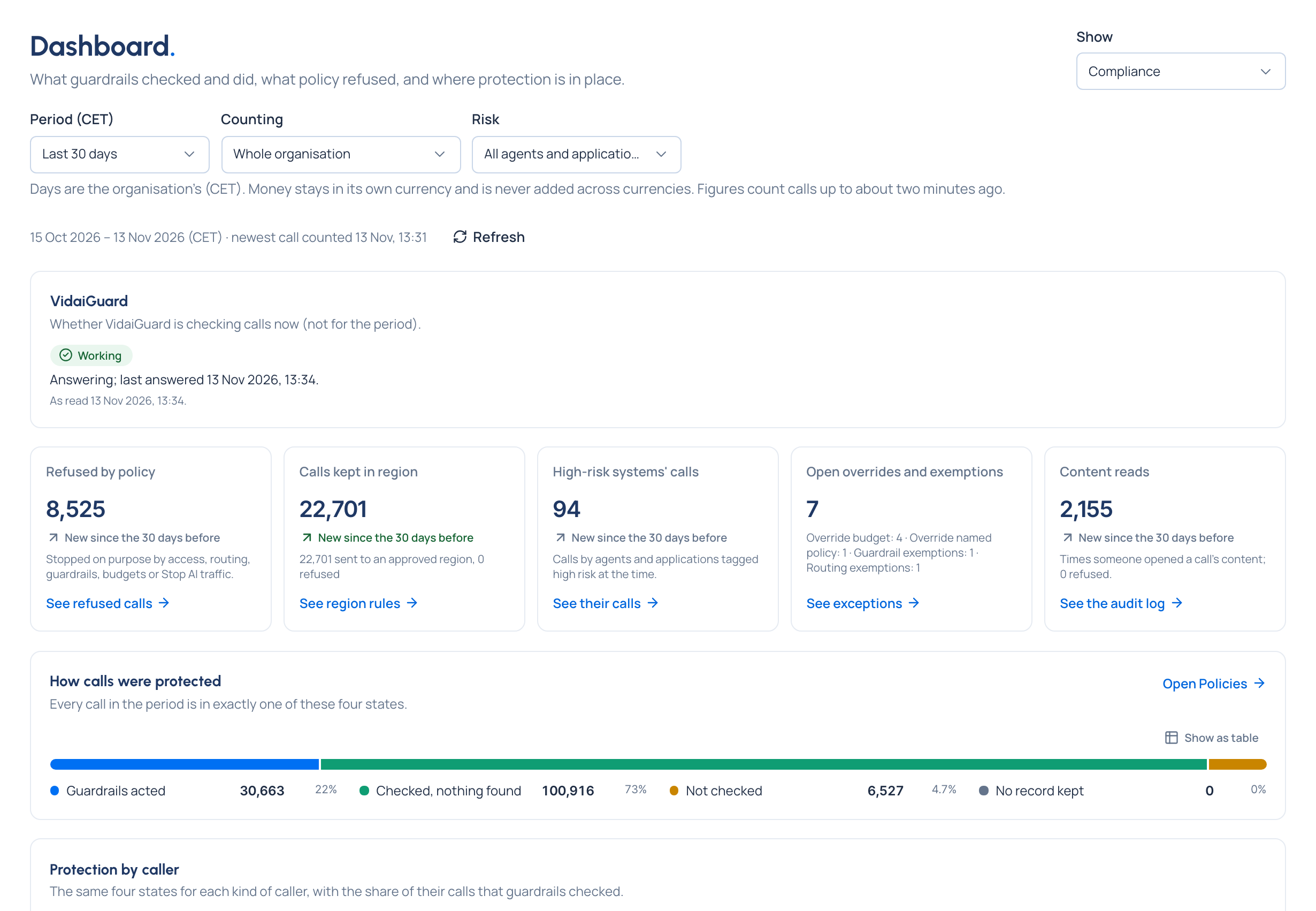
- How calls were protected: every call in the period is in exactly one of four states: guardrails acted, checked and nothing found, not checked, or no record kept. Together they add up to all calls.
- Protection by caller: the same four states for people, agents, service accounts and unattributed calls, with the share of each one's calls guardrails checked. Answers the question every DPO asks: "users or agents?"
- Calls refused by policy, calls kept in region, calls by high-risk systems, open overrides and exemptions, and content reads.
- What guardrails did: blocked, redirected, pseudonymised, masked, logged only.
- Where protection is in place: each team against each guardrail pack in use, region rules, compliance routes and VidaiGuard: Enforced, Observing, Partly or None, as of now.
- Where findings come from: findings per 1,000 calls by team and category, so a big team doesn't look riskier just for being big. Rows switches to each high-risk agent and application.
Each figure links to the list behind it, with the same period and filters. A figure Vidai can't give says Not available and why, never zero. See Read the Compliance dashboard.
On Community, the Compliance view isn't offered. Request logs (filtered by guardrail outcome, refusal and risk level) and Policies › Guardrails › Findings show the same calls and findings, list by list.
Events to your SIEM Enterprise
System › Settings › Integrations sends what happens, as it happens, to your own webhook (signed) or to Splunk's HTTP Event Collector: audit log changes and sign-ins, calls the gateway refused or a guardrail blocked, models going out of service and back, Needs attention items, and tamper-evidence results. Choose Every event or only the topics you want, such as Calls refused or blocked, Rules and compliance and Tamper evidence. Events carry names and ids, never secrets and never what a call said. Other SIEMs take the webhook through their HTTP intake.
If your side doesn't answer, Vidai keeps the events and catches up in order. Setting a destination up is an organisation admin's job.