Follow a regulation and take its recommended policies
Purpose: turn a regulation into settings in one step. Following it sets the record retention it asks for and makes its recommended policies, watching first, so you see what they'd do before anything is stopped.
Before you start
- You're an organisation admin or a Compliance officer Enterprise. On Community, an organisation admin does this.
- Decide for whom the policies should apply: the whole organisation, or some teams, applications or agents.
Steps
- Open Policies › Regulations. Regulations you don't follow yet are listed under Not followed.
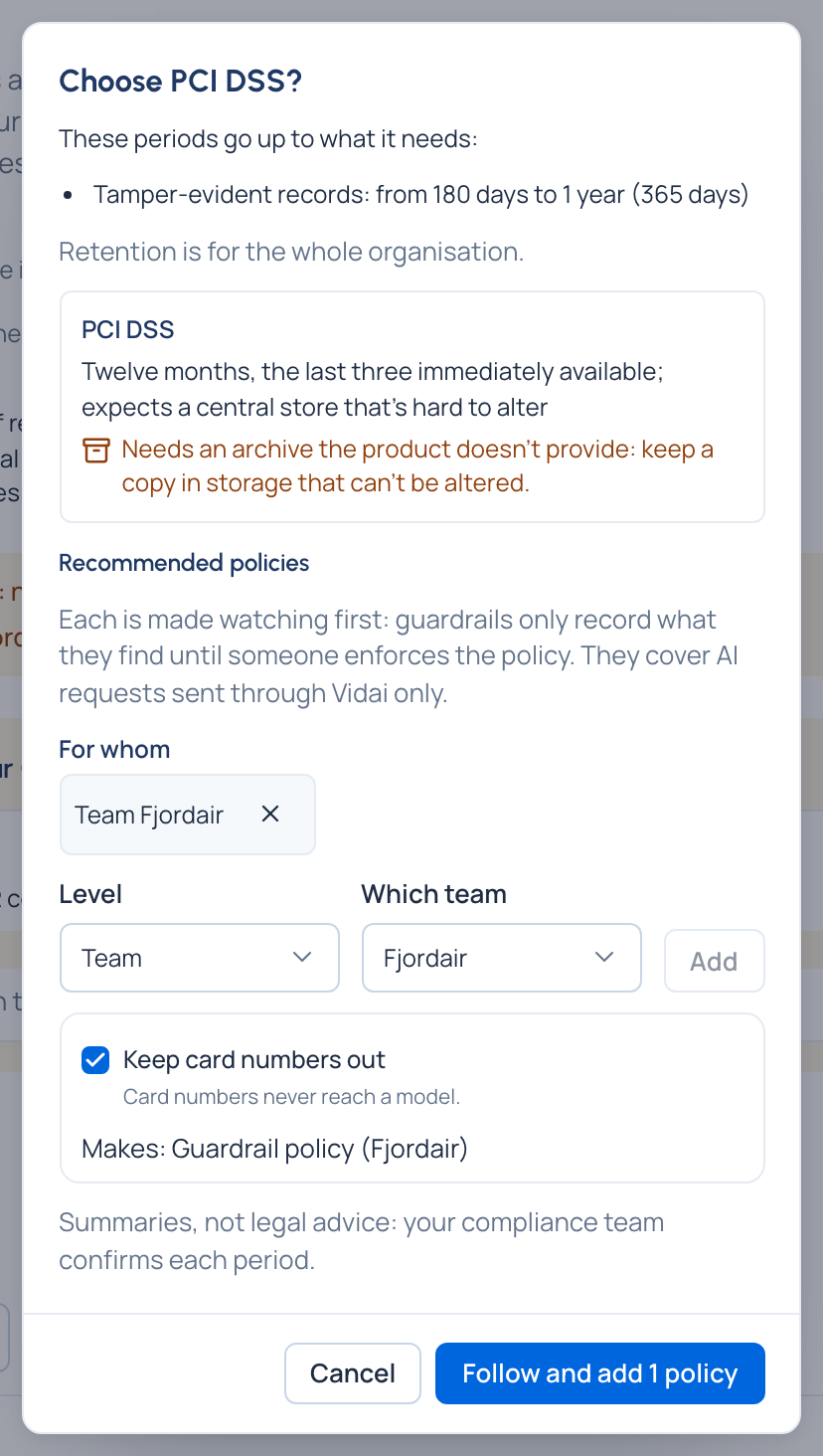
- Choose Follow … beside the regulation (for example Follow GDPR…). Proof › Retention & legal hold opens with a preview. Nothing has changed yet.
- Read the preview: the periods it raises ("Tamper-evident records: from 90 days to 180 days"), any clash with your ceiling, and the regulation's note.
- Under Recommended policies, answer For whom once. Each ticked recipe shows what it would make. A recipe that needs more answers (approved models, a spend limit) isn't ticked: apply it later from Policies. On Enterprise, Also use VidaiGuard (off by default) answers once for every policy that offers it: off, each says "Its VidaiGuard checks aren't made: Also use VidaiGuard is off." and is made on its patterns.
- Choose Follow and add 2 policies (the number is how many you ticked; with none ticked it reads Choose …).
Check it worked
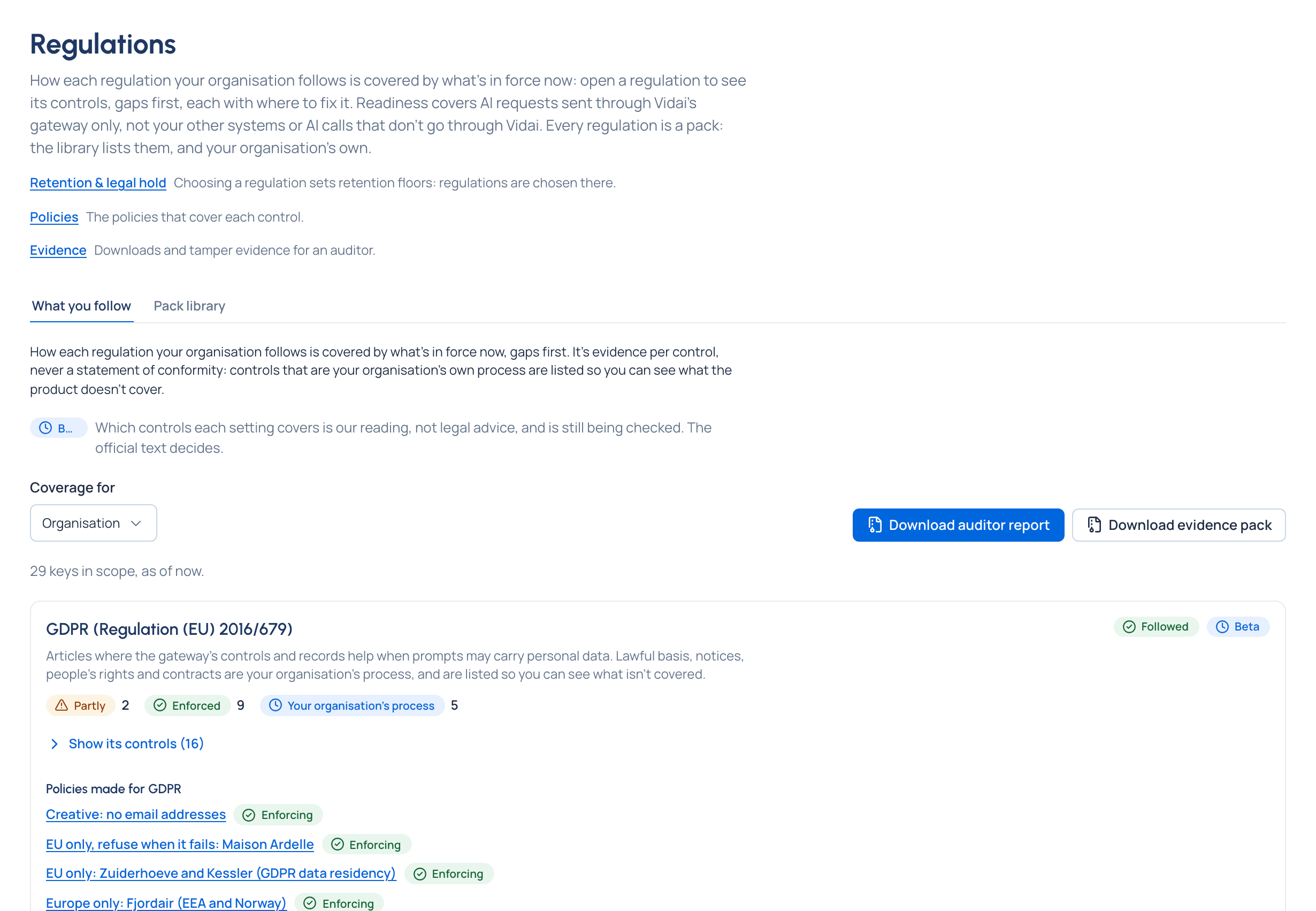
- The regulation shows as a chip under Regulations that apply on Retention, and as Followed on Regulations.
- Each new policy is linked from the confirmation, says From the recipe …, and is Observing: its guardrails record what they find and change nothing until someone enforces them.
- On Enterprise, the regulation's card shows its controls by state. Open Show its controls to see the gaps first.
Next
Open each new policy and read What enforcing would have done over the last seven days. When you're satisfied, Start enforcing….
Good to know
- If one policy can't be made, the rest are, the page says why, and Try the rest again retries only that one. Retention is set once.
- Following a regulation never changes an existing policy, and never shortens a retention period.
- If the regulation's floor is longer than your GDPR ceiling, a clash appears for an organisation admin to decide.