See the models you may call, and why
Before you pick a model in your code, check which ones you may call. Access follows your teams: each key acts for one of your teams and may call what that team allows. Your account shows it in one place, so you never learn it from a refused call.
Before you start
- Anyone signed in.
Steps
- Open the menu under your name and choose Your account.
- Choose Models.
- Models you can use lists each of your teams with the models a key acting for it may call. A model that's been switched off is marked switched off.
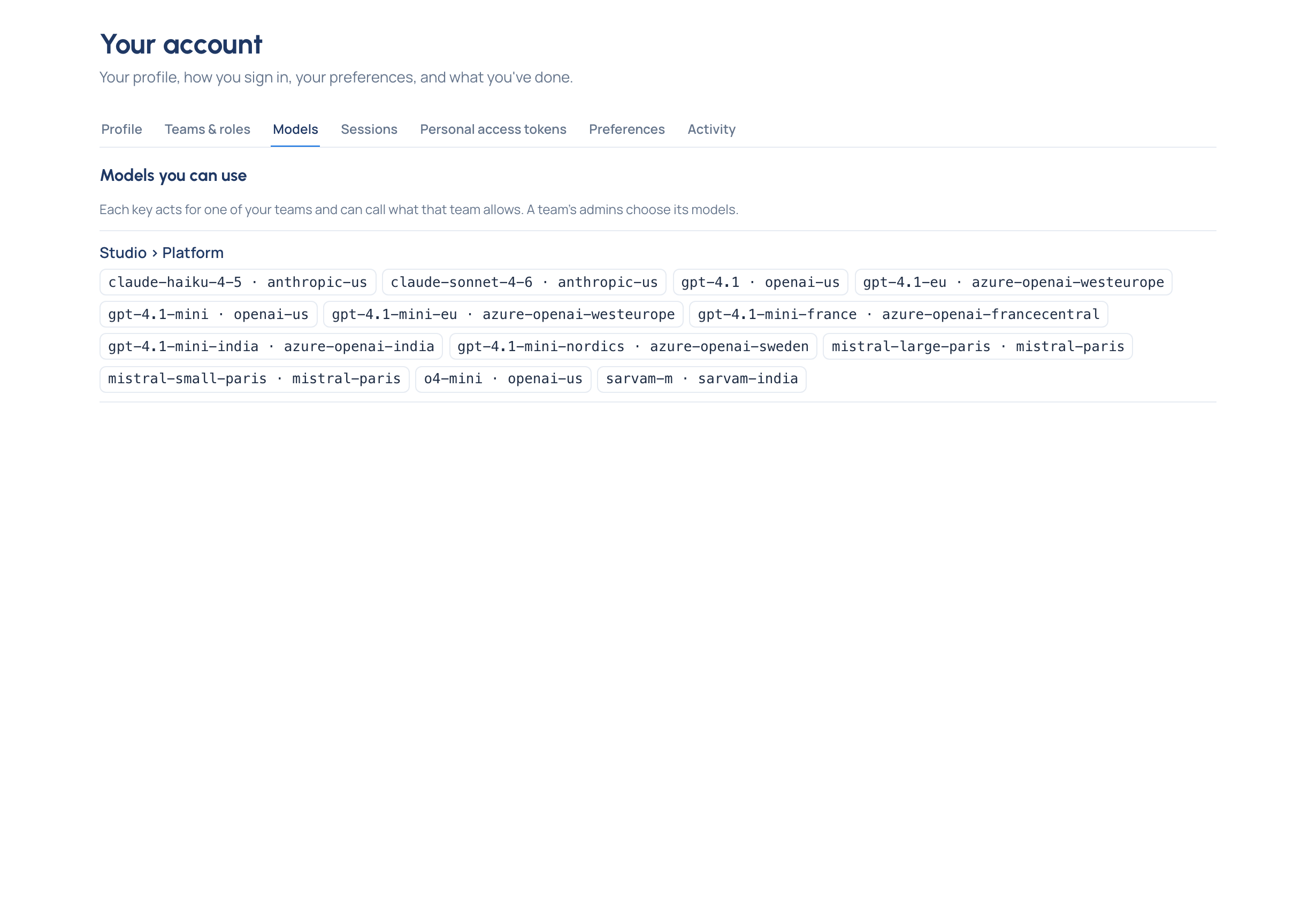
Read what you see
- One team, one list. A key acts for one team, so it can call that team's list, or fewer if the key was narrowed.
- "No models yet." That team allows nothing for now: a key acting for it is issued but Calls nothing. Ask a group admin of the team.
- "You're not in a team yet, so no model is available to you." An admin adds you to a team.
- Several teams? Issue a key for the team whose models you need; choose it under Acts for when you issue it.
From a program, the same answer comes from the gateway itself: GET https://<your-gateway>/v1/models with your key lists
exactly the models that key may call.
Need another model?
A team's group admins choose its models. An organisation admin can also give you extra models in one team, with a reason and an end date, without widening the team for everyone.
Related
- See your teams and roles: who your group admins are.
- Issue a key
- Concept: Model access
- Model names: listing your models from code