Safety switches
In an incident, minutes matter: a leaked key, a runaway agent, a model saying what it mustn't. Vidai gives you switches that act on the gateway itself, from one button for all AI traffic down to a single key, and shows you, node by node, that the switch took.
Stop AI traffic
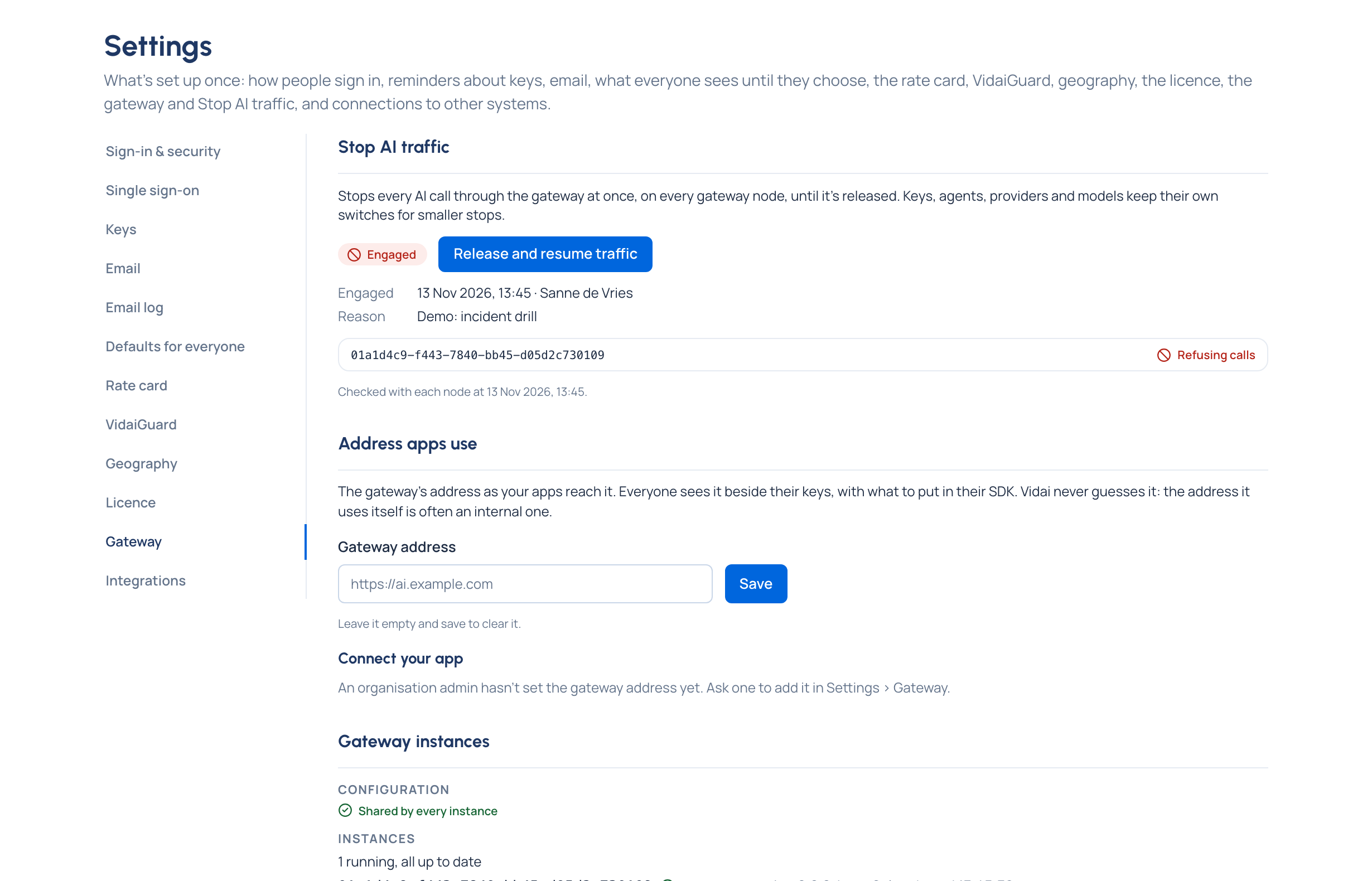
Stop all AI traffic… stops every AI call through the gateway at once, on every gateway node, until an admin releases it.
- Calls already running finish. Nothing is lost or deleted, and the Control room keeps working.
- New calls are refused with HTTP 503 and
x-vidai-error-code: ai_traffic_suspended, in the caller's own SDK format, and listed in Request logs. - Everyone sees a notice on every page; organisation admins and viewers also see the reason.
- Resume AI traffic lets calls through again as each key, agent and model allows. Nothing has to be set up again.
- Both are recorded in the audit log, with the reason given.
Only organisation admins use it: from the top bar on every page, or Settings › Gateway. To confirm, they give a reason and type the organisation's name.
flowchart LR
    B["Stop all AI traffic…<br/>(reason, organisation's name)"] --> N1["Node 1: Refusing calls"]
    B --> N2["Node 2: Refusing calls"]
    B --> N3["Node 3: Still serving calls<br/>(Vidai keeps trying)"]
You see that it took. Vidai sends the switch to every node and reads each one back: Serving calls, Refusing calls, Still serving calls or Still refusing calls (that node hasn't taken the last change yet), or Not answering. Not taken everywhere means at least one node disagrees: a partial stop never reads as a full one.

Guardrails on or off
Guardrails on (in Settings › VidaiGuard, or Settings › Guardrails on Community) switches every guardrail for the whole gateway. Off, no check runs on any call, whatever your policies say: for the rare moment a guardrail blocks something critical and you need traffic to flow while you fix it. Organisation admins and viewers see Guardrails are off on every page, with who turned them off and since when, until they're back on.
VidaiGuard checks on or off Enterprise
Where VidaiGuard is set up, VidaiGuard checks on switches VidaiGuard alone, leaving pattern checks running. Strict when a check can't run decides what happens if VidaiGuard is down: strict refuses a call that needed a check, degrade (the default) lets it through marked as partly checked. Before you switch to strict, Vidai says how many keys would be refused while VidaiGuard is down. While VidaiGuard isn't set up, pattern checks act on their own and strict isn't offered.
Smaller stops
Not every incident needs everything stopped. Each of these acts within seconds and leaves the rest alone:
| Switch | Stops |
|---|---|
| Suspend a key | One key; Resume brings it back with the same secret |
| Replace secret with No time | A leaked secret, at once, while the key carries on with a new one |
| Suspended on an agent | Every key of that agent |
| Switch off a provider | Every model it serves |
| Switch off a model | That model and its aliases |
Going the other way, a guardrail or policy that blocks something it shouldn't can be lifted for one key for up to 24 hours. That lifts protection rather than stopping anything, so it's an exception with a reason and an end: see Exceptions, overrides and approvals.