Roles at a glance
Give each person the access their job needs and no more, and still let teams run themselves. Roles in Vidai are given on a level (the whole organisation, a team, an agent or an application), they add up, and every one of them is recorded with who gave it, since when and until when. Nobody waits on a ticket queue for access to their own work, and nobody reads what they shouldn't.
Roles add up
A person holds every power of every role they have, each on what it was given on. Sam can be a group admin of Zuiderhoeve Dairy and hold Finance for the whole organisation at the same time.
The roles
| Role | Given on | Who it's for, in one line |
|---|---|---|
| User | Everyone signed in | Calls the models their teams allow, with their own keys; sees their own calls, cost and budgets |
| Owner of an agent or application | One agent or application | Looks after it: its keys, its calls, its cost |
| Viewer of an agent or application | One agent or application | Reads it, without changing it |
| Group admin | A team, and every team under it | Runs their part of the organisation: people, keys, agents, budgets and rules there |
| Organisation viewer | The whole organisation | Reads everything, changes nothing, holds no keys: leaders, internal audit |
| Organisation admin | The whole organisation | Runs Vidai: everything, including the safety switches |
| Finance | The whole organisation | Cost, prices, budgets and chargeback across the organisation, without admin rights |
| Compliance officer Enterprise | The whole organisation | Policies, regulations, risk and evidence; reads what an organisation viewer reads |
| Content reader | The organisation, a team, an agent or an application | Reads what calls there sent and got back, and nothing else |
Three permissions sit beside the roles and can be given to anyone: approve budget overrides, approve guardrail overrides, and manage approved destinations. See What each role can do.
In the Grachtwerk demo, Sanne de Vries (Head of Platform) is an organisation admin, Amélie Laurent (Finance director) holds Finance, Katarzyna Nowak (Data protection officer) is the Compliance officer, Henrik Lindqvist (Group CEO) is an organisation viewer, Femke Jansen runs the Zuiderhoeve Dairy teams as a group admin, and Daan Visser is a user in Zuiderhoeve Social.
Each person sees their own work
The menu shows a person only the pages that are part of their work, and opens the groups their role uses most. Finance opens on Money; a Compliance officer on Policies and Proof; a group admin on Who and Policies. The page someone can't use isn't offered at all, so nobody is sent to a dead end.
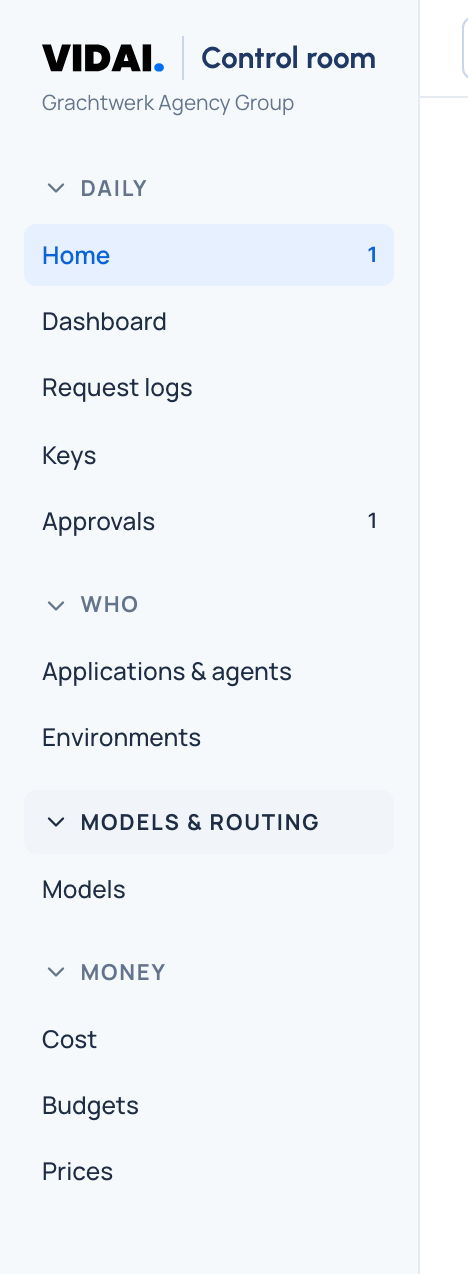
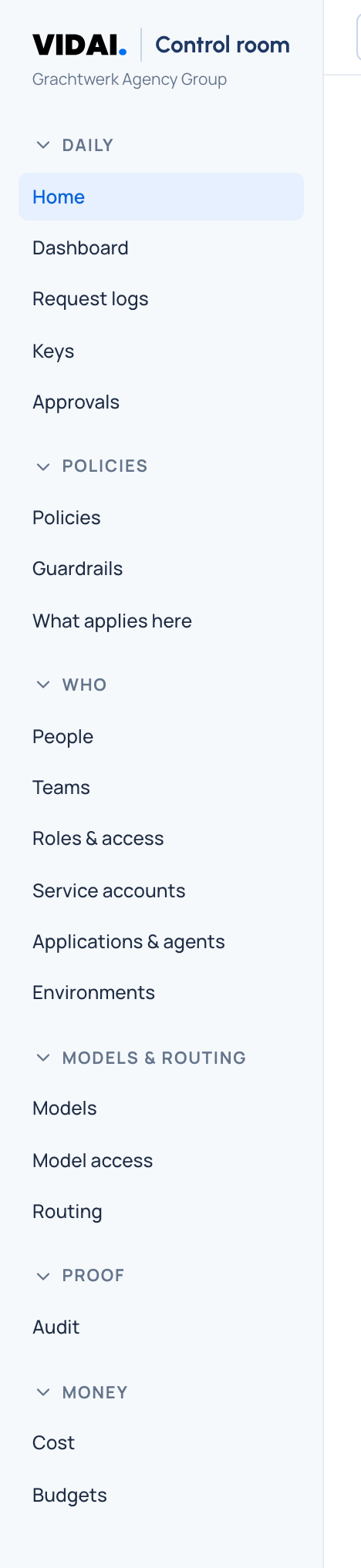
Vidai still decides every action. Showing a page never grants anything: if someone opens a link to a page outside their role, the page says so in one line.
Community and Enterprise roles
Every role is in both editions except the Compliance officer, which comes with Enterprise, together with its own dashboard. On Community, give your compliance lead Organisation viewer to read everything, and the permission Approve guardrail overrides to decide requests to lift a guardrail. Service accounts, which hold roles of their own, are Enterprise too.
What Enterprise includes depends on the features your licence includes. See Editions.
In this section
- What each role can do: the matrix, page by page and area by area.
- Roles at levels: a role on the organisation or on a team; group admins and their sub-teams.
- What a user can do: keys, models, usage and asking for exceptions.
- Service accounts and tokens: why a token can never do more than its account.
- The sole admin and the emergency admin: never locked out.
To give someone a role, see Give someone a role. For the words, see the glossary.