Say where a provider runs, or add it in another region
Purpose: "where do our prompts go?" deserves a precise answer. Every provider has a place: a location (Azure's
westeurope, AWS's eu-central-1, your own eu-office-dc1) and the area its data is processed in (the
Netherlands, inside the European Union, inside Europe). Region rules, prices and your own reporting all read it.
Before you start
- You're an organisation admin.
- Providers whose place Vidai can't work out read Needs placement on Providers: start with those.
Steps: say where a provider runs
- Open Models & routing › Providers and choose the provider.
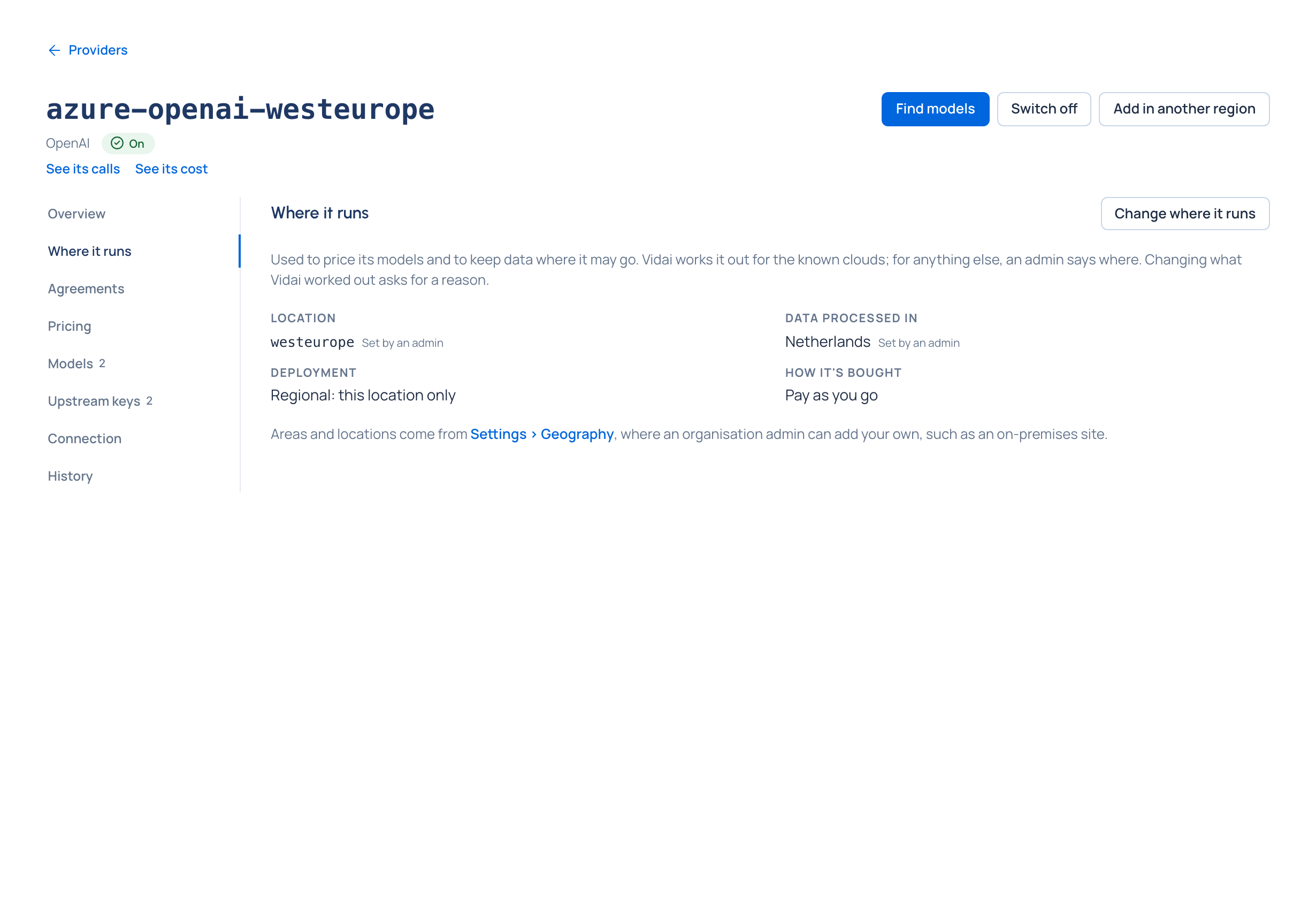
- Open Where it runs. Each part says Worked out (Vidai read it from the kind and address) or Set by an admin, with the reason given.
- Choose Change where it runs (or Say where it runs).
- Set the location, the area its data is processed in (type to find it), its deployment (Azure), its AWS region (Bedrock) and how it's bought.
- Changing a part Vidai worked out asks for a Reason. It's kept with the placement and in the provider's history.
Steps: add the same provider in another region
To use one provider in two regions (Azure in the EU and in Sweden, say), copy it rather than starting again:
- On the provider's page, choose Add in another region.
- Give the copy a New name (for example
azure-openai-sweden) and an Ending for model names (-nordics, sogpt-4.1-minibecomesgpt-4.1-mini-nordics). Each copy keeps the provider's own id for the model. - Choose whether to Copy aliases too (each gets the same ending).
- Say Where the copy runs; leave a part empty to keep the original's.
- Choose Preview the copy. It lists every new model name and alias and marks any Name taken. Change the ending until nothing clashes.
- Choose Copy. Vidai copies the keys itself; you never see them. The copy opens on Models with its models switched off, ready to review.
Map a location to an area
When a location isn't known to Vidai (Home's Needs attention says "Vidai doesn't know where … is"), open System › Settings › Geography. Under Locations not mapped, choose Map to an area, pick the area, then Preview changes and Apply. To add an area of your own, such as an on-premises site, and put it inside a larger one, see Add your own area, or map a location.
Record a provider's agreements
Open Agreements on the provider's page and choose Change agreements. Tick each one it holds with you (a Business associate agreement (HIPAA), a PCI DSS attestation, a Data processing agreement (GDPR)), say where it is and, if you like, when it ends. A region rule can then require them (Keep calls in a region).
Check it worked
The provider's row on Providers shows its place, and Needs placement is gone. Each of its models says Calls processed in on its page when it differs from the provider's area.
Related
- Add your own area, or map a location
- Keep calls in a region Enterprise
- Add a compliance route Enterprise
Good to know
- A provider placed global (may run anywhere) or not placed at all meets no region: "may run anywhere" isn't "runs in the EU".
- On AWS Bedrock the model id decides: one starting
eu.,us.orapac.runs within that geography, and one startingglobal.may run anywhere, so no regional rule lets it through. - An agreement past its end day says Doesn't count: ended and stops counting at once.
- Vidai's own areas and locations can't be removed; yours can, once nothing is in them.