Read the email log
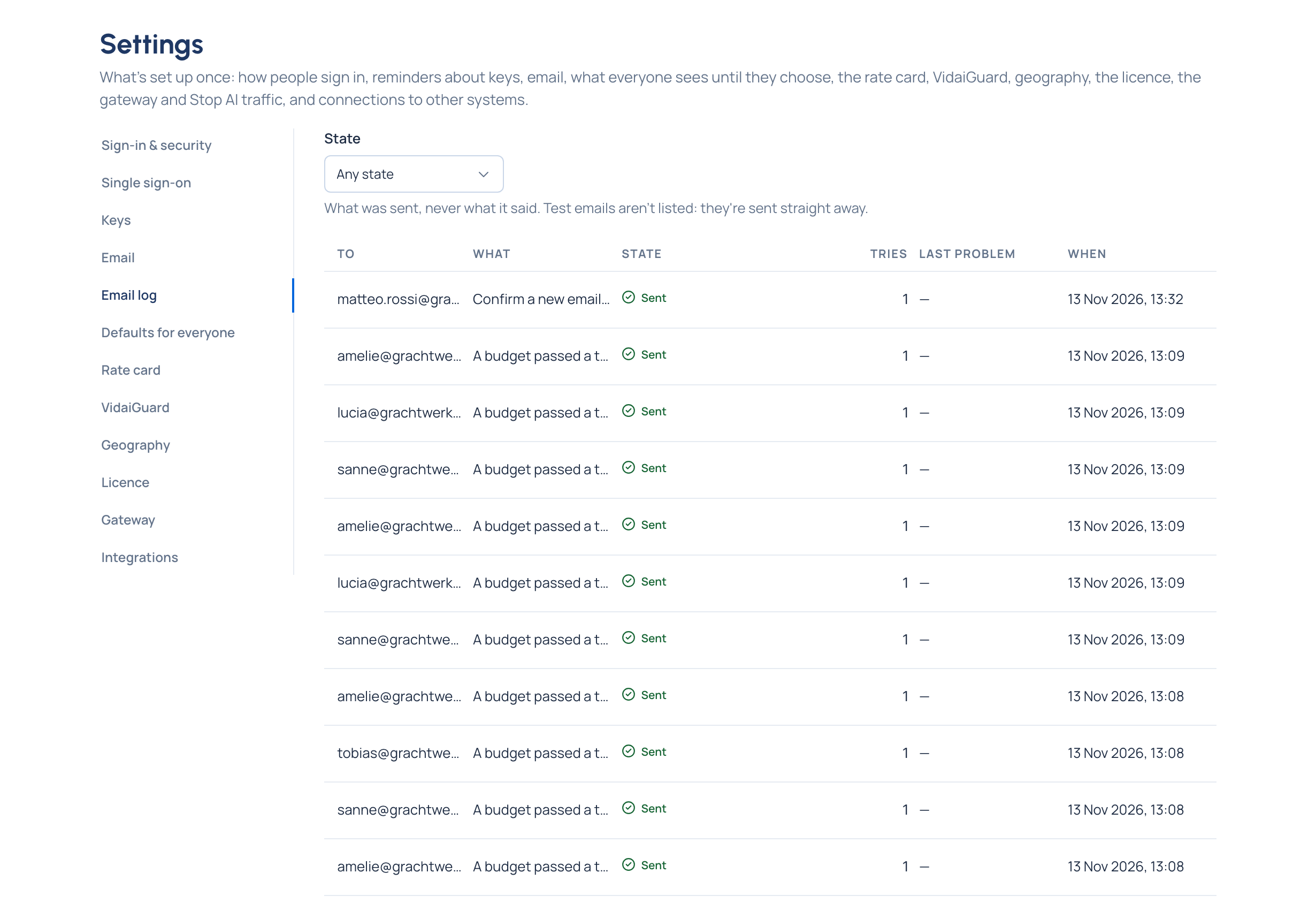
Purpose: "I never got my invitation" is answered in seconds. The email log lists every email Vidai sent or tried to send, to whom, whether it went, how many tries it took and, when it didn't go, why in words. It never shows what an email said or the links in it, so reading it never exposes a reset link.
Before you start
You're an organisation admin, and email is set up.
Steps
- Open System › Settings › Email log. Emails are listed newest first: When, What (for example Invite or Password reset link), to whom, the State, Tries and Last problem.
- To see only what didn't go, choose Failed under State.
- Read Last problem: a refused recipient, no answer, a refused sign-in to the mail server, and so on.
Check it worked
The email you were looking for is listed as Sent, Waiting to send or Failed. For a failed one, fix what Last problem says (see the reasons), then send it again from where it started: for example, a new invite from the person's page.
Good to know
- Test emails aren't listed: they're sent straight away, and the page that sent them says whether they went.