Rules at levels
When each application applies the policy itself, some apply it and some forget, and nobody can tell which. In Vidai every rule sits in the request path, set at a level and reaching every key below it. A lower level can tighten a rule, never loosen it. You write a rule once, and you can see, for any key, everything that applies to it and why.
The one idea
Every call carries a key, and every key sits somewhere in your organisation: a person's key acts for one of their teams; an agent's key acts for the agent, and maybe one of its applications; every key is issued in an environment.
flowchart TD
  Org[Organisation] --> Env[Environment<br/>production, staging…]
  Org --> Team[Team and its sub-teams]
  Team --> Person[Person]
  Team --> App[Application]
  App --> Agent[Agent]
  Person --> Key[Key]
  Agent --> Key
  Env -.->|issued in| Key
A rule set on the organisation reaches every key; one set on a team reaches the team, its sub-teams and their keys; one set on a key reaches only that key. Where two levels set the same thing, the stricter wins: a level above that blocks card numbers can't be loosened to mask by a team below.
Why each rule exists
Every rule says why it exists, chosen by whoever sets it:
| Purpose | Meaning |
|---|---|
| Compliance | A legal or contractual duty, such as keeping data in the EU |
| Regulatory | A regulator's rule for your sector or country |
| Internal policy | Your own choice, such as a cheaper model for drafts |
| Budget | A spend limit |
The purpose doesn't change what a rule does. It's shown wherever the rule is, so "Purpose: Compliance" answers "show me everything we do for compliance" in one filter.
The kinds of rule
| Kind | What it decides | Read more |
|---|---|---|
| Access | Which models a key may call | Model access |
| Approved for use | The models any call may reach, the ceiling over every rule | Regions and data residency |
| Guardrails | What a call may contain | Guardrails |
| Region | Where a call may be processed | Regions and data residency |
| Routing | Where an allowed call goes | Routing and fallback |
| Budgets | How much may be spent | Budgets |
| Rate limits | How many requests a minute a key may make | Rate limits |
Rules that serve one purpose can be gathered into a named policy, with an owner and a state. The policy names them; each rule keeps working as a rule.
The order they're weighed in
On every call the gateway weighs the rules in one order: access, budget, guardrail, routing, compliance route, fallback. A call's page in Request logs shows each step that acted, in that order, under Why this happened: what kind of rule it was, its name, its purpose, the level it's set on, and what it did.
This is the order the kinds of rule are checked in on a call. Among routing rules themselves, a compliance route always wins over every other routing rule: see Which rule wins.
See what applies before you change it
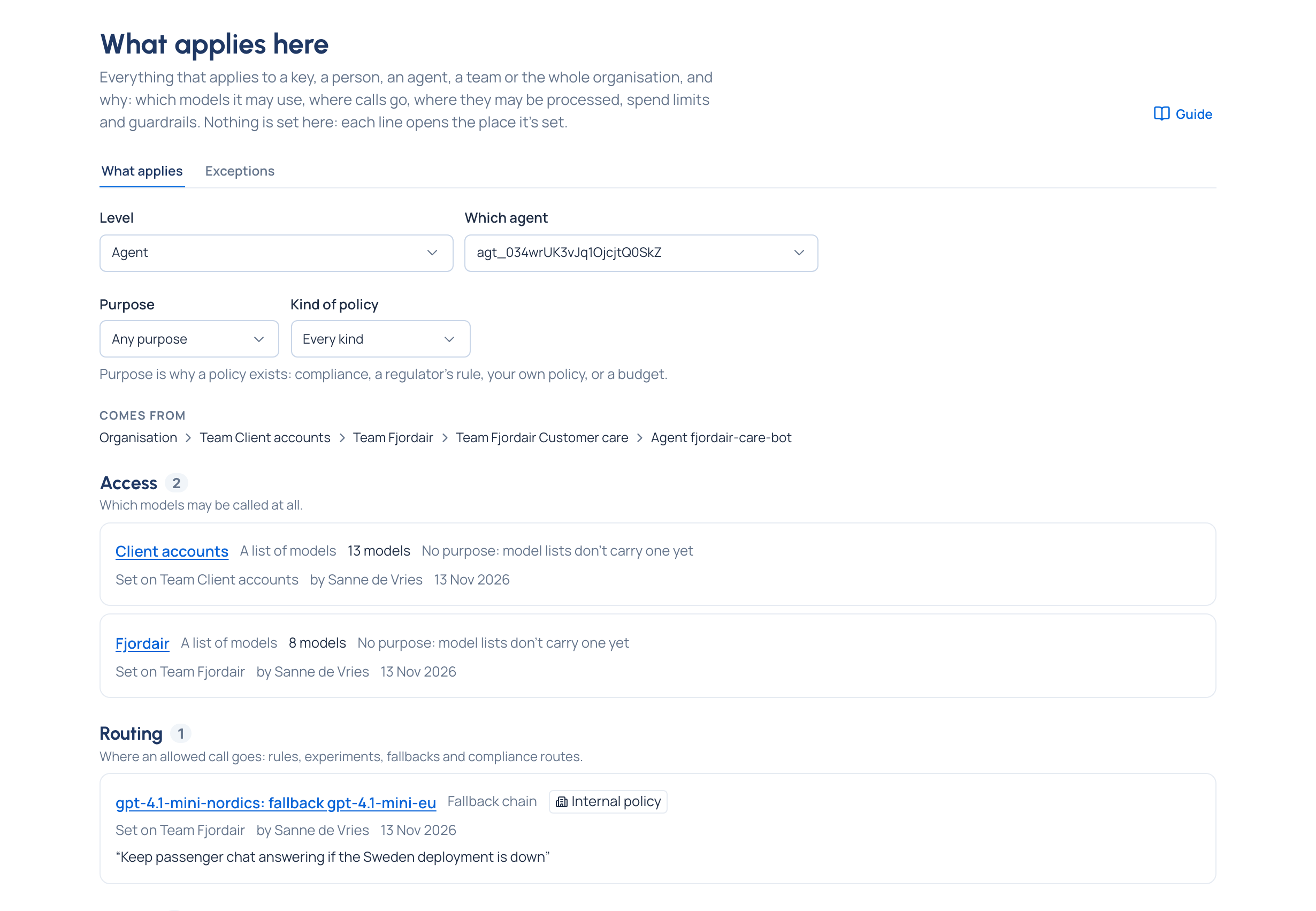
- Policies › What applies here puts every rule that reaches one place side by side: a key, a person, an agent, a team or the organisation. Comes from shows the levels whose rules reach it, most general first ("Organisation › Team Org group › Agent Support assistant › Key Support key"). Nothing is set on this page: each line opens the place it's set.
- Check what it changes, on every form that makes a rule, shows the keys the rule would reach and what changes for each, before anything is saved. It also says when a rule would do nothing: Already in place through another rule, or Not acting here because a stronger rule decides.
- Explain a key, on Routing › Which rule wins, shows for each model which rule decides a key's calls, or that they're refused, without sending a call.
Related
- How Vidai works: where rules sit in the picture
- Exceptions, overrides and approvals: named ways out of a rule, with an end
- Policies and regulations: rules gathered under one intent
- Organisation and teams · Environments · Keys