Charging back
The question: "How do we bill our clients and departments for the AI they used?"
What you gain: a chargeback that needs no reconstruction. Every call already has a paying team; a markup adds your handling fee; the billing lock fixes the figures; an export carries them to your finance systems with a checksum.
Charged versus list price
- At list price is what the provider charges: the rate card's price, or your manual price.
- Charged is what the paying team is billed: the list price plus any markup.
Both are on every total, breakdown row and call.
Markups
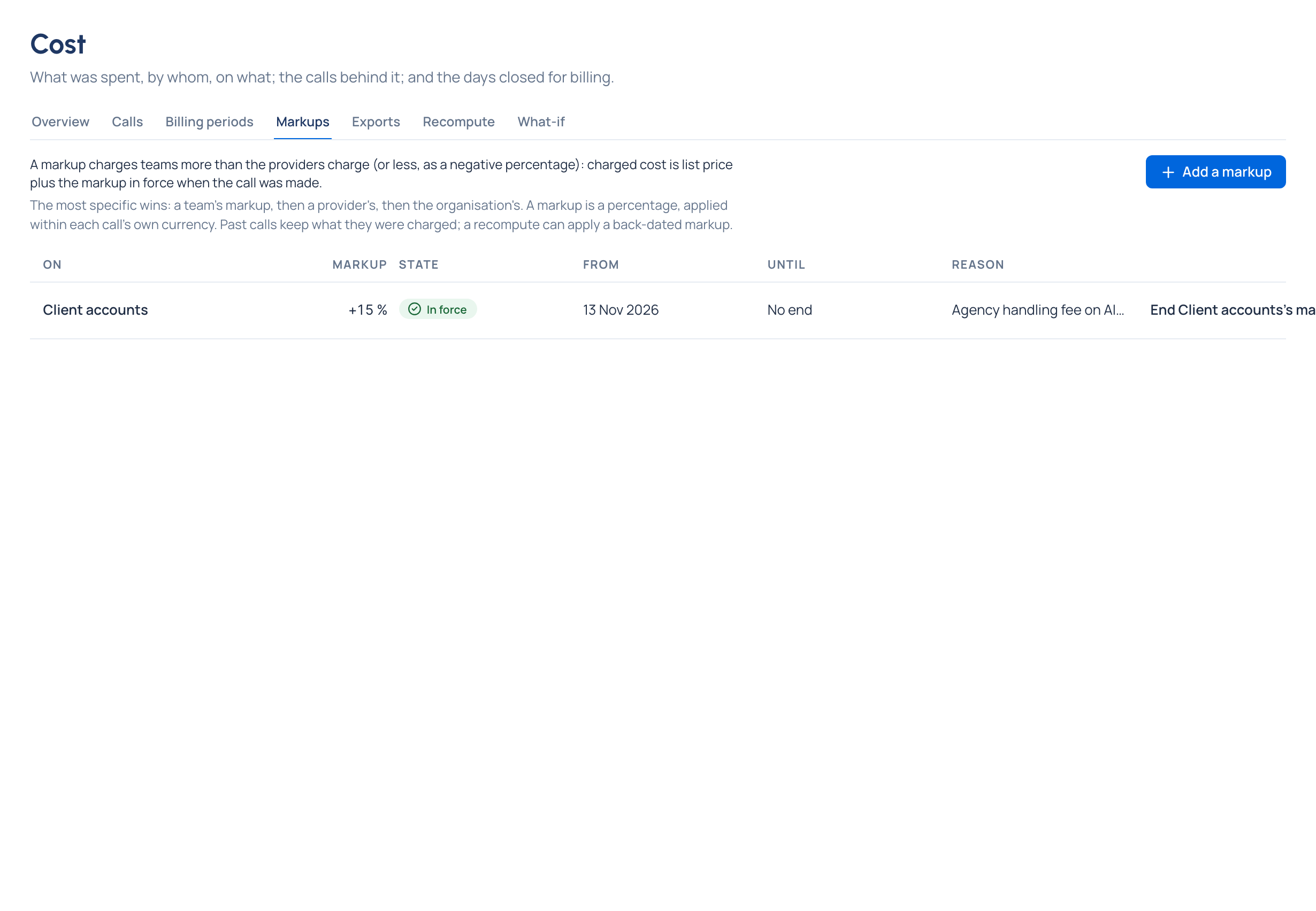
A markup is a percentage on top of the list price: a handling fee, or a discount with a negative percentage. It applies to the whole organisation, a provider or a team. When more than one applies, the most specific wins: the team's, then the provider's, then the organisation's.
A markup is a percentage, so it applies within each call's own currency; it's never an amount added across currencies. Past calls keep what they were charged: a markup that starts in the past changes them only after a recompute Enterprise.
In the demo world, Grachtwerk charges a 15% agency handling fee on AI usage billed to clients on its Client accounts team, so every client team under it is billed list price plus 15%, while the studio's own teams pay list price.
Close the period, then export
- Check Is this period final? and clear what you can: unpriced calls, held prices, a suggested recompute.
- Lock the period through its last day. Lock a billing period
- Export it: Cost totals by group for an invoice per team, or every call with its cost for a detailed statement, as CSV or JSON lines. Export cost
Every row carries its currency; nothing is converted. Each file comes with its SHA-256, so whoever receives a copy can check it's the file you downloaded. Every download is recorded in the audit log.
Cost in your BI tool, on a schedule Enterprise
An organisation admin can send calls, daily cost, the audit log and guardrail findings to your own storage every hour or every day: S3-compatible storage, an SFTP server or a webhook, in Parquet, CSV or JSON Lines, each drop with a manifest of checksums. It's set up in System › Settings › Integrations. What Enterprise includes depends on the features your licence includes; on Community, use exports.
The FinOps dashboard
The FinOps view of the Dashboard puts spend, markups, routing savings, the top spenders and where the money goes on one page, per currency, with links into Cost. Read the FinOps dashboard