Read the FinOps dashboard
Purpose: the money picture for any period on one page, per currency, with a link from every figure to the calls behind it.
Before you start
Finance, organisation admins and group admins (their teams only) have the FinOps view. Read your dashboard explains the filters.
Steps
- Open Dashboard and choose FinOps in Show (Finance opens on it).
- Choose the Period, what you're Counting and, if you need it, a Risk level.
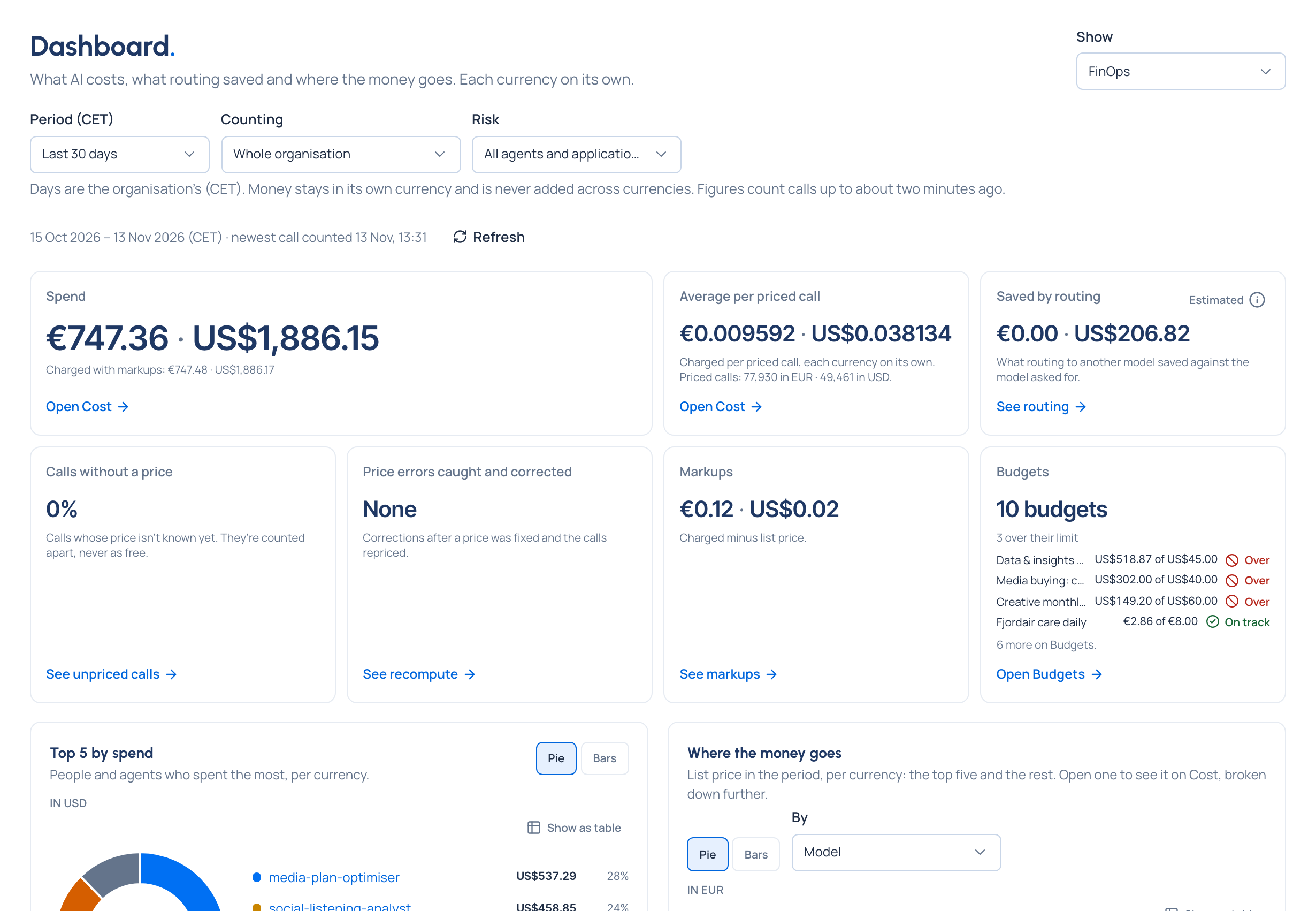
- Read the figures across the top:
- Spend at list price, each currency on its own, with the charged amount where markups apply (Open Cost);
- Average per priced call: charged, one per currency, with how many calls were priced in each;
- Saved by routing: what routing to another model saved against the model asked for, Estimated (See routing);
- Calls without a price: calls whose price isn't known yet, counted apart, never as free (See unpriced calls);
- Price errors caught and corrected: corrections after a price was fixed and the calls repriced (See recompute) Enterprise;
- Markups: charged minus list price (See markups).
- Read the charts:
- Spend by team over time, one chart per currency;
- Top 5 by spend: the people and agents who spent the most, per currency, as a pie or bars, each opening their calls on Cost;
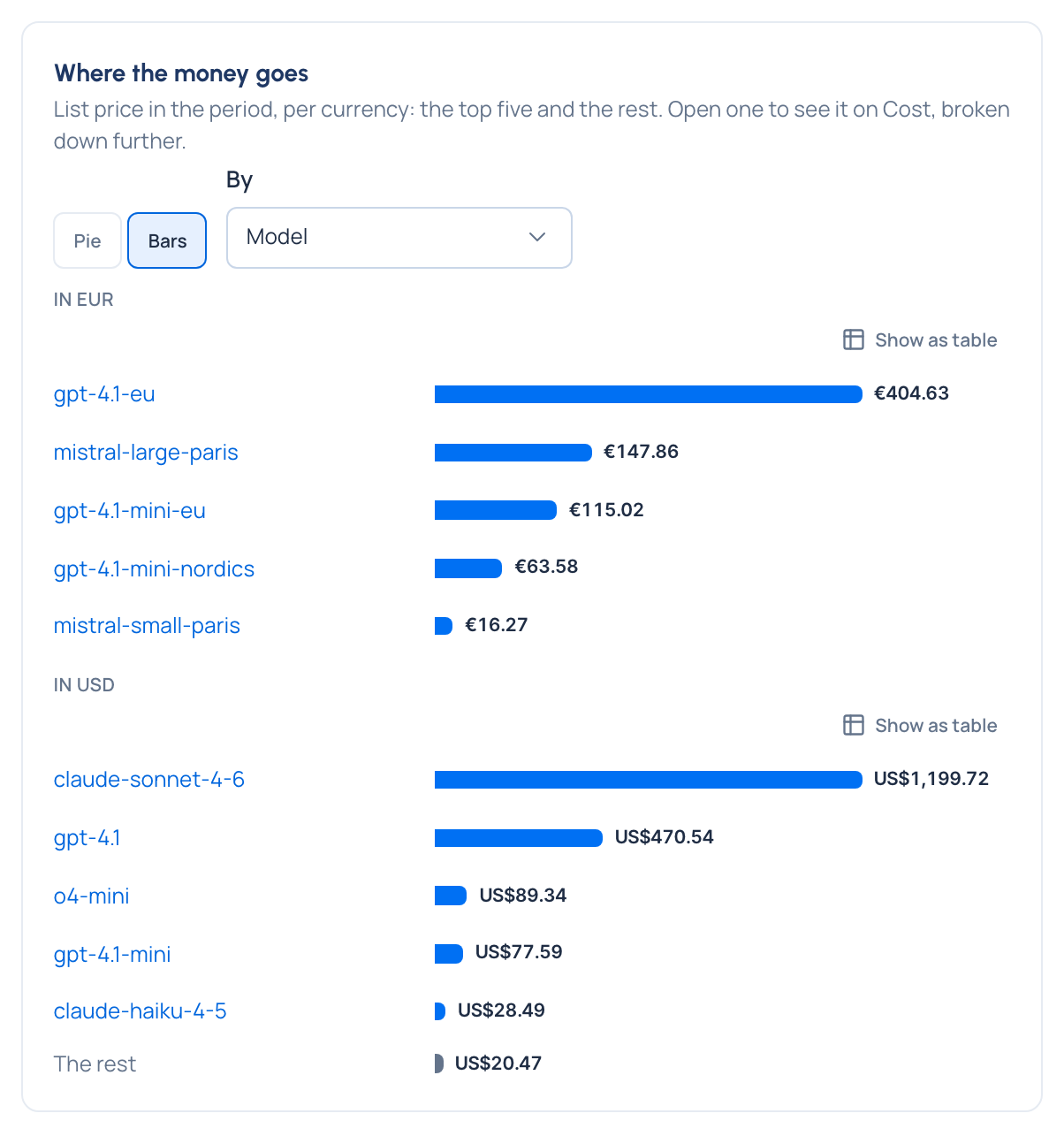
- Where the money goes: list price ranked by model, provider, team, application or environment (choose in By), the top five and the rest; open one to see it on Cost, broken down further;
- Budgets: what the budgets in force have spent, per currency, budgets on a person or an agent included, with Open Budgets for each one's limit and pace.
Check it worked
Spend for a period matches Money › Cost for the same period, at list price, in each currency.
For a group admin
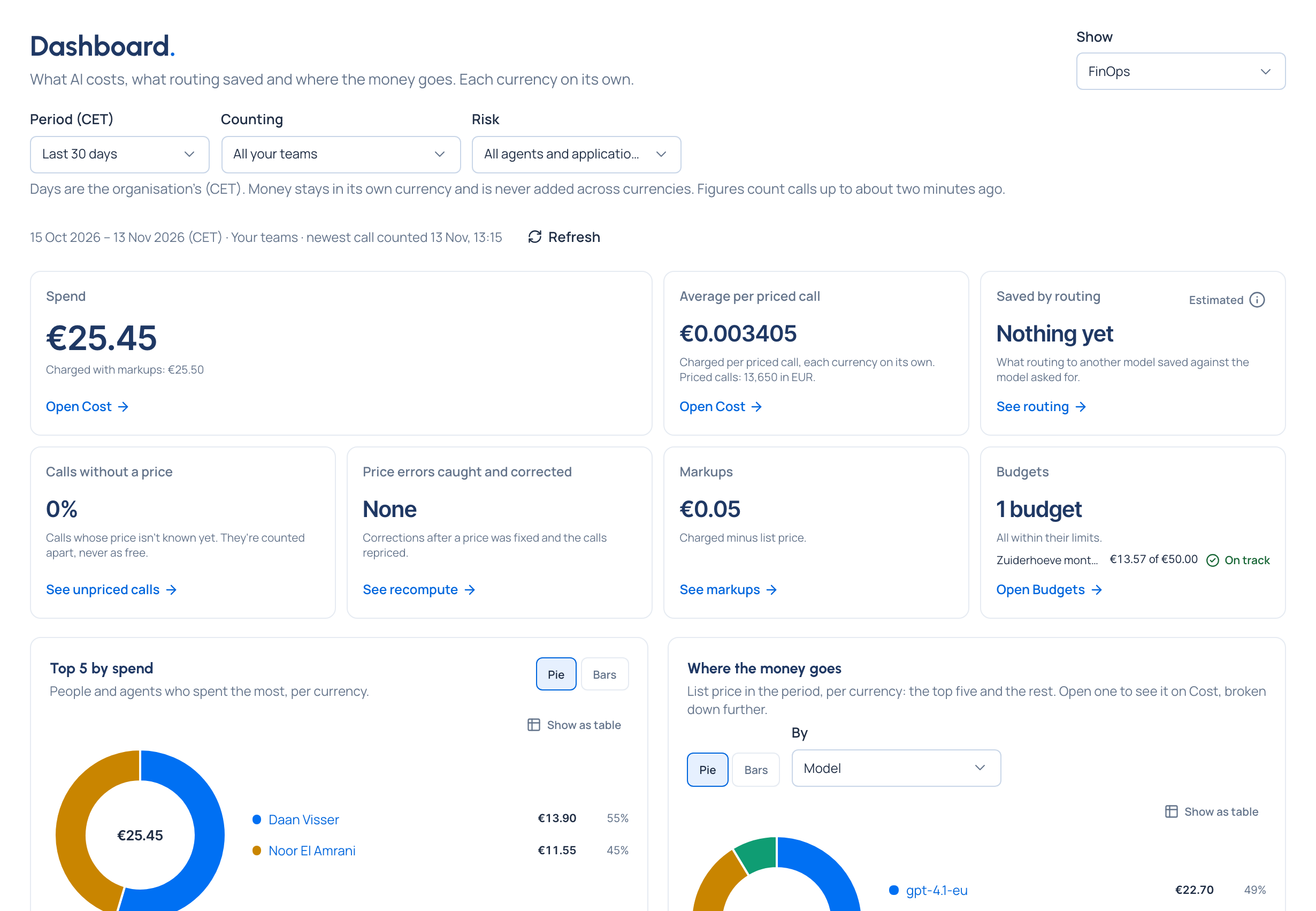
A group admin sees the same view for All your teams, or one of them. In the Grachtwerk demo world, Femke Jansen, account director for Zuiderhoeve Dairy, sees only Zuiderhoeve's teams and spend.
Good to know
- Markups are amounts as Vidai gives them; spend is at list price, with the charged amount beside it.
- Saved by routing is estimated against the price of the model first asked for.
- No change is shown for money in more than one currency.