Produce an evidence pack Enterprise
Purpose: where the auditor report shows what calls did, the evidence pack shows how your organisation governs AI: your systems and their risk, the policies and every change to them, human oversight, incidents, retention and access reviews. Labelled for one regulation, or mapped to a framework such as SOC 2, it answers the questions an assessor asks first.
What Enterprise includes depends on the features your licence includes. On Community, the same facts are on their pages (Risk, Policies, Retention, Access reviews, the audit log), and the audit log can be exported.
Before you start
- You're an organisation admin or a Compliance officer Enterprise.
- Close the access review you want included: the pack carries the last closed one.
- Check the latest verification reads Verified: the pack includes it.
Steps
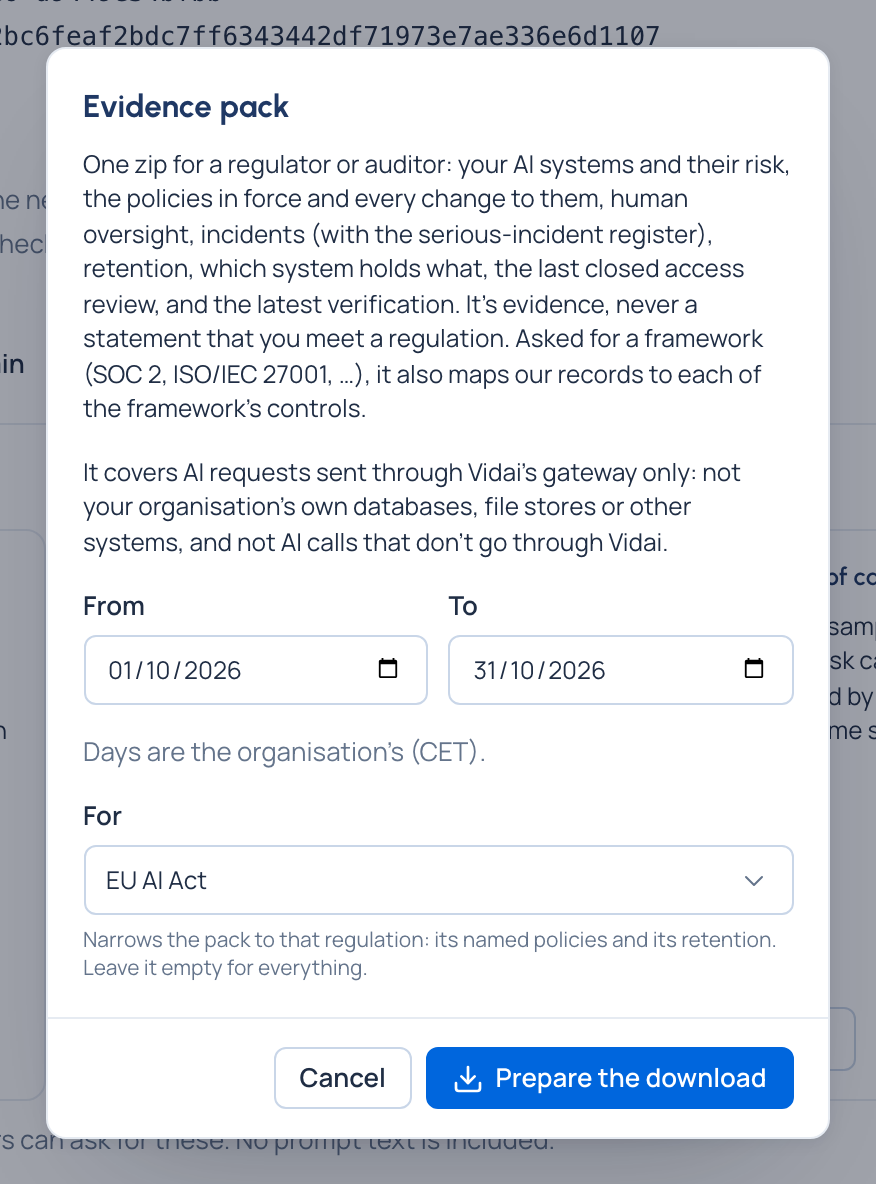
- Open Proof › Evidence and choose Download evidence pack… on the Evidence pack card (or on a followed regulation's card in Policies › Regulations).
- Choose From and To.
- Under For, choose a regulation (the ones your organisation follows come first), Evidence for SOC 2 (or ISO/IEC 27001, ISO/IEC 42001, SOX, NIST AI RMF), or No regulation in particular for everything.
- Choose Prepare the download, then Your evidence pack is ready: download it.
What's in it
- Your AI systems: agents and applications with their risk level, owners, teams, models and regions.
- The policies in force and every change to them in the period.
- Oversight: approvals, overrides, Stop AI traffic, exemptions.
- Incidents, with the serious-incident register.
- Retention, including any clash decision; and which system holds what.
- The result of the last closed access review, or that none was closed.
- The latest verification, and a manifest with every file's checksum.
- For a regulation: its named policies and its retention, and the pack version in force (with your copy's differences from the original). For a framework: a file mapping Vidai's records to each control, with the controls that stay your organisation's own.
Check it worked
- It's listed under Asked for in the last 7 days, and the download is in the audit log.
- Its manifest lists every file with its checksum.
Good to know
- No prompt text is included.
- It covers AI calls through Vidai's gateway, not your other systems.
- It's evidence, never a statement that you meet a regulation or that a control is met.