Run an access review
Purpose: show your auditor, quarter after quarter, that access is reviewed and that what's no longer needed is taken away. The review is in every edition; its result goes into the evidence pack Enterprise. What Enterprise includes depends on the features your licence includes.
Before you start
- You're an organisation admin or a Compliance officer Enterprise. Nobody else sees the page.
- Nobody decides on their own access, so make sure a second reviewer can decide yours: another organisation admin, or on Enterprise a Compliance officer.
Steps
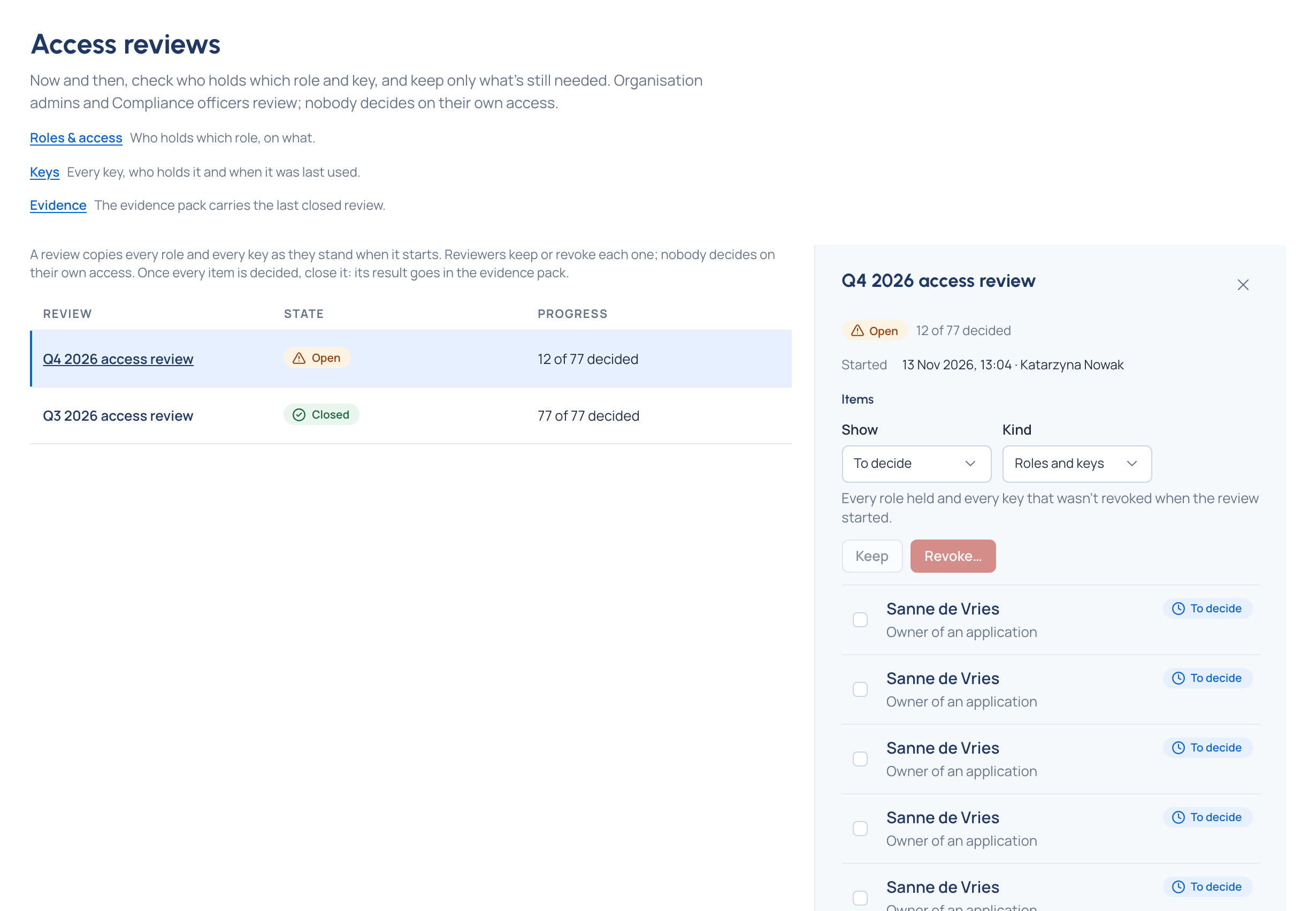
- Open Proof › Access reviews and choose Start an access review…. Give it a name (one is suggested, such as "Access review, October") and choose Start the review.
- Open the review. Its Items are every role held and every key that wasn't revoked when it started. Show narrows to what's still To decide or All items; Kind to roles or keys.
- Tick the items you've checked. For each you see whose it is, what it is (a role and what it's on, or a key, which opens its page) and when a key was last used.
- Choose Keep n for those still needed, or Revoke n… for the rest: each role is removed and each key stops working at once. The revoke dialog takes a Note (optional), kept with each decision for the auditor.
- Your own items say Yours: another reviewer decides: ask them to decide.
- When nothing is left to decide, choose Close the review….
Check it worked
- The review shows its Result: roles and keys kept and revoked, how many people with roles use multi-factor sign-in, and the Reviewers.
- Revoked keys are refused by the gateway; revoked roles are gone from Roles & access.
- The evidence pack carries this result, until the next review closes.
Good to know
- One review is open at a time. Anything added after a review starts waits for the next one.
- Once closed, no decision changes.
- The last organisation admin's role is never removed.