Export cost
Purpose: get a period's cost into your finance systems or a client statement, as a file whose integrity anyone can check.
Before you start
- You can export the cost you can see.
- Check Is this period final? first: if the period isn't locked, its figures can still change. Lock a billing period
Steps
- Open Money › Cost and choose the period (and a risk level, if you want only those calls).
- On Overview you can export totals or calls.
- On Calls, filtered to a team from a breakdown row, the export holds that team's calls with their cost.
- Choose Export…. The dialog repeats Is this period final? for the period.
- On Overview, under What, choose:
- Cost totals by group, for an invoice per team; or
- Calls with their cost, every call.
- Under Format, choose CSV (spreadsheets) or JSON lines.
- Choose Export. "Export started. It's listed under Exports when it's ready."
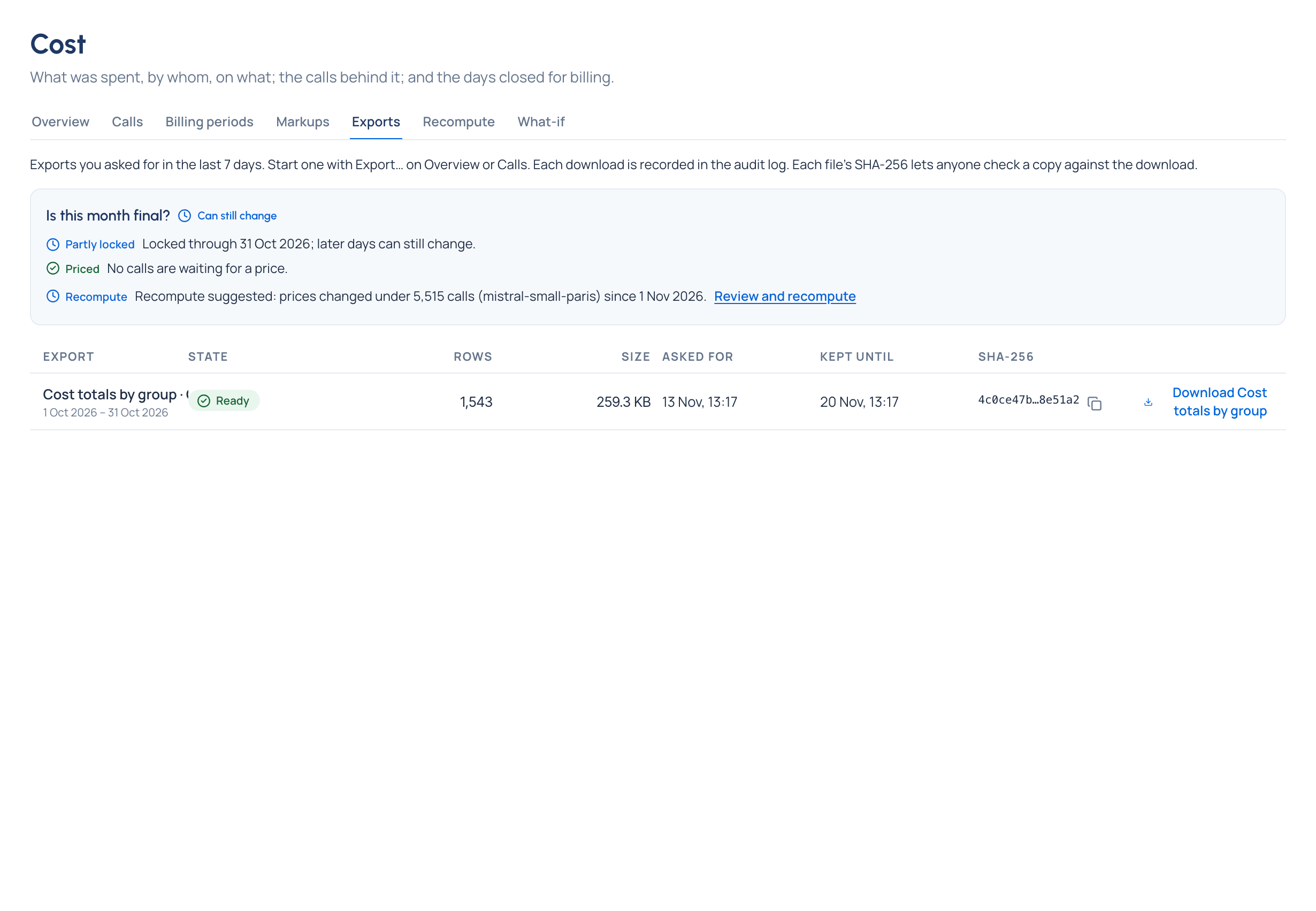
- Open the Exports tab. When the file shows Ready, choose Download, and copy its SHA-256 to send with it.
Check it worked
- Needs attention on Home and the bell say "Your export of … is ready", with the number of rows and how many days are left to download it.
- Anyone holding a copy can compute its SHA-256 and compare it with the one on Exports.
What the Exports tab shows
Every export you asked for in the last 7 days: what it is, the days it covers, its State (Preparing, Ready, Failed, Expired), Rows, Size, when you asked, Kept until and the SHA-256. Files are kept for 7 days.
Good to know
- Amounts are in each call's own currency, with a currency on every row. Nothing is converted.
- With a risk level chosen, the file holds only those calls.
- Every download is recorded in the audit log.
- A team, model or key deleted after it spent keeps its name in the file.
- To send cost to your BI tool on a schedule instead, an organisation admin sets up a BI push in System › Settings › Integrations Enterprise.