Work with several currencies
Purpose: keep every figure honest when your contracts are in different currencies. Vidai never converts, so the number on screen is the number on the invoice.
How it works
- A price is in one currency, the one it's published or entered in. A call's cost is in that currency.
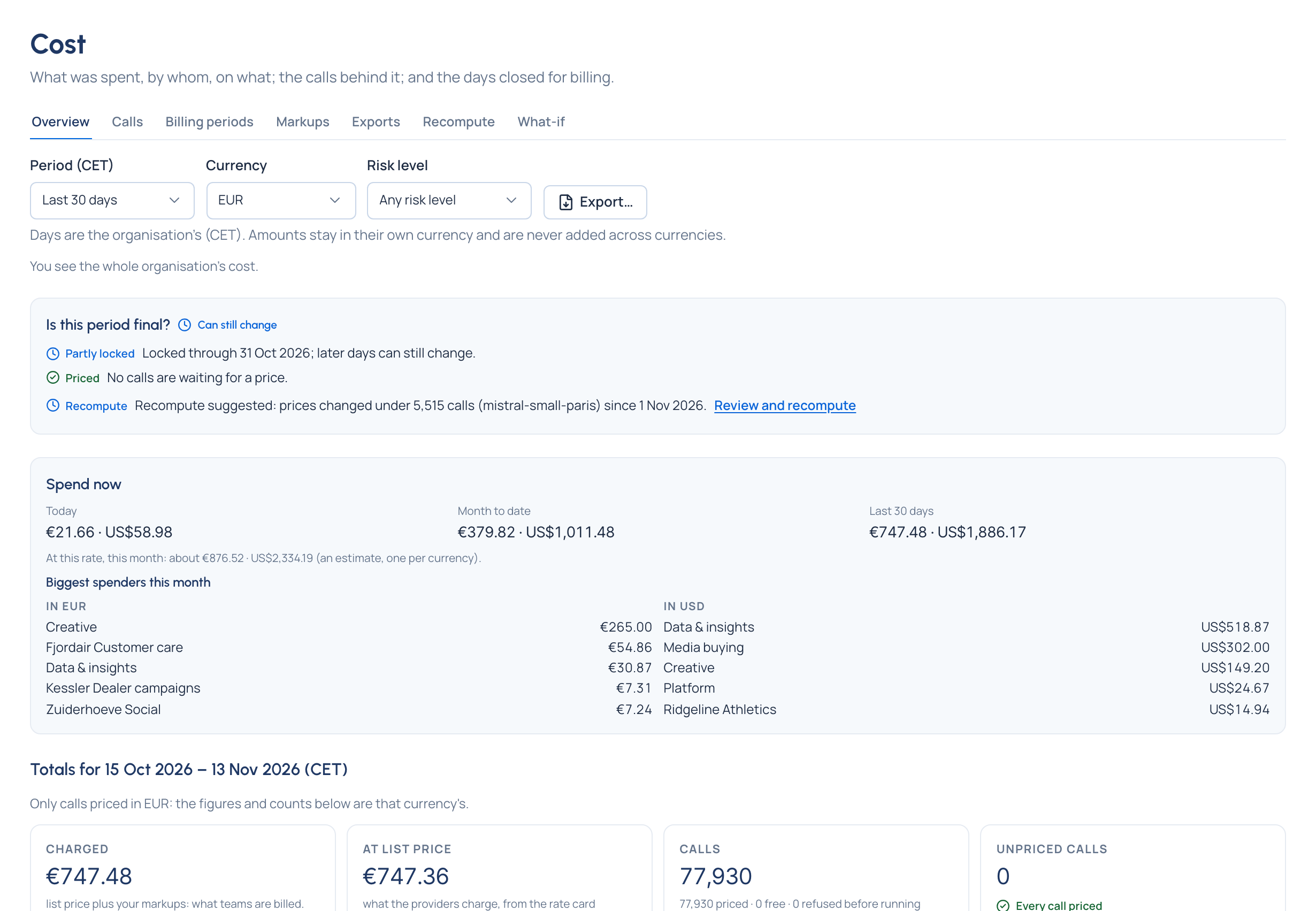
- Amounts in different currencies are never converted, added, compared or ranked. A total reads "€410.27 · US$1,530.00", with no grand total. Each breakdown, ranking, chart and comparison is per currency.
- Vidai has no exchange rates. If you need one figure, convert in your own finance system, at your own rate, from an export.
- A currency the browser doesn't know (a vendor's credits, say) is written after the amount: "12.40 USDC".
In the Grachtwerk demo world, European models (Azure West Europe and Sweden, Mistral in Paris) are priced in euros from the agency's contracts; US and Indian ones in dollars. Every Cost page shows both.
Before you start
Organisation admins set the defaults; Finance and everyone else read them.
Steps
Choose which currency prices a model (organisation admins)
Where a rate-card line is published in more than one currency, Vidai chooses, the same way on every sync:
- the provider's own Price in currency, set on the provider's Pricing (or the one for where it's placed: a provider in China prices in yuan);
- otherwise the organisation's Default price currency, in Settings › Rate card (US dollars unless you change it);
- otherwise the line's own currency.
Changing either setting applies to new calls at once. Calls already priced keep their currency until a recompute Enterprise.
Read cost one currency at a time
- Open Money › Cost. When the period has more than one currency, a Currency picker appears.
- Choose a currency: totals, counts and lists are that currency's calls only. The choice stays in the address, and the Calls tab has the same picker.
- Choose Each currency to see them side by side again.
Set budgets per currency
A budget is in one currency. Calls priced in others don't count toward it: its page shows that spend apart ("€1.20 this period"), and Needs attention says Some calls under budget … aren't counted. To cover a team that spends in two currencies, set a budget in each. Set a budget
Check it worked
No page shows a single total across currencies. If you see two figures side by side, that's by design.
Good to know
- Markups are percentages, so they apply within each call's own currency.
- Dashboard changes ("+12% vs the 30 days before") aren't shown for money in more than one currency.
- A provider that reports a cost without its currency leaves that call unpriced; it's never assumed to be dollars.